Mutant Fishing
Mutant Fishing

Mutant Fishing

Casual

| I.G.D

Play on PC with BlueStacks or from our cloud

  • Overview
  • Game Features
  • How to Play

Page Modified On: December 09, 2025

Play Mutant Fishing on PC or Mac

Bring your A-game to Mutant Fishing, the Casual game sensation from I.G.D. Give your gameplay the much-needed boost with precise game controls, high FPS graphics, and top-tier features on your PC or Mac with BlueStacks.

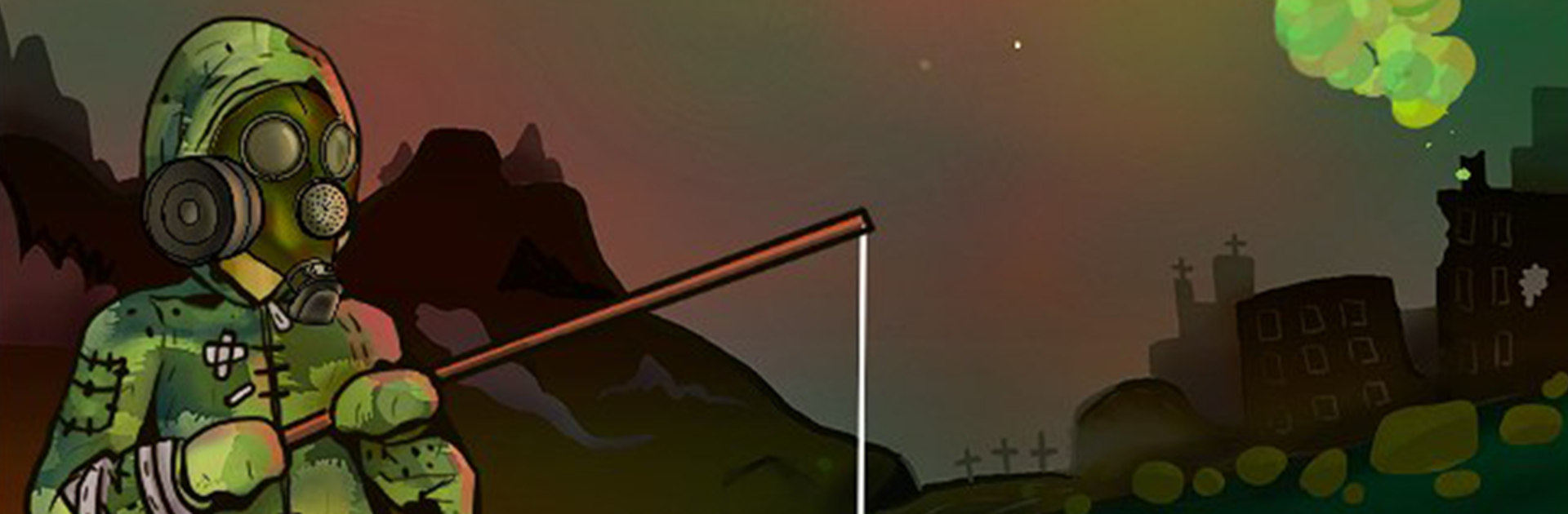
Mutant Fishing drops the player into the Chernobyl exclusion zone and tells them to cast a line in the Pripyat River. It feels part fishing sim, part strange sci‑fi safari. The fish list swings from ordinary carp and perch to mutated oddities with extra fins and bad attitudes. Success is not luck only. Rods, bait, and line strength matter, and the game pays attention to weather, time of day, and exact spot on the shoreline. There is a clean loop of picking a loadout, finding a good patch of water, feeling the line go tight, then deciding whether to push for a trophy or play it safe. It stays calm and quiet, but there is a small tension from the setting that never really goes away.

Exploration is a big draw. Each section of river has its own mood, with rusting boats, reed beds, and wildlife that still seems to be hanging on. The zone has rules to follow too. Radiation pockets, permits, and basic safety checks limit how reckless a trip can be, which makes a big catch feel earned. Gear and bait unlock at a steady pace and open new fishing spots without turning the whole thing into a grind. On PC with BlueStacks, the mouse makes casting feel accurate and the bigger screen helps spot ripples or shadows, so tracking rare mutants is easier. Anyone who wants a relaxed fishing game with a slightly eerie twist will likely enjoy the loop here.

Ready to top the leaderboard? We bet you do. Let precise controls and sharp visuals optimized on BlueStacks lead you to victory.


Game Features

Enhancements

  • Macros
  • Multi Instance
  • Script
  • Repeated Tap
  • Enhancements
Macros

Macros

Automate the predictable in Mutant Fishing and transform your gameplay with Macros. Get access to inventive Macros in the BlueStacks Macro Community
Multi Instance

Multi Instance

Play Mutant Fishing on one window. And chat with your friend on the other. Press CTRL + Shift + 8 to open the Multi-Instance Manager. And start creating fresh instances or clone an existing one.
Script

Script

Script your way to gaming glory in Mutant Fishing with BlueStacks Script. Write and run a set of commands to automate repeated tasks. Trigger the command by assigning it to any key.
Repeated Tap

Repeated Tap

BlueStacks lets you master Mutant Fishing with useful features like the Repeated Tap. Now you do not have to press the same key repeatedly to initiate an action. Just assign it to one key and you are good to go.
Read More

How to Download and Play Mutant Fishing on PC or Mac

  • Download and install BlueStacks on your PC or Mac

  • Complete Google sign-in to access the Play Store, or do it later

  • Look for Mutant Fishing in the search bar at the top right corner

  • Click to install Mutant Fishing from the search results

  • Complete Google sign-in (if you skipped step 2) to install Mutant Fishing

  • Click the Mutant Fishing icon on the home screen to start playing

video
Watch Video

Minimum System Requirements

With BlueStacks 5, you can get started on a PC that fulfills the following requirements.

  • Operating System

    Microsoft Windows 7 or above, macOS 11 (Big Sur) or above

  • Processor

    Intel, AMD or Apple Silicon Processor

  • RAM

    at least 4GB

  • HDD

    10GB Free Disk Space

Note:

* You must be an Administrator on your PC. Up to date graphics drivers from Microsoft or the chipset vendor.

Mutant Fishing - FAQs

  • How to play Mutant Fishing on Windows PC & Mac?

    Play Mutant Fishing on your PC or Mac by following these simple steps.

    • Click on 'Play Mutant Fishing on PC’ to download BlueStacks
    • Install it and log-in to Google Play Store
    • Launch and play the game.
  • Why is BlueStacks the fastest and safest platform to play games on PC?

    BlueStacks respects your privacy and is always safe and secure to use. It does not carry any malware, spyware, or any sort of additional software that could harm your PC.

    It is engineered to optimize speed and performance for a seamless gaming experience.

  • What are Mutant Fishing PC requirements?

    Minimum requirement to run Mutant Fishing on your PC

    • OS: Microsoft Windows 7 or above MacOS 11 (Big Sur) or above
    • Processor: Intel, AMD or Apple Silicon Processor
    • RAM: Your PC must have at least 4GB of RAM. (Note that having 4GB or more disk space is not a substitute for RAM)
    • HDD: 10GB Free Disk Space.
    • You must be an Administrator on your PC.