My Purrfect Poo Cafe

My Purrfect Poo Cafe

Casual

| Solid Games

Play on PC with BlueStacks or from our cloud

  • Overview
  • Game Features
  • How to Play

Page Modified On: August 10, 2026

Play My Purrfect Poo Cafe on PC or Mac

Step into the World of My Purrfect Poo Cafe, a thrilling Casual game from the house of Solid Games. Play this Android game on BlueStacks App Player and experience immersive gaming on PC or Mac.

About the Game

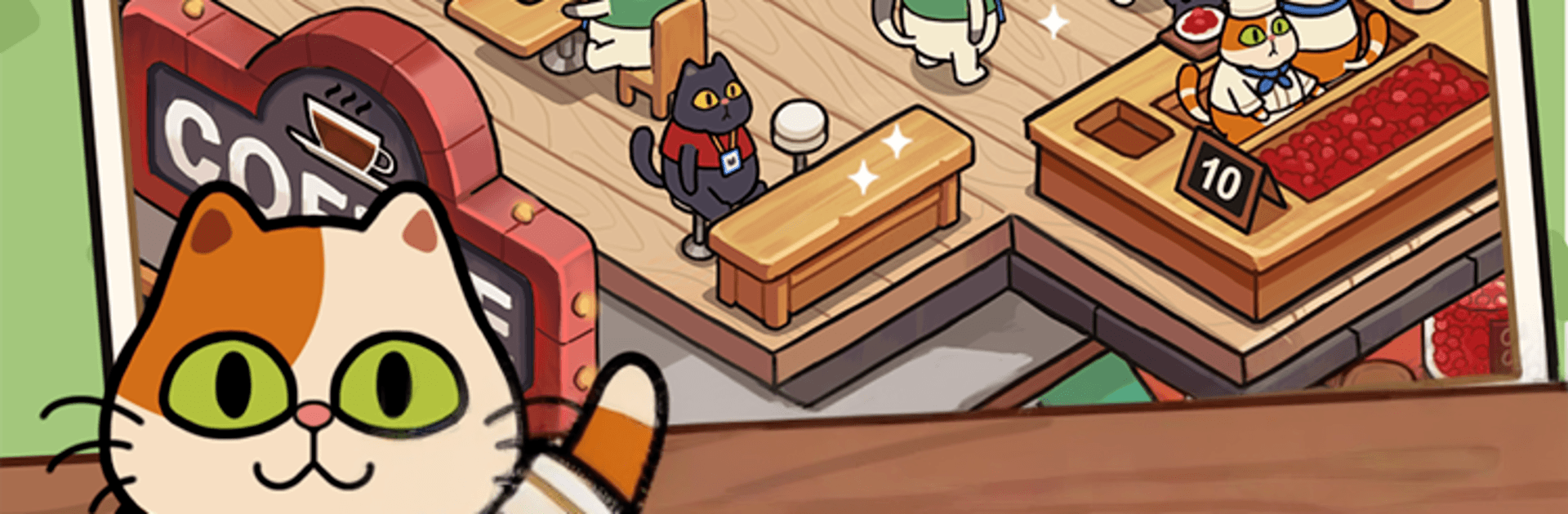
My Purrfect Poo Cafe is a quirky Casual management game where coffee meets… feline flair. You’re the boss of a tiny cafe famous for its “cat poop” coffee, and your fluffy staff is in charge of producing the precious beans behind the counter. Keep ingredients flowing, brew tasty cups, and make sure every customer leaves happy—and maybe a little surprised. Prefer playing on a bigger screen? It also runs smoothly on BlueStacks.

Game Features

  • Unapologetically Weird Concept: Yes, it’s real “cat poop” coffee. Your kitty crew helps create the beans, and you turn them into delicious cups people can’t stop ordering.
  • Hands-On Cafe Management: Watch your stock, keep the production line moving, and time your brews so nobody waits too long at the counter.
  • Cat Staff to Coordinate: Organize your feline helpers to produce the raw materials you need, then put those beans to work in the grinder and brewer.
  • Satisfy Coffee Cravings: A steady stream of customers shows up with big noses and bigger appetites—serve them fast to keep the coins rolling in.
  • Grow with Every Cup: Earn coins from successful orders and use them to improve your setup, streamline your process, and keep the cafe buzzing.
  • Light, Pick-Up-and-Play Fun: Simple controls and short sessions make it easy to jump in, make a few rounds of coffee, and pop back out.
  • Cute, Cheeky Vibes: Expect silly moments, expressive cats, and a cafe that doesn’t take itself too seriously.
  • Play Comfortably on PC: Enjoy My Purrfect Poo Cafe on BlueStacks for crisp visuals and easy clicks while you manage your bustling shop.

BlueStacks gives you more room to focus on the game and less time adjusting around mobile limitations.


Game Features

Enhancements

  • Macros
  • Multi Instance
  • Script
  • Repeated Tap
  • Enhancements
Macros

Macros

Automate the predictable in My Purrfect Poo Cafe and transform your gameplay with Macros. Get access to inventive Macros in the BlueStacks Macro Community
Multi Instance

Multi Instance

Play My Purrfect Poo Cafe on one window. And chat with your friend on the other. Press CTRL + Shift + 8 to open the Multi-Instance Manager. And start creating fresh instances or clone an existing one.
Script

Script

Script your way to gaming glory in My Purrfect Poo Cafe with BlueStacks Script. Write and run a set of commands to automate repeated tasks. Trigger the command by assigning it to any key.
Repeated Tap

Repeated Tap

BlueStacks lets you master My Purrfect Poo Cafe with useful features like the Repeated Tap. Now you do not have to press the same key repeatedly to initiate an action. Just assign it to one key and you are good to go.
Read More

How to Download and Play My Purrfect Poo Cafe on PC or Mac

  • Download and install BlueStacks on your PC or Mac

  • Complete Google sign-in to access the Play Store, or do it later

  • Look for My Purrfect Poo Cafe in the search bar at the top right corner

  • Click to install My Purrfect Poo Cafe from the search results

  • Complete Google sign-in (if you skipped step 2) to install My Purrfect Poo Cafe

  • Click the My Purrfect Poo Cafe icon on the home screen to start playing

video
Watch Video

Minimum System Requirements

With BlueStacks 5, you can get started on a PC that fulfills the following requirements.

  • Operating System

    Microsoft Windows 7 or above, macOS 11 (Big Sur) or above

  • Processor

    Intel, AMD or Apple Silicon Processor

  • RAM

    at least 4GB

  • HDD

    10GB Free Disk Space

Note:

* You must be an Administrator on your PC. Up to date graphics drivers from Microsoft or the chipset vendor.

My Purrfect Poo Cafe - FAQs

  • How to play My Purrfect Poo Cafe on Windows PC & Mac?

    Play My Purrfect Poo Cafe on your PC or Mac by following these simple steps.

    • Click on 'Play My Purrfect Poo Cafe on PC’ to download BlueStacks
    • Install it and log-in to Google Play Store
    • Launch and play the game.
  • Why is BlueStacks the fastest and safest platform to play games on PC?

    BlueStacks respects your privacy and is always safe and secure to use. It does not carry any malware, spyware, or any sort of additional software that could harm your PC.

    It is engineered to optimize speed and performance for a seamless gaming experience.

  • What are My Purrfect Poo Cafe PC requirements?

    Minimum requirement to run My Purrfect Poo Cafe on your PC

    • OS: Microsoft Windows 7 or above MacOS 11 (Big Sur) or above
    • Processor: Intel, AMD or Apple Silicon Processor
    • RAM: Your PC must have at least 4GB of RAM. (Note that having 4GB or more disk space is not a substitute for RAM)
    • HDD: 10GB Free Disk Space.
    • You must be an Administrator on your PC.