Nexus Rumble: Party Showdown

Nexus Rumble: Party Showdown

Casual

| Brainyplanet Productions

Play on PC with BlueStacks or from our cloud

  • Overview
  • Game Features
  • How to Play

Page Modified On: August 31, 2026

Play Nexus Rumble: Party Showdown on PC or Mac

Step into the World of Nexus Rumble: Party Showdown, a thrilling Casual game from the house of Brainyplanet Productions. Play this Android game on BlueStacks App Player and experience immersive gaming on PC or Mac.

About the Game

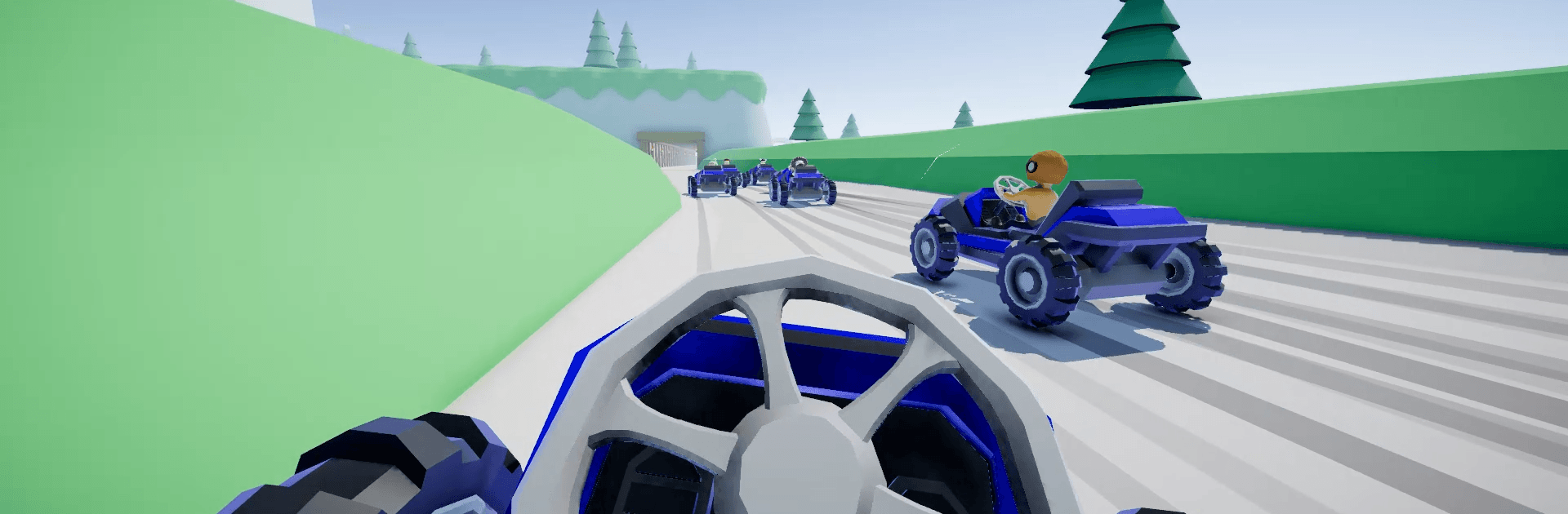
Nexus Rumble: Party Showdown throws 30 players into a whirlwind of fast, funny mini-games where plans fall apart in seconds—and that’s the fun. This Casual party royale is easy to hop into, chaotic with friends, and surprisingly tense when it’s down to the wire. You’ll sprint, hide, tag, and brawl through rotating rounds, trying to stick around longer than everyone else. Prefer a bigger screen and comfy controls? It plays great on PC with BlueStacks.

Game Features

  • 30-Player Showdowns: Jump into stacked lobbies where each round eliminates contenders until only one legend keeps their bragging rights.
  • Ever-Changing Gauntlet: Tackle 30+ mini-games spread across 50+ maps, so every match feels fresh and a little unpredictable.
  • Race Rounds: Nail your timing on obstacle courses and parkour sprints, from tricky stepping paths to tense “red light” moments and water-rising chases.
  • Survival Mayhem: Outwit hazards and rivals in modes like Bomb Tag, King of the Hill, and monster-filled arenas where the floor really is lava (sometimes).
  • Team Battles: Squad up for football- and volleyball-style clashes that swap solos for smart passes, blocks, and clutch saves.
  • Cross-Play and Custom Lobbies: Join public brawls or host private rooms across different devices, then invite friends and foes alike.
  • Host Controls: Pick the maps, flip modes on or off, and set house rules to craft exactly the kind of chaos you want.
  • Talk, Watch, React: Use voice and text chat to coordinate—or trash talk—and hop into spectator mode to cheer (or jeer) after you’re out.
  • Your View, Your Call: Switch between first-person and third-person whenever you want for tighter jumps or wider awareness.
  • Style Your Champion: Mix outfits, patterns, hats, glasses, mustaches, and custom colors for hair, eyes, and skin; cap it off with a victory dance.
  • Progress and Rewards: Earn XP each match and climb a seasonal track to unlock new cosmetics worth showing off.
  • Pure Party Action: No firearms here—just running, tagging, dodging, and scrapping that rewards timing, trickery, and nerve.

Start your journey now. Download the game on BlueStacks, invite your friends, and march on a new adventure.


Game Features

Enhancements

  • Macros
  • Multi Instance
  • Script
  • Repeated Tap
  • Enhancements
Macros

Macros

Automate the predictable in Nexus Rumble: Party Showdown and transform your gameplay with Macros. Get access to inventive Macros in the BlueStacks Macro Community
Multi Instance

Multi Instance

Play Nexus Rumble: Party Showdown on one window. And chat with your friend on the other. Press CTRL + Shift + 8 to open the Multi-Instance Manager. And start creating fresh instances or clone an existing one.
Script

Script

Script your way to gaming glory in Nexus Rumble: Party Showdown with BlueStacks Script. Write and run a set of commands to automate repeated tasks. Trigger the command by assigning it to any key.
Repeated Tap

Repeated Tap

BlueStacks lets you master Nexus Rumble: Party Showdown with useful features like the Repeated Tap. Now you do not have to press the same key repeatedly to initiate an action. Just assign it to one key and you are good to go.
Read More

How to Download and Play Nexus Rumble: Party Showdown on PC or Mac

  • Download and install BlueStacks on your PC or Mac

  • Complete Google sign-in to access the Play Store, or do it later

  • Look for Nexus Rumble: Party Showdown in the search bar at the top right corner

  • Click to install Nexus Rumble: Party Showdown from the search results

  • Complete Google sign-in (if you skipped step 2) to install Nexus Rumble: Party Showdown

  • Click the Nexus Rumble: Party Showdown icon on the home screen to start playing

video
Watch Video

Minimum System Requirements

With BlueStacks 5, you can get started on a PC that fulfills the following requirements.

  • Operating System

    Microsoft Windows 7 or above, macOS 11 (Big Sur) or above

  • Processor

    Intel, AMD or Apple Silicon Processor

  • RAM

    at least 4GB

  • HDD

    10GB Free Disk Space

Note:

* You must be an Administrator on your PC. Up to date graphics drivers from Microsoft or the chipset vendor.

Nexus Rumble: Party Showdown - FAQs

  • How to play Nexus Rumble: Party Showdown on Windows PC & Mac?

    Play Nexus Rumble: Party Showdown on your PC or Mac by following these simple steps.

    • Click on 'Play Nexus Rumble: Party Showdown on PC’ to download BlueStacks
    • Install it and log-in to Google Play Store
    • Launch and play the game.
  • Why is BlueStacks the fastest and safest platform to play games on PC?

    BlueStacks respects your privacy and is always safe and secure to use. It does not carry any malware, spyware, or any sort of additional software that could harm your PC.

    It is engineered to optimize speed and performance for a seamless gaming experience.

  • What are Nexus Rumble: Party Showdown PC requirements?

    Minimum requirement to run Nexus Rumble: Party Showdown on your PC

    • OS: Microsoft Windows 7 or above MacOS 11 (Big Sur) or above
    • Processor: Intel, AMD or Apple Silicon Processor
    • RAM: Your PC must have at least 4GB of RAM. (Note that having 4GB or more disk space is not a substitute for RAM)
    • HDD: 10GB Free Disk Space.
    • You must be an Administrator on your PC.