O! Hole!
O! Hole!

O! Hole!

Casual

| PLAYBEST GAMES LIMITED

Play on PC with BlueStacks or from our cloud

  • Overview
  • Game Features
  • How to Play

Page Modified On: July 20, 2026

Play O! Hole! on PC or Mac

Step into the World of O! Hole!, a thrilling Casual game from the house of PLAYBEST GAMES LIMITED. Play this Android game on BlueStacks App Player and experience immersive gaming on PC or Mac.

About the Game

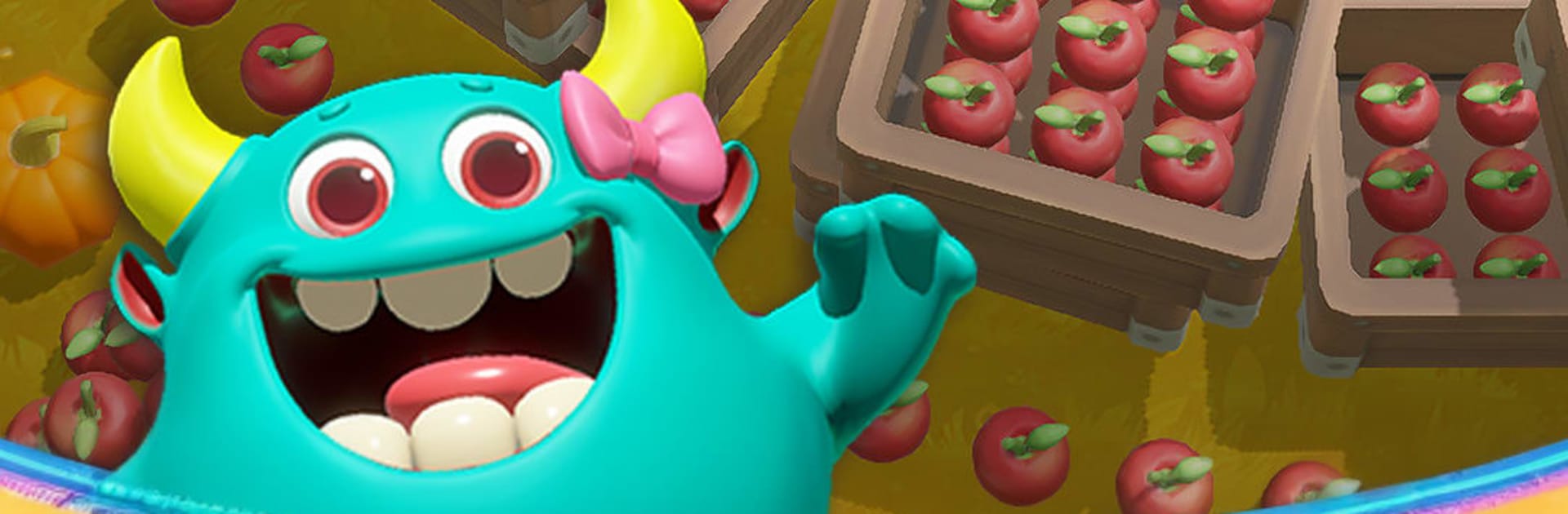
O! Hole! is a quirky Casual puzzler where eating the scenery is the whole plan. You guide Gulu, a stranded little alien with an ever-growing void, and turn crowded scenes into clever, satisfying challenges. It’s chill when you want it to be, but there’s plenty of depth if you’re chasing high scores and perfect clears.

Game Features

  • Eat-Smart Puzzles: Figure out the order to gulp objects so your hole grows and tricky layouts fall into place.
  • Grow the Hole: Unlock new forms and abilities that change how you move, pull, and consume.
  • Build Your Style: Mix and match skills to create a setup that suits speed runs, careful planning, or chaotic fun.
  • Hidden Finds: Discover secret stages, odd collectibles, and little surprises tucked around each map.
  • Play Anywhere: No internet needed—great for quick sessions on the go or long, cozy marathons.
  • Strange Little Stories: Explore peculiar villages on Earth and uncover bite-sized tales as you go.
  • Friends Help Friends: Share hearts and coins with buddies to open more options and keep the momentum going.
  • Compete Globally: Tackle special challenges and push your score up the worldwide leaderboard.
  • Loads of Content: More than 100 handcrafted levels filled with delightful, sometimes weird, things to consume.
  • Regular Refresh: Expect frequent updates with new levels, skills, and twists that keep the game feeling fresh.
  • Smooth on BlueStacks: Prefer playing on PC? The mouse-and-keyboard feel is crisp and comfy on BlueStacks.

Start your journey now. Download the game on BlueStacks, invite your friends, and march on a new adventure.


Game Features

Enhancements

  • Macros
  • Multi Instance
  • Script
  • Repeated Tap
  • Enhancements
Macros

Macros

Automate the predictable in O! Hole! and transform your gameplay with Macros. Get access to inventive Macros in the BlueStacks Macro Community
Multi Instance

Multi Instance

Play O! Hole! on one window. And chat with your friend on the other. Press CTRL + Shift + 8 to open the Multi-Instance Manager. And start creating fresh instances or clone an existing one.
Script

Script

Script your way to gaming glory in O! Hole! with BlueStacks Script. Write and run a set of commands to automate repeated tasks. Trigger the command by assigning it to any key.
Repeated Tap

Repeated Tap

BlueStacks lets you master O! Hole! with useful features like the Repeated Tap. Now you do not have to press the same key repeatedly to initiate an action. Just assign it to one key and you are good to go.
Read More

How to Download and Play O! Hole! on PC or Mac

  • Download and install BlueStacks on your PC or Mac

  • Complete Google sign-in to access the Play Store, or do it later

  • Look for O! Hole! in the search bar at the top right corner

  • Click to install O! Hole! from the search results

  • Complete Google sign-in (if you skipped step 2) to install O! Hole!

  • Click the O! Hole! icon on the home screen to start playing

video
Watch Video

Minimum System Requirements

With BlueStacks 5, you can get started on a PC that fulfills the following requirements.

  • Operating System

    Microsoft Windows 7 or above, macOS 11 (Big Sur) or above

  • Processor

    Intel, AMD or Apple Silicon Processor

  • RAM

    at least 4GB

  • HDD

    10GB Free Disk Space

Note:

* You must be an Administrator on your PC. Up to date graphics drivers from Microsoft or the chipset vendor.

O! Hole! - FAQs

  • How to play O! Hole! on Windows PC & Mac?

    Play O! Hole! on your PC or Mac by following these simple steps.

    • Click on 'Play O! Hole! on PC’ to download BlueStacks
    • Install it and log-in to Google Play Store
    • Launch and play the game.
  • Why is BlueStacks the fastest and safest platform to play games on PC?

    BlueStacks respects your privacy and is always safe and secure to use. It does not carry any malware, spyware, or any sort of additional software that could harm your PC.

    It is engineered to optimize speed and performance for a seamless gaming experience.

  • What are O! Hole! PC requirements?

    Minimum requirement to run O! Hole! on your PC

    • OS: Microsoft Windows 7 or above MacOS 11 (Big Sur) or above
    • Processor: Intel, AMD or Apple Silicon Processor
    • RAM: Your PC must have at least 4GB of RAM. (Note that having 4GB or more disk space is not a substitute for RAM)
    • HDD: 10GB Free Disk Space.
    • You must be an Administrator on your PC.