Parkour Escape: The Backrooms

Parkour Escape: The Backrooms

Casual

| Blox Global

Play on PC with BlueStacks or from our cloud

  • Overview
  • Game Features
  • How to Play

Page Modified On: September 25, 2026

Play Parkour Escape: The Backrooms on PC or Mac

Parkour Escape: The Backrooms by Blox Global has plenty to keep you busy. BlueStacks lets you play it on PC or Mac with more screen space, better control, and fewer mobile limits.

About the Game

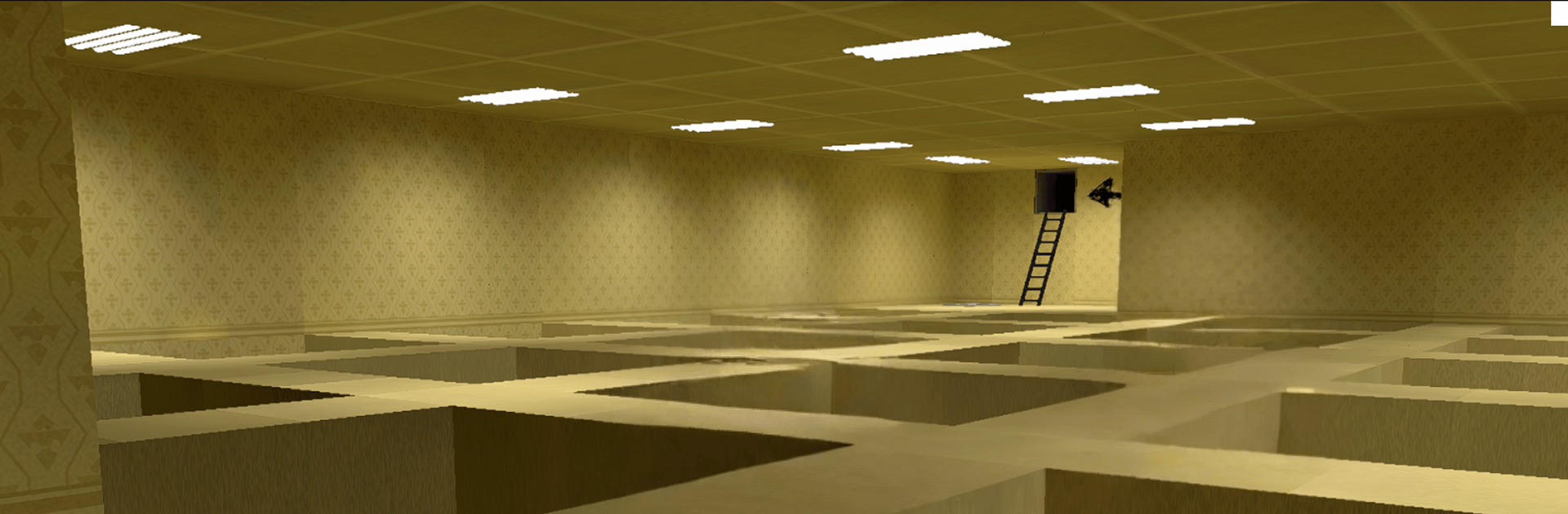
Parkour Escape: The Backrooms is a Casual run-and-jump survival experience set in those unsettling, empty corridors you wish you’d never found. You’ll sprint, climb, and thread the needle through shifting spaces while hungry things stalk the halls and parkour obstacles keep you on your toes. It’s snappy, replayable, and easy to pick up—great on the go and smooth on BlueStacks, too.

Game Features

  • Three game modes: Swap between Escape Backrooms for maze-like routes and exits, Obby Backrooms for tight platforming challenges, and Chase in the Backrooms when it’s all about running for your life.
  • Eerie environments: Explore multiple Backrooms-inspired levels packed with dead ends, looping passages, and those uncanny, too-quiet rooms.
  • Fast, responsive parkour: Jump gaps, time moving platforms, and thread past traps with precise movement that rewards rhythm and timing.
  • Heart-pounding chases: Outrun relentless entities that punish hesitation—one bad step and they’re on you.
  • Adjustable difficulty: Pick the challenge that fits your mood, from learning-friendly routes to brutal tests of focus.
  • Easy controls: Simple to learn with quick inputs that make sprinting, hopping, and landing feel natural.
  • Offline play: No connection needed—perfect for quick sessions or long runs whenever you have a moment.
  • Smooth 3D visuals: Clean graphics and steady performance keep the action readable when things get tense.
  • Endless-style challenges: Return for fresh runs, new routes, and survival scenarios that keep you guessing.

Ready to top the leaderboard? We bet you do. Let precise controls and sharp visuals optimized on BlueStacks lead you to victory.


Game Features

Enhancements

  • Macros
  • Multi Instance
  • Script
  • Repeated Tap
  • Enhancements
Macros

Macros

Automate the predictable in Parkour Escape: The Backrooms and transform your gameplay with Macros. Get access to inventive Macros in the BlueStacks Macro Community
Multi Instance

Multi Instance

Play Parkour Escape: The Backrooms on one window. And chat with your friend on the other. Press CTRL + Shift + 8 to open the Multi-Instance Manager. And start creating fresh instances or clone an existing one.
Script

Script

Script your way to gaming glory in Parkour Escape: The Backrooms with BlueStacks Script. Write and run a set of commands to automate repeated tasks. Trigger the command by assigning it to any key.
Repeated Tap

Repeated Tap

BlueStacks lets you master Parkour Escape: The Backrooms with useful features like the Repeated Tap. Now you do not have to press the same key repeatedly to initiate an action. Just assign it to one key and you are good to go.
Read More

How to Download and Play Parkour Escape: The Backrooms on PC or Mac

  • Download and install BlueStacks on your PC or Mac

  • Complete Google sign-in to access the Play Store, or do it later

  • Look for Parkour Escape: The Backrooms in the search bar at the top right corner

  • Click to install Parkour Escape: The Backrooms from the search results

  • Complete Google sign-in (if you skipped step 2) to install Parkour Escape: The Backrooms

  • Click the Parkour Escape: The Backrooms icon on the home screen to start playing

video
Watch Video

Minimum System Requirements

With BlueStacks 5, you can get started on a PC that fulfills the following requirements.

  • Operating System

    Microsoft Windows 7 or above, macOS 11 (Big Sur) or above

  • Processor

    Intel, AMD or Apple Silicon Processor

  • RAM

    at least 4GB

  • HDD

    10GB Free Disk Space

Note:

* You must be an Administrator on your PC. Up to date graphics drivers from Microsoft or the chipset vendor.

Parkour Escape: The Backrooms - FAQs

  • How to play Parkour Escape: The Backrooms on Windows PC & Mac?

    Play Parkour Escape: The Backrooms on your PC or Mac by following these simple steps.

    • Click on 'Play Parkour Escape: The Backrooms on PC’ to download BlueStacks
    • Install it and log-in to Google Play Store
    • Launch and play the game.
  • Why is BlueStacks the fastest and safest platform to play games on PC?

    BlueStacks respects your privacy and is always safe and secure to use. It does not carry any malware, spyware, or any sort of additional software that could harm your PC.

    It is engineered to optimize speed and performance for a seamless gaming experience.

  • What are Parkour Escape: The Backrooms PC requirements?

    Minimum requirement to run Parkour Escape: The Backrooms on your PC

    • OS: Microsoft Windows 7 or above MacOS 11 (Big Sur) or above
    • Processor: Intel, AMD or Apple Silicon Processor
    • RAM: Your PC must have at least 4GB of RAM. (Note that having 4GB or more disk space is not a substitute for RAM)
    • HDD: 10GB Free Disk Space.
    • You must be an Administrator on your PC.