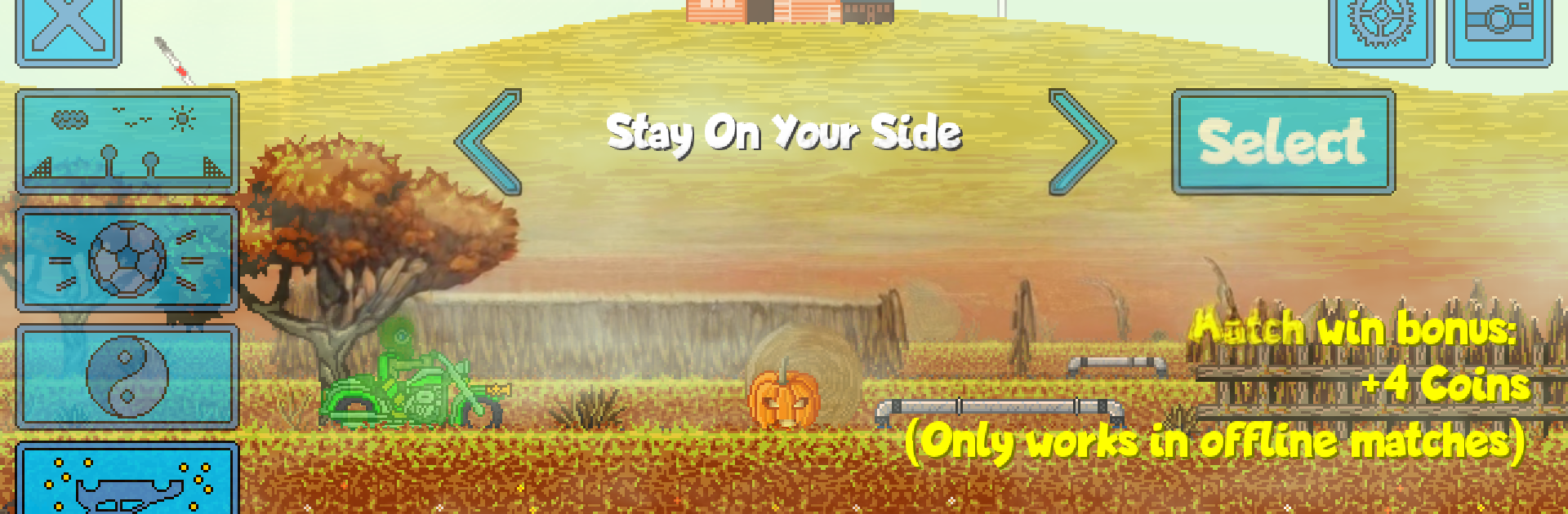
Pixel Boost League - 2D Rocket Powered Car Soccer

Pixel Boost League - 2D Rocket Powered Car Soccer

Casual

| ScimitarDD

Play on PC with BlueStacks or from our cloud

  • Overview
  • Game Features
  • How to Play

Page Modified On: January 09, 2026

Play Pixel Boost League - 2D Rocket Powered Car Soccer on PC or Mac

Pixel Boost League – 2D Rocket Powered Car Soccer brings the Casual genre to life, and throws up exciting challenges for gamers. Developed by ScimitarDD, this Android game is best experienced on BlueStacks, the World’s #1 app player for PC and Mac users.

About the Game

Pixel Boost League – 2D Rocket Powered Car Soccer is exactly what it sounds like: quick, chaotic soccer played with rocket-powered cars in a slick side-view arena. It’s a Casual game from ScimitarDD that blends tight physics, bold customization, and plenty of “did I really just pull that off?” moments. Jump into online matches or tackle offline missions, and if you like playing on PC, BlueStacks makes the controls feel extra smooth.

Game Features

  • Fast 2D Car Soccer: Zip across compact arenas, slam the ball with perfect angles, and use physics to pull off smart clears and last-second saves.
  • Online or Offline, Your Call: Queue up for ranked or unranked multiplayer, or practice in customizable offline matches, missions, and challenges with leaderboards to chase.
  • Aerials, Boosts, and Trick Shots: Chain jumps with rocket boost to climb sky-high, then line up precise shots—yep, even sneaky ones with your onboard weapon.
  • Deep Car Customization: Tweak your ride’s look and feel—car body, decals, wheels, boost trail, weapon, and even a honk-it-when-they’re-not-expecting-it horn.
  • Pets with Perks: Unlock little companions that follow your car and grant stat bonuses. Cute, and surprisingly clutch.
  • Unlock Wild Rides: Win ranked games and missions to earn unusual vehicles and new mechanics, perfect for fine-tuning strategy or making goofy-but-effective builds.
  • Tough AI Challenges: Test yourself against a sharp hard-mode AI in fair 1v1s—or go bold with 1v2 and even 1v3 if you want the near-impossible.
  • Train Your Own Bot: Build and train an AI that can play matches for you, both online and offline, and watch it learn your favorite moves.
  • Modifiers and Handicaps: Crank up the chaos or balance a lobby with extra rules that apply in solo play and multiplayer alike.
  • Pick Your Controls: Play with intuitive touch controls, or plug in a gamepad for tighter steering and cleaner aerials.

Start your journey now. Download the game on BlueStacks, invite your friends, and march on a new adventure.


Game Features

Enhancements

  • Macros
  • Multi Instance
  • Script
  • Repeated Tap
  • Enhancements
Macros

Macros

Automate the predictable in Pixel Boost League - 2D Rocket Powered Car Soccer and transform your gameplay with Macros. Get access to inventive Macros in the BlueStacks Macro Community
Multi Instance

Multi Instance

Play Pixel Boost League - 2D Rocket Powered Car Soccer on one window. And chat with your friend on the other. Press CTRL + Shift + 8 to open the Multi-Instance Manager. And start creating fresh instances or clone an existing one.
Script

Script

Script your way to gaming glory in Pixel Boost League - 2D Rocket Powered Car Soccer with BlueStacks Script. Write and run a set of commands to automate repeated tasks. Trigger the command by assigning it to any key.
Repeated Tap

Repeated Tap

BlueStacks lets you master Pixel Boost League - 2D Rocket Powered Car Soccer with useful features like the Repeated Tap. Now you do not have to press the same key repeatedly to initiate an action. Just assign it to one key and you are good to go.
Read More

How to Download and Play Pixel Boost League - 2D Rocket Powered Car Soccer on PC or Mac

  • Download and install BlueStacks on your PC or Mac

  • Complete Google sign-in to access the Play Store, or do it later

  • Look for Pixel Boost League - 2D Rocket Powered Car Soccer in the search bar at the top right corner

  • Click to install Pixel Boost League - 2D Rocket Powered Car Soccer from the search results

  • Complete Google sign-in (if you skipped step 2) to install Pixel Boost League - 2D Rocket Powered Car Soccer

  • Click the Pixel Boost League - 2D Rocket Powered Car Soccer icon on the home screen to start playing

video
Watch Video

Minimum System Requirements

With BlueStacks 5, you can get started on a PC that fulfills the following requirements.

  • Operating System

    Microsoft Windows 7 or above, macOS 11 (Big Sur) or above

  • Processor

    Intel, AMD or Apple Silicon Processor

  • RAM

    at least 4GB

  • HDD

    10GB Free Disk Space

Note:

* You must be an Administrator on your PC. Up to date graphics drivers from Microsoft or the chipset vendor.

Pixel Boost League - 2D Rocket Powered Car Soccer - FAQs

  • How to play Pixel Boost League - 2D Rocket Powered Car Soccer on Windows PC & Mac?

    Play Pixel Boost League - 2D Rocket Powered Car Soccer on your PC or Mac by following these simple steps.

    • Click on 'Play Pixel Boost League - 2D Rocket Powered Car Soccer on PC’ to download BlueStacks
    • Install it and log-in to Google Play Store
    • Launch and play the game.
  • Why is BlueStacks the fastest and safest platform to play games on PC?

    BlueStacks respects your privacy and is always safe and secure to use. It does not carry any malware, spyware, or any sort of additional software that could harm your PC.

    It is engineered to optimize speed and performance for a seamless gaming experience.

  • What are Pixel Boost League - 2D Rocket Powered Car Soccer PC requirements?

    Minimum requirement to run Pixel Boost League - 2D Rocket Powered Car Soccer on your PC

    • OS: Microsoft Windows 7 or above MacOS 11 (Big Sur) or above
    • Processor: Intel, AMD or Apple Silicon Processor
    • RAM: Your PC must have at least 4GB of RAM. (Note that having 4GB or more disk space is not a substitute for RAM)
    • HDD: 10GB Free Disk Space.
    • You must be an Administrator on your PC.