ポテチップ kitchen
ポテチップ kitchen

ポテチップ kitchen

Casual

| GlobalGear Co. Ltd.

Play on PC with BlueStacks or from our cloud

  • Overview
  • Game Features
  • How to Play

Page Modified On: September 07, 2026

Play ポテチップ kitchen on PC or Mac

ポテチップ kitchen brings the Casual genre to life, and throws up exciting challenges for gamers. Developed by GlobalGear Co. Ltd., this Android game is best experienced on BlueStacks, the World’s #1 app player for PC and Mac users.

About the Game

ポテチップ kitchen turns snack cravings into a cozy, bite-size project. This Casual cooking-management mashup lets you invent your own potato chip flavors, queue up batches, and watch your menu fill with both classic and totally unexpected tastes. It’s laid-back, a little quirky, and great for quick sessions or lazy evenings.

Game Features

  • Easy-breezy cooking flow: Pick a base, choose seasonings, start a batch, and let the chips crisp up while you do your thing—yes, they keep going even when you’re away.
  • Flavor lab experimentation: Mix and match favorites like salt, soy sauce, and pepper with bold twists such as habanero, truffle, matcha, plum, wasabi, garlic, bacon, sesame, lemon, chocolate, and more.
  • Helpful recipe hints: Not sure what to blend next? Handy tips nudge you toward tasty combos and secret discoveries without spoiling the fun.
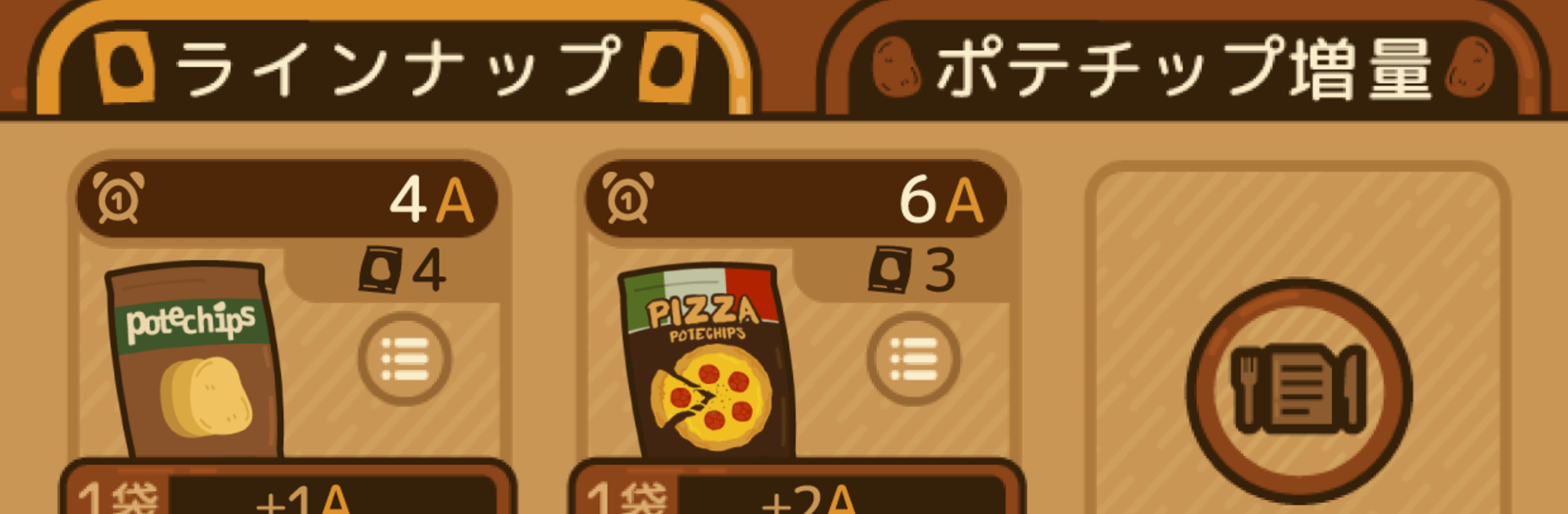
  • Growing chip lineup: Every new flavor you unlock gets added to your shelf, turning a tiny kitchen into a surprisingly stacked snack shop.
  • Upgrades that matter: Improve tools and boost recipes to speed up batches and punch up flavor quality, making each run more rewarding.
  • Cute decor buddies: Sprinkle in charming decorations and tiny characters that liven up the kitchen and bring small perks to your workflow.
  • Light management choices: Juggle ingredients, timing, and flavor goals so your best-sellers keep flying while you test new ideas in the background.
  • Play comfortably on PC: Want bigger views and crisp clicks? ポテチップ kitchen runs smoothly with BlueStacks, so everything feels extra snappy.

Ready to top the leaderboard? We bet you do. Let precise controls and sharp visuals optimized on BlueStacks lead you to victory.


Game Features

Enhancements

  • Macros
  • Multi Instance
  • Script
  • Repeated Tap
  • Enhancements
Macros

Macros

Automate the predictable in ポテチップ kitchen and transform your gameplay with Macros. Get access to inventive Macros in the BlueStacks Macro Community
Multi Instance

Multi Instance

Play ポテチップ kitchen on one window. And chat with your friend on the other. Press CTRL + Shift + 8 to open the Multi-Instance Manager. And start creating fresh instances or clone an existing one.
Script

Script

Script your way to gaming glory in ポテチップ kitchen with BlueStacks Script. Write and run a set of commands to automate repeated tasks. Trigger the command by assigning it to any key.
Repeated Tap

Repeated Tap

BlueStacks lets you master ポテチップ kitchen with useful features like the Repeated Tap. Now you do not have to press the same key repeatedly to initiate an action. Just assign it to one key and you are good to go.
Read More

How to Download and Play ポテチップ kitchen on PC or Mac

  • Download and install BlueStacks on your PC or Mac

  • Complete Google sign-in to access the Play Store, or do it later

  • Look for ポテチップ kitchen in the search bar at the top right corner

  • Click to install ポテチップ kitchen from the search results

  • Complete Google sign-in (if you skipped step 2) to install ポテチップ kitchen

  • Click the ポテチップ kitchen icon on the home screen to start playing

video
Watch Video

Minimum System Requirements

With BlueStacks 5, you can get started on a PC that fulfills the following requirements.

  • Operating System

    Microsoft Windows 7 or above, macOS 11 (Big Sur) or above

  • Processor

    Intel, AMD or Apple Silicon Processor

  • RAM

    at least 4GB

  • HDD

    10GB Free Disk Space

Note:

* You must be an Administrator on your PC. Up to date graphics drivers from Microsoft or the chipset vendor.

ポテチップ kitchen - FAQs

  • How to play ポテチップ kitchen on Windows PC & Mac?

    Play ポテチップ kitchen on your PC or Mac by following these simple steps.

    • Click on 'Play ポテチップ kitchen on PC’ to download BlueStacks
    • Install it and log-in to Google Play Store
    • Launch and play the game.
  • Why is BlueStacks the fastest and safest platform to play games on PC?

    BlueStacks respects your privacy and is always safe and secure to use. It does not carry any malware, spyware, or any sort of additional software that could harm your PC.

    It is engineered to optimize speed and performance for a seamless gaming experience.

  • What are ポテチップ kitchen PC requirements?

    Minimum requirement to run ポテチップ kitchen on your PC

    • OS: Microsoft Windows 7 or above MacOS 11 (Big Sur) or above
    • Processor: Intel, AMD or Apple Silicon Processor
    • RAM: Your PC must have at least 4GB of RAM. (Note that having 4GB or more disk space is not a substitute for RAM)
    • HDD: 10GB Free Disk Space.
    • You must be an Administrator on your PC.