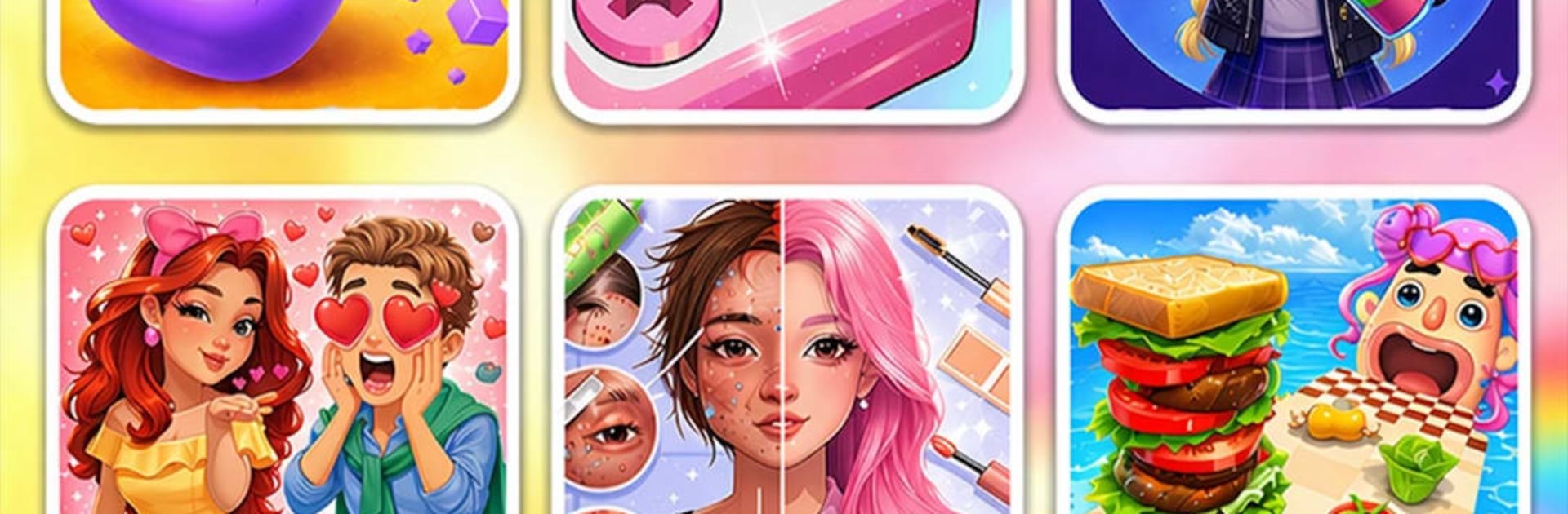
Teen Girls: Fun Mini Games

Teen Girls: Fun Mini Games

Casual

| BonBonGame.com

Play on PC with BlueStacks or from our cloud

  • Overview
  • Game Features
  • How to Play

Page Modified On: June 02, 2026

Play Teen Girls: Fun Mini Games on PC or Mac

Teen Girls: Fun Mini Games by BonBonGame.com has plenty to keep you busy. BlueStacks lets you play it on PC or Mac with more screen space, better control, and fewer mobile limits.

About the Game

Teen Girls: Fun Mini Games is a cozy playground packed with bite-size creativity and quick challenges. Bounce between a hair salon, nail spa, makeup chair, dress-up closet, DIY desk, and clever puzzles whenever you’re in the mood. It’s a Casual mix of chill vibes and satisfying tasks, great for short breaks or long, comfy sessions. Want a bigger view? It works nicely on BlueStacks so you can enjoy the details on a larger screen.

Game Features

  • Hair Salon Studio: Trim, color, and style with playful tools, bright dyes, and cute accessories. Try braids, curls, or sleek looks and see what suits your client best.
  • Nail Art & Spa: Shape, buff, and polish, then decorate with glitter, gems, and stickers. Go minimal or go bold—the palette’s packed.
  • Makeup + Dress-Up Combo: Blend eyeshadow, blush, and lipstick, then pull outfits from a stacked closet of tops, skirts, dresses, and accessories.
  • Puzzles & Brain Teasers: Match, sort, and solve quick logic challenges that range from breezy to “okay, think this through” tricky.
  • DIY Craft Corner: Make bracelets, personalize phone cases, and design comfy-cute room decor for that handmade touch.
  • Calming ASMR Touches: Soft sounds and smooth animations make every snip, swipe, and swipe-polish extra soothing.
  • Cute Teen Aesthetic: Pastels, kawaii characters, and sweet visuals keep the mood light and friendly.
  • One Big Collection: Hundreds of mini activities in one place—switch modes anytime without losing the flow.

Get ready for a buttery smooth, high-performance gaming action only on BlueStacks.

Game Features

Enhancements

  • Macros
  • Multi Instance
  • Script
  • Repeated Tap
  • Enhancements
Macros

Macros

Automate the predictable in Teen Girls: Fun Mini Games and transform your gameplay with Macros. Get access to inventive Macros in the BlueStacks Macro Community
Multi Instance

Multi Instance

Play Teen Girls: Fun Mini Games on one window. And chat with your friend on the other. Press CTRL + Shift + 8 to open the Multi-Instance Manager. And start creating fresh instances or clone an existing one.
Script

Script

Script your way to gaming glory in Teen Girls: Fun Mini Games with BlueStacks Script. Write and run a set of commands to automate repeated tasks. Trigger the command by assigning it to any key.
Repeated Tap

Repeated Tap

BlueStacks lets you master Teen Girls: Fun Mini Games with useful features like the Repeated Tap. Now you do not have to press the same key repeatedly to initiate an action. Just assign it to one key and you are good to go.
Read More

How to Download and Play Teen Girls: Fun Mini Games on PC or Mac

  • Download and install BlueStacks on your PC or Mac

  • Complete Google sign-in to access the Play Store, or do it later

  • Look for Teen Girls: Fun Mini Games in the search bar at the top right corner

  • Click to install Teen Girls: Fun Mini Games from the search results

  • Complete Google sign-in (if you skipped step 2) to install Teen Girls: Fun Mini Games

  • Click the Teen Girls: Fun Mini Games icon on the home screen to start playing

video
Watch Video

Minimum System Requirements

With BlueStacks 5, you can get started on a PC that fulfills the following requirements.

  • Operating System

    Microsoft Windows 7 or above, macOS 11 (Big Sur) or above

  • Processor

    Intel, AMD or Apple Silicon Processor

  • RAM

    at least 4GB

  • HDD

    10GB Free Disk Space

Note:

* You must be an Administrator on your PC. Up to date graphics drivers from Microsoft or the chipset vendor.

Teen Girls: Fun Mini Games - FAQs

  • How to play Teen Girls: Fun Mini Games on Windows PC & Mac?

    Play Teen Girls: Fun Mini Games on your PC or Mac by following these simple steps.

    • Click on 'Play Teen Girls: Fun Mini Games on PC’ to download BlueStacks
    • Install it and log-in to Google Play Store
    • Launch and play the game.
  • Why is BlueStacks the fastest and safest platform to play games on PC?

    BlueStacks respects your privacy and is always safe and secure to use. It does not carry any malware, spyware, or any sort of additional software that could harm your PC.

    It is engineered to optimize speed and performance for a seamless gaming experience.

  • What are Teen Girls: Fun Mini Games PC requirements?

    Minimum requirement to run Teen Girls: Fun Mini Games on your PC

    • OS: Microsoft Windows 7 or above MacOS 11 (Big Sur) or above
    • Processor: Intel, AMD or Apple Silicon Processor
    • RAM: Your PC must have at least 4GB of RAM. (Note that having 4GB or more disk space is not a substitute for RAM)
    • HDD: 10GB Free Disk Space.
    • You must be an Administrator on your PC.