Walk The Frog
Walk The Frog

Walk The Frog

Casual

| Walk The Frog

Play on PC with BlueStacks or from our cloud

  • Overview
  • Game Features
  • How to Play

Page Modified On: November 12, 2026

Play Walk The Frog on PC or Mac

Walk The Frog brings the Casual genre to life, and throws up exciting challenges for gamers. Developed by Walk The Frog, this Android game is best experienced on BlueStacks, the World’s #1 app player for PC and Mac users.

About the Game

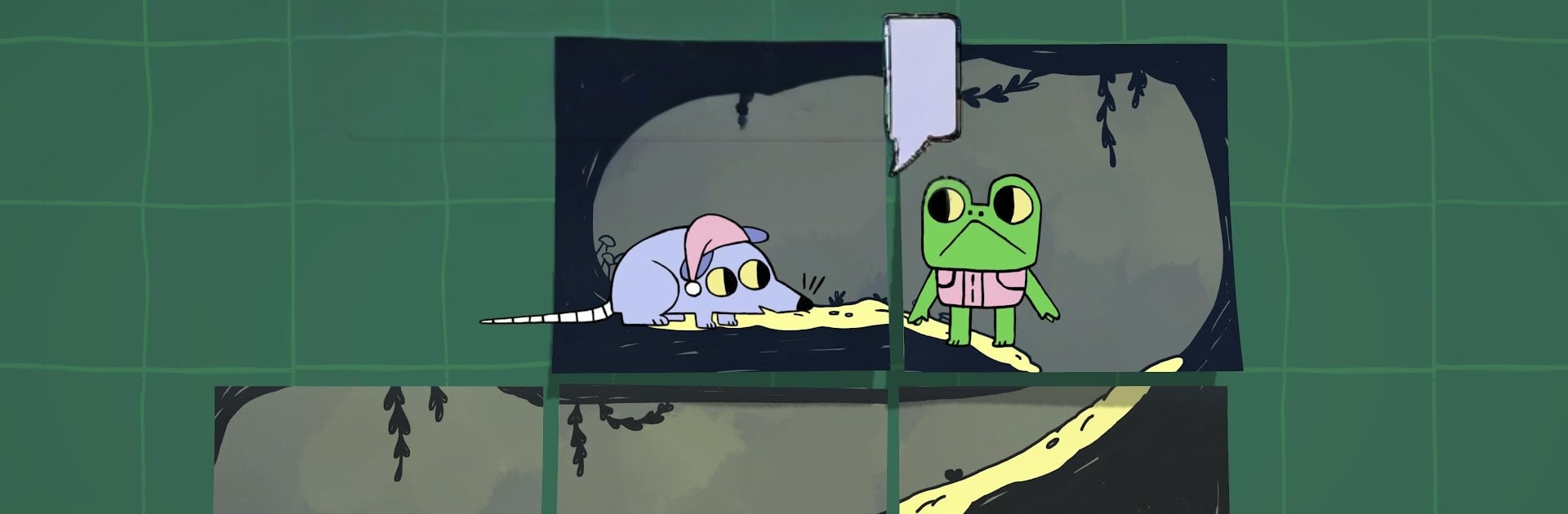
Walk The Frog is a cozy Casual puzzler about guiding Froggo back to his pond across a world sketched on sticky notes. You’ll rearrange little pieces of his journey, chat with quirky critters, and enjoy a calm, story-first vibe without any pressure. It’s light, warm, and perfect when you want something thoughtful that won’t stress you out.

Game Features

  • Sticky-note puzzling: Shuffle and place hand-sketched notes to stitch together a safe route for Froggo, then watch him toddle along your path.
  • Gentle, no-pressure play: No timers or rush; take your time, poke around, and enjoy optional encounters that add flavor to the tale.
  • A journey with heart: Head for the pond and the Froggapalooza festival, meet Buddy and a cast of witty animals, and trade small favors that make the road home feel meaningful.
  • Hand-drawn charm: Warm 2D artwork and a soft, ambient soundtrack set a mellow, curl-up-and-play mood.
  • Simple controls that click: Drag to arrange the world, tap to send Froggo onward—intuitive and friendly from the first level.
  • Chapters to explore: Travel through The Forest, The Insect City, and Fields & Meadows across 18 thoughtfully crafted stages.
  • Family-friendly fun: Approachable puzzles and gentle humor make it easy for all ages to play together or pass the controls around.
  • Small choices, subtle twists: Conversations can shift tone and details, rewarding your curiosity without turning it into a checklist.
  • Cozy on any screen: Prefer a bigger view and comfy setup? Play on PC with BlueStacks and keep the chill vibe going.

Start your journey now. Download the game on BlueStacks, invite your friends, and march on a new adventure.


Game Features

Enhancements

  • Macros
  • Multi Instance
  • Script
  • Repeated Tap
  • Enhancements
Macros

Macros

Automate the predictable in Walk The Frog and transform your gameplay with Macros. Get access to inventive Macros in the BlueStacks Macro Community
Multi Instance

Multi Instance

Play Walk The Frog on one window. And chat with your friend on the other. Press CTRL + Shift + 8 to open the Multi-Instance Manager. And start creating fresh instances or clone an existing one.
Script

Script

Script your way to gaming glory in Walk The Frog with BlueStacks Script. Write and run a set of commands to automate repeated tasks. Trigger the command by assigning it to any key.
Repeated Tap

Repeated Tap

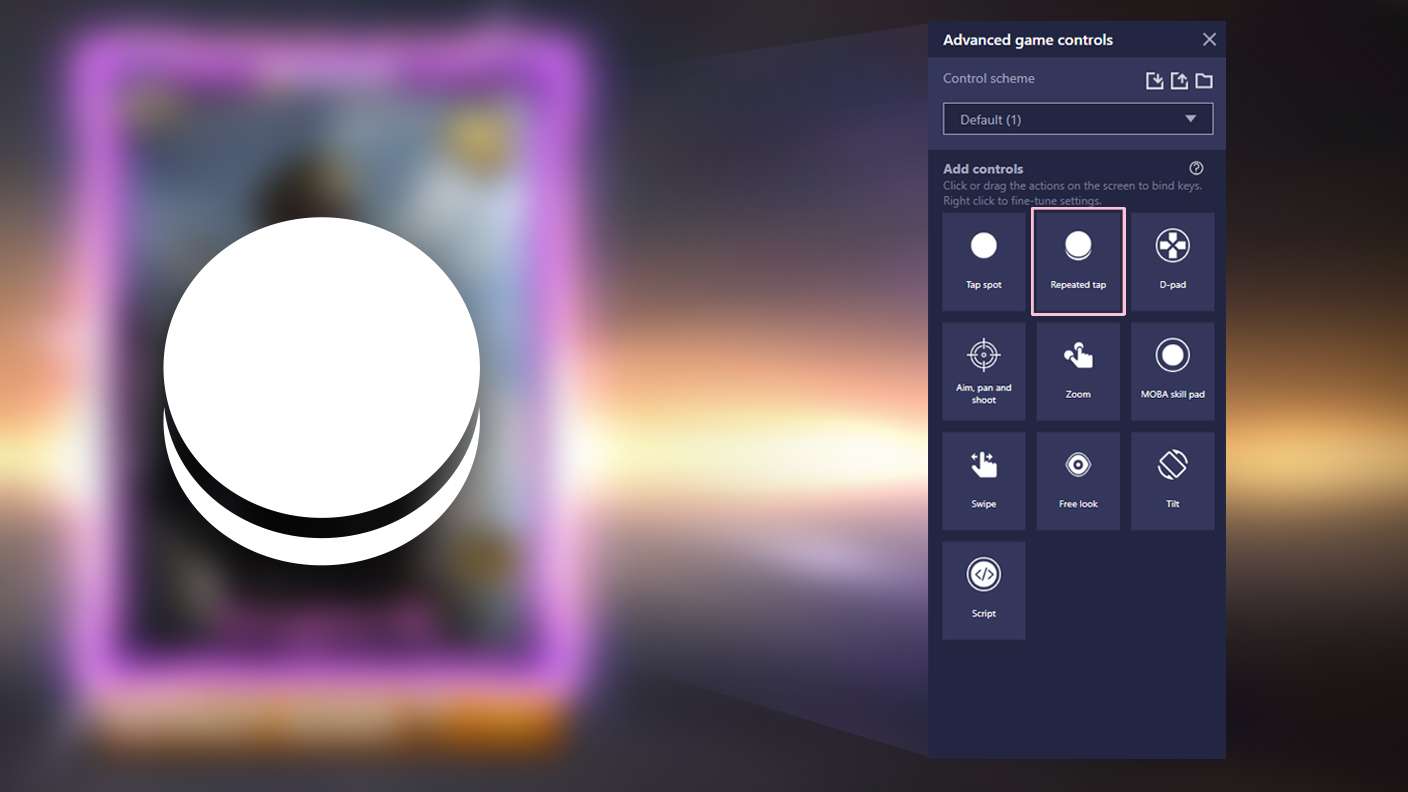
BlueStacks lets you master Walk The Frog with useful features like the Repeated Tap. Now you do not have to press the same key repeatedly to initiate an action. Just assign it to one key and you are good to go.
Read More

How to Download and Play Walk The Frog on PC or Mac

  • Download and install BlueStacks on your PC or Mac

  • Complete Google sign-in to access the Play Store, or do it later

  • Look for Walk The Frog in the search bar at the top right corner

  • Click to install Walk The Frog from the search results

  • Complete Google sign-in (if you skipped step 2) to install Walk The Frog

  • Click the Walk The Frog icon on the home screen to start playing

video
Watch Video

Minimum System Requirements

With BlueStacks 5, you can get started on a PC that fulfills the following requirements.

  • Operating System

    Microsoft Windows 7 or above, macOS 11 (Big Sur) or above

  • Processor

    Intel, AMD or Apple Silicon Processor

  • RAM

    at least 4GB

  • HDD

    10GB Free Disk Space

Note:

* You must be an Administrator on your PC. Up to date graphics drivers from Microsoft or the chipset vendor.

Walk The Frog - FAQs

  • How to play Walk The Frog on Windows PC & Mac?

    Play Walk The Frog on your PC or Mac by following these simple steps.

    • Click on 'Play Walk The Frog on PC’ to download BlueStacks
    • Install it and log-in to Google Play Store
    • Launch and play the game.
  • Why is BlueStacks the fastest and safest platform to play games on PC?

    BlueStacks respects your privacy and is always safe and secure to use. It does not carry any malware, spyware, or any sort of additional software that could harm your PC.

    It is engineered to optimize speed and performance for a seamless gaming experience.

  • What are Walk The Frog PC requirements?

    Minimum requirement to run Walk The Frog on your PC

    • OS: Microsoft Windows 7 or above MacOS 11 (Big Sur) or above
    • Processor: Intel, AMD or Apple Silicon Processor
    • RAM: Your PC must have at least 4GB of RAM. (Note that having 4GB or more disk space is not a substitute for RAM)
    • HDD: 10GB Free Disk Space.
    • You must be an Administrator on your PC.