Water Park Craft GO
Water Park Craft GO

Water Park Craft GO

Casual

| Play Cool Zombie Sport Games

Play on PC with BlueStacks or from our cloud

  • Overview
  • Game Features
  • How to Play

Page Modified On: August 22, 2025

Play Water Park Craft GO on PC or Mac

Bring your A-game to Water Park Craft GO, the Casual game sensation from Play Cool Zombie Sport Games. Give your gameplay the much-needed boost with precise game controls, high FPS graphics, and top-tier features on your PC or Mac with BlueStacks.

About the Game

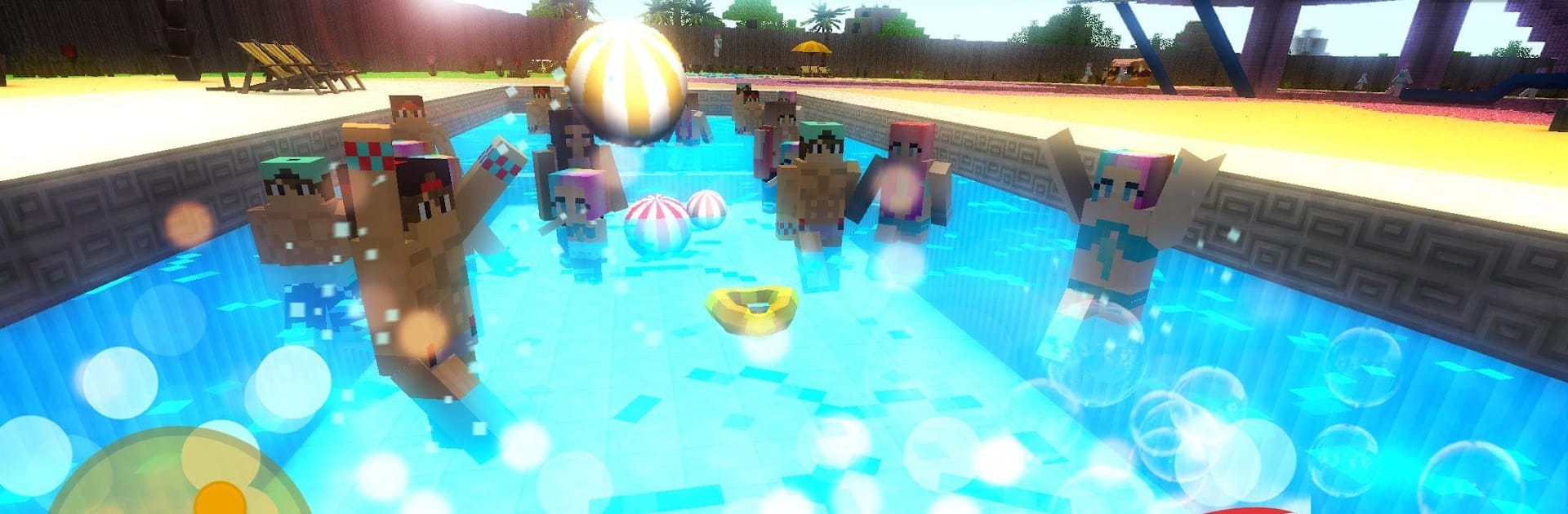
Ever wanted to create the wildest water park imaginable? In Water Park Craft GO from Play Cool Zombie Sport Games, you get to bring all those splashy ideas to life. Build twisting water slides, set up all kinds of crazy attractions, and see if guests can handle your wild water-themed playground. Whether you’re crafting massive rides or just chilling on a beach you designed yourself, there’s always something new to try and tinker with.

Game Features

  • Creative Slide Building
  • Let your imagination go nuts with blueprints and tools to design outrageous water slides. Build anything from gentle newbie slides to wild kamikaze drops that will make visitors scream.

  • Test and Tweak Attractions

  • Once your creation is ready, try it out yourself! Race, ride, and tweak your rides to make sure they’re as exciting (or bonkers) as you want them to be.

  • Craft a Whole Water Park

  • It’s not just about the slides. Add water games, impressive structures, and even beachside lounges. Swap between builder, park manager, and adventurer with ease.

  • Expansive World Exploration

  • Your park sits in a huge, procedurally generated tropical island. Wander past your builds, explore sandy shores, or even start crafting a whole city if the mood hits.

  • Rides with a Twist

  • Hop onto dolphins, inflatable rings, or water scooters for a totally new way to race. Every attraction feels a bit different—think theme park, but with more splashing and surprises.

  • Casual Sandbox Experience

  • Whether you want to compete in crazy uphill slide races or create a chill tourist paradise, you decide how to play. Relax, experiment, or just see what weird thing you can make next.

  • Smooth Building with BlueStacks

  • Building out your dream water park is even smoother using BlueStacks, with controls that make designing and testing rides a breeze.

Start your journey now. Download the game on BlueStacks, invite your friends, and march on a new adventure.


Game Features

Enhancements

  • Macros
  • Multi Instance
  • Script
  • Repeated Tap
  • Enhancements
Macros

Macros

Automate the predictable in Water Park Craft GO and transform your gameplay with Macros. Get access to inventive Macros in the BlueStacks Macro Community
Multi Instance

Multi Instance

Play Water Park Craft GO on one window. And chat with your friend on the other. Press CTRL + Shift + 8 to open the Multi-Instance Manager. And start creating fresh instances or clone an existing one.
Script

Script

Script your way to gaming glory in Water Park Craft GO with BlueStacks Script. Write and run a set of commands to automate repeated tasks. Trigger the command by assigning it to any key.
Repeated Tap

Repeated Tap

BlueStacks lets you master Water Park Craft GO with useful features like the Repeated Tap. Now you do not have to press the same key repeatedly to initiate an action. Just assign it to one key and you are good to go.
Read More

How to Download and Play Water Park Craft GO on PC or Mac

  • Download and install BlueStacks on your PC or Mac

  • Complete Google sign-in to access the Play Store, or do it later

  • Look for Water Park Craft GO in the search bar at the top right corner

  • Click to install Water Park Craft GO from the search results

  • Complete Google sign-in (if you skipped step 2) to install Water Park Craft GO

  • Click the Water Park Craft GO icon on the home screen to start playing

video
Watch Video

Minimum System Requirements

With BlueStacks 5, you can get started on a PC that fulfills the following requirements.

  • Operating System

    Microsoft Windows 7 or above, macOS 11 (Big Sur) or above

  • Processor

    Intel, AMD or Apple Silicon Processor

  • RAM

    at least 4GB

  • HDD

    10GB Free Disk Space

Note:

* You must be an Administrator on your PC. Up to date graphics drivers from Microsoft or the chipset vendor.

Water Park Craft GO - FAQs

  • How to play Water Park Craft GO on Windows PC & Mac?

    Play Water Park Craft GO on your PC or Mac by following these simple steps.

    • Click on 'Play Water Park Craft GO on PC’ to download BlueStacks
    • Install it and log-in to Google Play Store
    • Launch and play the game.
  • Why is BlueStacks the fastest and safest platform to play games on PC?

    BlueStacks respects your privacy and is always safe and secure to use. It does not carry any malware, spyware, or any sort of additional software that could harm your PC.

    It is engineered to optimize speed and performance for a seamless gaming experience.

  • What are Water Park Craft GO PC requirements?

    Minimum requirement to run Water Park Craft GO on your PC

    • OS: Microsoft Windows 7 or above MacOS 11 (Big Sur) or above
    • Processor: Intel, AMD or Apple Silicon Processor
    • RAM: Your PC must have at least 4GB of RAM. (Note that having 4GB or more disk space is not a substitute for RAM)
    • HDD: 10GB Free Disk Space.
    • You must be an Administrator on your PC.