
AP Biology Practice & Prep

AP Biology Practice & Prep

Education

| Varsity Tutors LLC

Play on PC with BlueStacks or from our cloud

  • Overview
  • How to Download

Page Modified On: September 12, 2025

Run AP Biology Practice & Prep on PC or Mac

Why limit yourself to your small screen on the phone? Run AP Biology Practice & Prep, an app by Varsity Tutors LLC, best experienced on your PC or Mac with BlueStacks, the world’s #1 Android emulator.

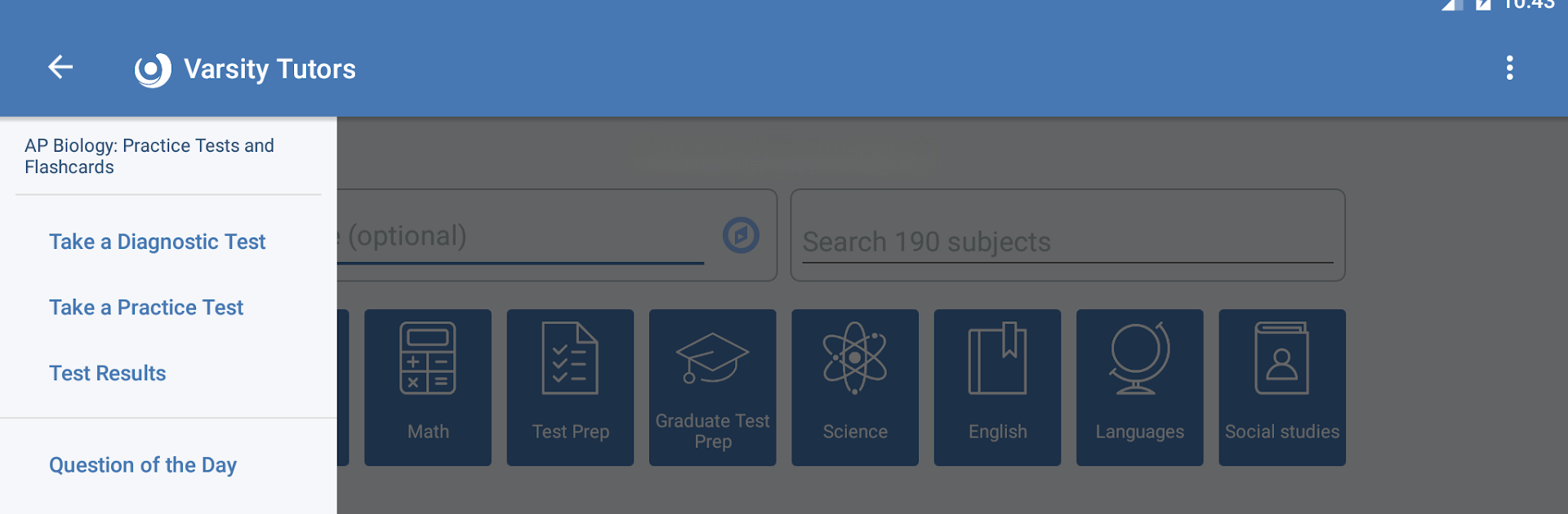
AP Biology Practice & Prep feels like a focused study buddy that does not waste time. It is built around how the actual AP Bio exam works, so there are full-length timed tests that simulate the three-hour grind, plus shorter diagnostic quizzes and a big pile of flashcards. What stands out is how specific the practice can get. It lets someone drill down by topic like macromolecules, cell structure and function, DNA and RNA, proteins, natural selection, and a bunch of other core ideas. After a quiz, the app shows a clean breakdown of strengths, weak spots, and even which types of questions are eating up the most time. That makes it easier to plan what to study next without guessing.

The layout is simple and quick to move through, no fluff. The Question of the Day ping is a nice nudge when there is not time for a full session, and the questions feel like real AP-level stuff rather than watered-down trivia. It is practical for long practice blocks, but it also works for 5-minute check-ins between classes. Running it on BlueStacks is handy on a laptop or desktop, since charts and passage-heavy questions are easier to read on a bigger screen, and clicking through long sections feels less cramped. Great for getting comfortable with the exam’s pacing and keeping content fresh without making a whole new study plan from scratch.

BlueStacks brings your apps to life on a bigger screen—seamless and straightforward.

How to Download and Run AP Biology Practice & Prep on PC or Mac

  • Download and install BlueStacks on your PC or Mac

  • Complete Google sign-in to access the Play Store, or do it later

  • Look for AP Biology Practice & Prep in the search bar at the top right corner

  • Click to install AP Biology Practice & Prep from the search results

  • Complete Google sign-in (if you skipped step 2) to install AP Biology Practice & Prep

  • Click the AP Biology Practice & Prep icon on the home screen to start playing

video
Watch Video

Minimum System Requirements

With BlueStacks 5, you can get started on a PC that fulfills the following requirements.

  • Operating System

    Microsoft Windows 7 or above, macOS 11 (Big Sur) or above

  • Processor

    Intel, AMD or Apple Silicon Processor

  • RAM

    at least 4GB

  • HDD

    10GB Free Disk Space

Note:

* You must be an Administrator on your PC. Up to date graphics drivers from Microsoft or the chipset vendor.

AP Biology Practice & Prep - FAQs

  • How to Run AP Biology Practice & Prep on Windows PC & Mac?

    Run AP Biology Practice & Prep on your PC or Mac by following these simple steps.

    • Click on ‘Download AP Biology Practice & Prep on PC’ to download BlueStacks
    • Install it and log-in to Google Play Store
    • Launch and run the app.
  • Why is BlueStacks the fastest and safest platform to play games on PC?

    BlueStacks respects your privacy and is always safe and secure to use. It does not carry any malware, spyware, or any sort of additional software that could harm your PC.

    It is engineered to optimize speed and performance for a seamless gaming experience.

  • What are AP Biology Practice & Prep PC requirements?

    Minimum requirement to run AP Biology Practice & Prep on your PC

    • OS: Microsoft Windows 7 and above:
    • Processor: Intel or AMD Processor:
    • RAM: Your PC must have at least 2GB of RAM. (Note that having 2GB or more disk space is not a substitute for RAM):
    • HDD: 5GB Free Disk Space.
    • You must be an Administrator on your PC.




