
BİLFEN YAYIN GRUBU Mobil Kütüphane

BİLFEN YAYIN GRUBU Mobil Kütüphane

Education

| FERNUS

Play on PC with BlueStacks or from our cloud

  • Overview
  • How to Download

Page Modified On: November 03, 2025

Run BİLFEN YAYIN GRUBU Mobil Kütüphane on PC or Mac

Upgrade your experience. Try BİLFEN YAYIN GRUBU Mobil Kütüphane, the fantastic Education app from FERNUS, from the comfort of your laptop, PC, or Mac, only on BlueStacks.

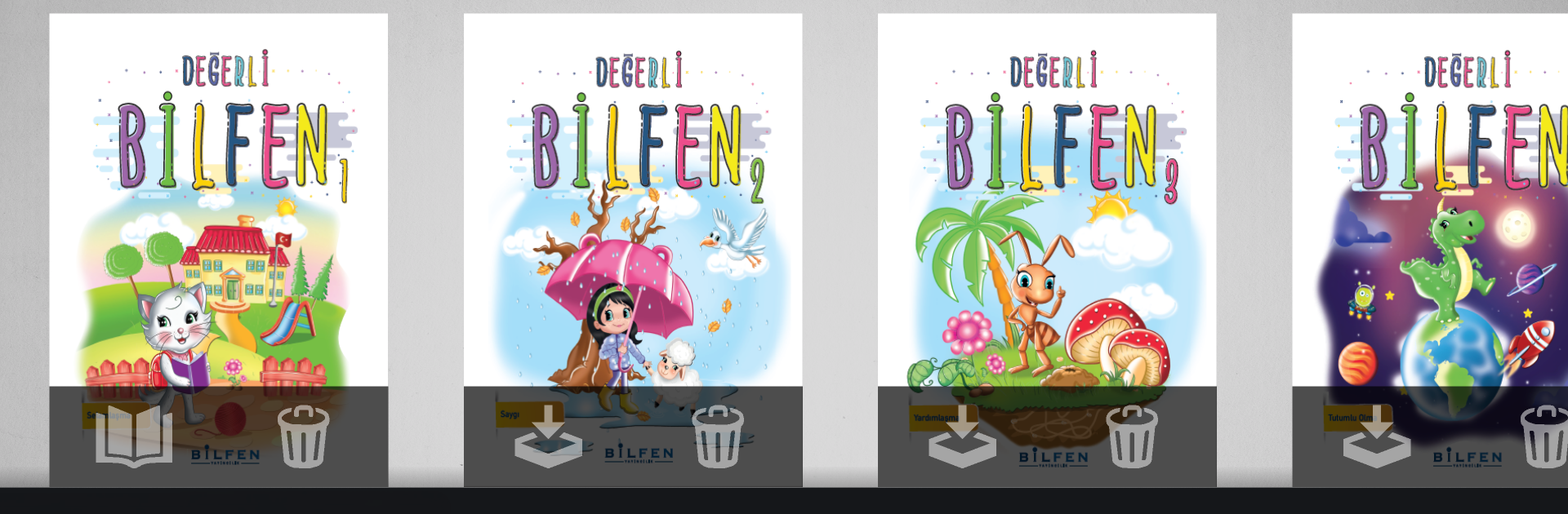
BİLFEN YAYIN GRUBU Mobil Kütüphane feels like a clean digital bookshelf for Bilfen materials. Open it and there is a neat grid of books, mostly Turkish textbooks and question banks for grades and exam prep like LGS or YKS. Tap a cover, pages load fast, pinch to zoom, swipe or click to move along. It keeps things simple so focus stays on the content. Search finds topics or terms quickly, bookmarks help mark tricky pages, and many titles include answer keys or short solution videos right inside the book. Studying does not feel cluttered with extra menus.

Getting in usually means making an account and activating books with a code from the print copy or a purchase, otherwise only samples or free stuff show up. Downloads are chunky for big books, so first setup can take a bit. Once saved, books work offline and sync again when internet comes back. Everything is in Turkish, so it suits students using Bilfen’s curriculum and teachers who want consistent material across phone, tablet, and PC.

Running it on BlueStacks makes a nice difference for reading. The bigger screen gives room for two pages, the mouse scroll is smooth like a PDF, and it is easy to keep a notes app next to it. Arrow keys flipping pages feels natural, and screenshots for homework or revision are quick. It is straightforward, not flashy, which oddly helps when the goal is just to study without fuss.

Switch to BlueStacks and make the most of your apps on your PC or Mac.

How to Download and Run BİLFEN YAYIN GRUBU Mobil Kütüphane on PC or Mac

  • Download and install BlueStacks on your PC or Mac

  • Complete Google sign-in to access the Play Store, or do it later

  • Look for BİLFEN YAYIN GRUBU Mobil Kütüphane in the search bar at the top right corner

  • Click to install BİLFEN YAYIN GRUBU Mobil Kütüphane from the search results

  • Complete Google sign-in (if you skipped step 2) to install BİLFEN YAYIN GRUBU Mobil Kütüphane

  • Click the BİLFEN YAYIN GRUBU Mobil Kütüphane icon on the home screen to start playing

video
Watch Video

Minimum System Requirements

With BlueStacks 5, you can get started on a PC that fulfills the following requirements.

  • Operating System

    Microsoft Windows 7 or above, macOS 11 (Big Sur) or above

  • Processor

    Intel, AMD or Apple Silicon Processor

  • RAM

    at least 4GB

  • HDD

    10GB Free Disk Space

Note:

* You must be an Administrator on your PC. Up to date graphics drivers from Microsoft or the chipset vendor.

BİLFEN YAYIN GRUBU Mobil Kütüphane - FAQs

  • How to Run BİLFEN YAYIN GRUBU Mobil Kütüphane on Windows PC & Mac?

    Run BİLFEN YAYIN GRUBU Mobil Kütüphane on your PC or Mac by following these simple steps.

    • Click on ‘Download BİLFEN YAYIN GRUBU Mobil Kütüphane on PC’ to download BlueStacks
    • Install it and log-in to Google Play Store
    • Launch and run the app.
  • Why is BlueStacks the fastest and safest platform to play games on PC?

    BlueStacks respects your privacy and is always safe and secure to use. It does not carry any malware, spyware, or any sort of additional software that could harm your PC.

    It is engineered to optimize speed and performance for a seamless gaming experience.

  • What are BİLFEN YAYIN GRUBU Mobil Kütüphane PC requirements?

    Minimum requirement to run BİLFEN YAYIN GRUBU Mobil Kütüphane on your PC

    • OS: Microsoft Windows 7 and above:
    • Processor: Intel or AMD Processor:
    • RAM: Your PC must have at least 2GB of RAM. (Note that having 2GB or more disk space is not a substitute for RAM):
    • HDD: 5GB Free Disk Space.
    • You must be an Administrator on your PC.




