
B2-Beruf
B2-Beruf

B2-Beruf

Education

| Deutscher Volkshochschul-Verband

Play on PC with BlueStacks or from our cloud

  • Overview
  • How to Download

Page Modified On: October 23, 2025

Run B2-Beruf on PC or Mac

Upgrade your experience. Try B2-Beruf, the fantastic Education app from Deutscher Volkshochschul-Verband, from the comfort of your laptop, PC, or Mac, only on BlueStacks.

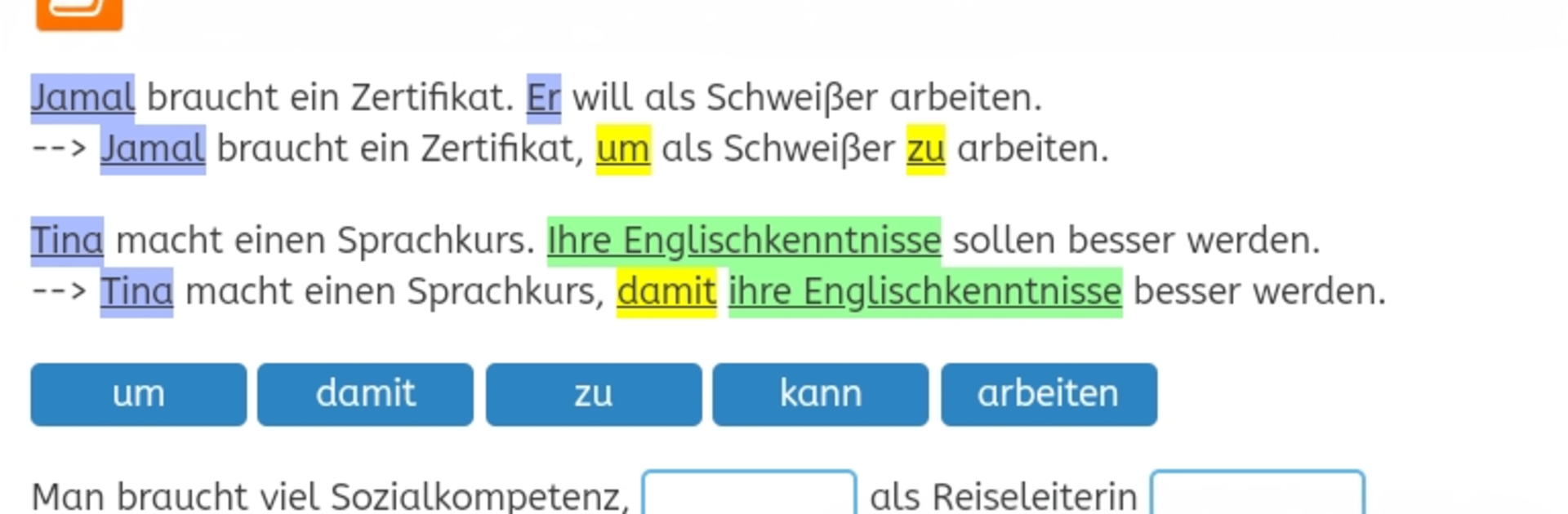
B2-Beruf feels like a full B2 business German class packed into an app, not a quick practice tool. It has 20 clear lessons that build on each other, with a mix of reading, writing, listening, and speaking tasks that actually feel like office or workplace situations. The layout is plain and focused, which is nice because there is no noise, just exercises, short explanations, and quick feedback when something goes wrong. Progress checks show up regularly so it is easy to see what sticks and what needs another round. It is free, it works offline, and there is tutor support built in, so questions do not just vanish into the void. It is officially recognized by BAMF as course material, which says a lot about how serious and structured it is.

On PC with BlueStacks it runs smoothly, and longer writing parts are easier with a keyboard. Listening practice is fine on speakers or headphones, and the speaking bits work with a basic mic. The app is part of the bigger VHS learning portal from the German Adult Education Association, so it fits into a broader path of A1 to B2 courses if someone wants a full track. It is not flashy or gamified, more like a dependable workbook that talks back. Good fit for anyone aiming at German for work or prepping for integration classes, and who prefers a clean, no-fuss format that still has real support behind it.

BlueStacks brings your apps to life on a bigger screen—seamless and straightforward.

How to Download and Run B2-Beruf on PC or Mac

  • Download and install BlueStacks on your PC or Mac

  • Complete Google sign-in to access the Play Store, or do it later

  • Look for B2-Beruf in the search bar at the top right corner

  • Click to install B2-Beruf from the search results

  • Complete Google sign-in (if you skipped step 2) to install B2-Beruf

  • Click the B2-Beruf icon on the home screen to start playing

video
Watch Video

Minimum System Requirements

With BlueStacks 5, you can get started on a PC that fulfills the following requirements.

  • Operating System

    Microsoft Windows 7 or above, macOS 11 (Big Sur) or above

  • Processor

    Intel, AMD or Apple Silicon Processor

  • RAM

    at least 4GB

  • HDD

    10GB Free Disk Space

Note:

* You must be an Administrator on your PC. Up to date graphics drivers from Microsoft or the chipset vendor.

B2-Beruf - FAQs

  • How to Run B2-Beruf on Windows PC & Mac?

    Run B2-Beruf on your PC or Mac by following these simple steps.

    • Click on ‘Download B2-Beruf on PC’ to download BlueStacks
    • Install it and log-in to Google Play Store
    • Launch and run the app.
  • Why is BlueStacks the fastest and safest platform to play games on PC?

    BlueStacks respects your privacy and is always safe and secure to use. It does not carry any malware, spyware, or any sort of additional software that could harm your PC.

    It is engineered to optimize speed and performance for a seamless gaming experience.

  • What are B2-Beruf PC requirements?

    Minimum requirement to run B2-Beruf on your PC

    • OS: Microsoft Windows 7 and above:
    • Processor: Intel or AMD Processor:
    • RAM: Your PC must have at least 2GB of RAM. (Note that having 2GB or more disk space is not a substitute for RAM):
    • HDD: 5GB Free Disk Space.
    • You must be an Administrator on your PC.




