
Darbuka Rhythms
Darbuka Rhythms

Darbuka Rhythms

Education

| Darbuka Percussion Rhythms

Play on PC with BlueStacks or from our cloud

  • Overview
  • How to Download

Page Modified On: September 19, 2025

Run Darbuka Rhythms on PC or Mac

Why limit yourself to your small screen on the phone? Run Darbuka Rhythms, an app by Artem Uzunov, best experienced on your PC or Mac with BlueStacks, the world’s #1 Android emulator.

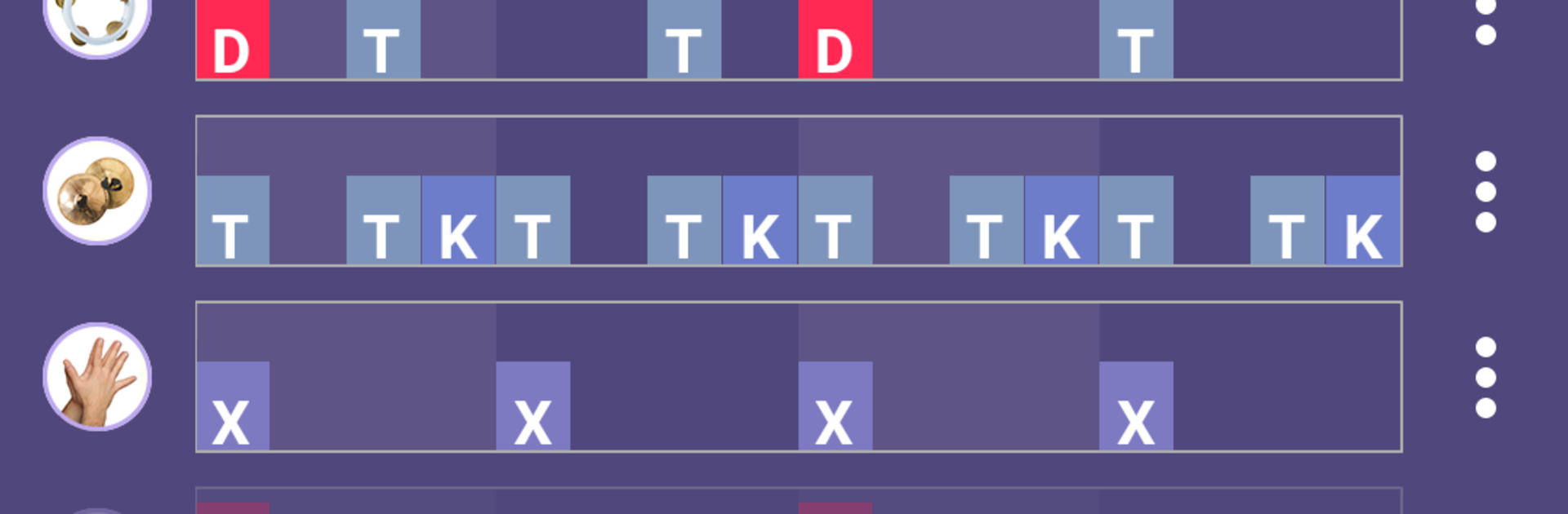
Darbuka Rhythms feels like a pocket teacher for Middle Eastern percussion, only with a cleaner layout and a lot more structure. On a PC with BlueStacks, the bigger screen makes the note diagrams and video lessons easier to follow, and keymapping can put the main drum hits on comfortable keys if someone prefers tapping instead of clicking. It is made for dancers and percussionists, but beginners are not lost, since every rhythm shows what to play and why it matters, visually and with sound.

There are 18 core rhythms with 101 variations, each with a clear breakdown of the pattern and the instruments used. A rhythm player lets users slow things down, loop sections, and mix instrument layers, so practising a Doum Tek pattern does not turn into guesswork. The rhythm designer is the standout, since it lets people build their own grooves for different drums and save them. Compositions are easy to put together too, with a set beat and bar count, so a practice set for class or a show can be arranged without fuss. The ear training page is solid, with 2 modes, 3 difficulty levels, and 160 tasks that actually train recognition rather than just quizzing. There are also video lessons from well known dancers and drummers, and a mode where the user simply plays like a percussionist along with the app. It is authored by Artem Uzunov, which explains the thoughtful detail on technique and feel.

BlueStacks gives you the much-needed freedom to experience your favorite apps on a bigger screen. Get it now.


How to Download and Run Darbuka Rhythms on PC or Mac

  • Download and install BlueStacks on your PC or Mac

  • Complete Google sign-in to access the Play Store, or do it later

  • Look for Darbuka Rhythms in the search bar at the top right corner

  • Click to install Darbuka Rhythms from the search results

  • Complete Google sign-in (if you skipped step 2) to install Darbuka Rhythms

  • Click the Darbuka Rhythms icon on the home screen to start playing

video
Watch Video

Minimum System Requirements

With BlueStacks 5, you can get started on a PC that fulfills the following requirements.

  • Operating System

    Microsoft Windows 7 or above, macOS 11 (Big Sur) or above

  • Processor

    Intel, AMD or Apple Silicon Processor

  • RAM

    at least 4GB

  • HDD

    10GB Free Disk Space

Note:

* You must be an Administrator on your PC. Up to date graphics drivers from Microsoft or the chipset vendor.

Darbuka Rhythms - FAQs

  • How to Run Darbuka Rhythms on Windows PC & Mac?

    Run Darbuka Rhythms on your PC or Mac by following these simple steps.

    • Click on ‘Download Darbuka Rhythms on PC’ to download BlueStacks
    • Install it and log-in to Google Play Store
    • Launch and run the app.
  • Why is BlueStacks the fastest and safest platform to play games on PC?

    BlueStacks respects your privacy and is always safe and secure to use. It does not carry any malware, spyware, or any sort of additional software that could harm your PC.

    It is engineered to optimize speed and performance for a seamless gaming experience.

  • What are Darbuka Rhythms PC requirements?

    Minimum requirement to run Darbuka Rhythms on your PC

    • OS: Microsoft Windows 7 and above:
    • Processor: Intel or AMD Processor:
    • RAM: Your PC must have at least 2GB of RAM. (Note that having 2GB or more disk space is not a substitute for RAM):
    • HDD: 5GB Free Disk Space.
    • You must be an Administrator on your PC.



