
Galaxy Map - Stars and Planets

Galaxy Map - Stars and Planets

Education

| 3dgalaxymap.com

Play on PC with BlueStacks or from our cloud

  • Overview
  • How to Download

Page Modified On: January 09, 2026

Run Galaxy Map - Stars and Planets on PC or Mac

Multitask effortlessly on your PC or Mac as you try out Galaxy Map – Stars and Planets, a Education app by 3dgalaxymap.com on BlueStacks.

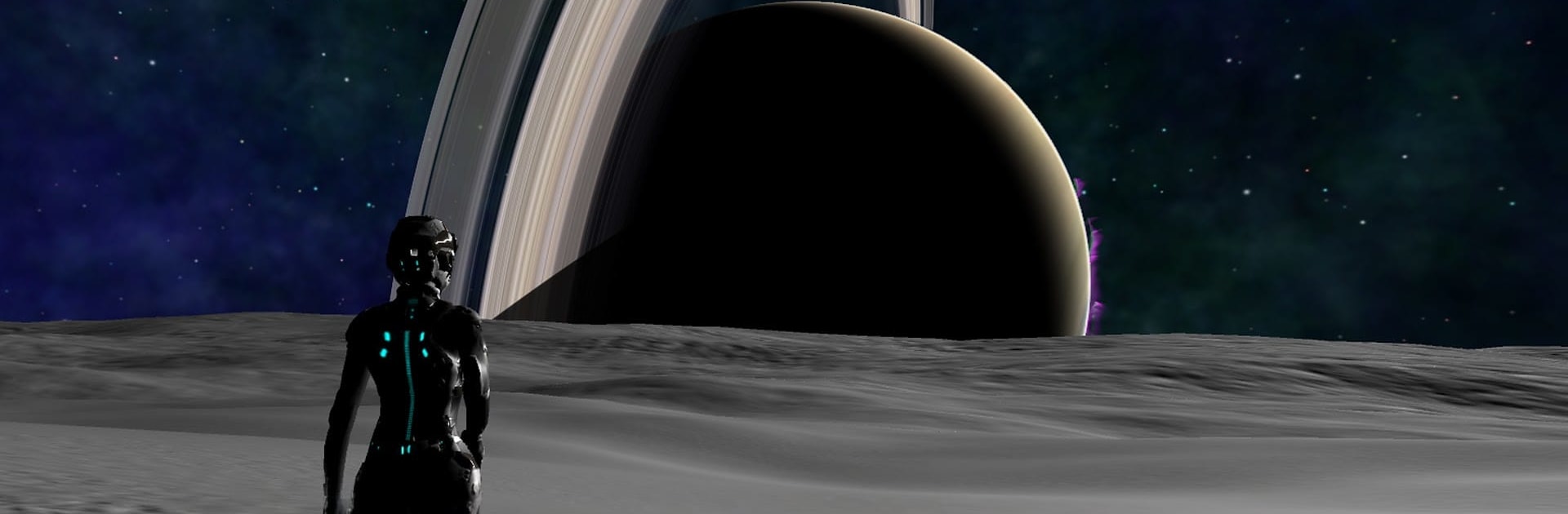
Galaxy Map – Stars and Planets feels like a 3D planetarium that actually lets a person move around in it. It is not a mission game, more like a giant space sandbox mixed with an encyclopedia. There is a spacecraft mode to fly between stars, drop into the clouds of a gas giant, or swing by a black hole just to see how strange things get. On some worlds it even lets the player land and control a little character, so surfaces do not feel abstract charts, they feel like places. Running it on a PC with BlueStacks makes the camera and flying smoother, since a mouse wheel for zoom and keys for pitch and roll just feels right.

What stands out is the sheer amount of real data packed in. The app pulls updates on exoplanets every day, so new discoveries show up without messing with manual updates. The catalog is massive, with millions of stars, thousands of exoplanets, a ton of black holes and pulsars, and solid info on our own Solar System too. The search is handy, since typing a star name or object class jumps straight there. It also bundles the Galaxy Map and Stars and Planets stuff together, so there is a lot to poke at from the start.

It supports a bunch of languages, so friends who do not use English can still explore comfortably. Overall it is calm, science heavy, and strangely relaxing. Someone can sink an hour just cruising, landing, reading tooltips, then hopping to the next bright thing.

Ready to experience Galaxy Map – Stars and Planets on a bigger screen, in all its glory? Download BlueStacks now.


How to Download and Run Galaxy Map - Stars and Planets on PC or Mac

  • Download and install BlueStacks on your PC or Mac

  • Complete Google sign-in to access the Play Store, or do it later

  • Look for Galaxy Map - Stars and Planets in the search bar at the top right corner

  • Click to install Galaxy Map - Stars and Planets from the search results

  • Complete Google sign-in (if you skipped step 2) to install Galaxy Map - Stars and Planets

  • Click the Galaxy Map - Stars and Planets icon on the home screen to start playing

video
Watch Video

Minimum System Requirements

With BlueStacks 5, you can get started on a PC that fulfills the following requirements.

  • Operating System

    Microsoft Windows 7 or above, macOS 11 (Big Sur) or above

  • Processor

    Intel, AMD or Apple Silicon Processor

  • RAM

    at least 4GB

  • HDD

    10GB Free Disk Space

Note:

* You must be an Administrator on your PC. Up to date graphics drivers from Microsoft or the chipset vendor.

Galaxy Map - Stars and Planets - FAQs

  • How to Run Galaxy Map - Stars and Planets on Windows PC & Mac?

    Run Galaxy Map - Stars and Planets on your PC or Mac by following these simple steps.

    • Click on ‘Download Galaxy Map - Stars and Planets on PC’ to download BlueStacks
    • Install it and log-in to Google Play Store
    • Launch and run the app.
  • Why is BlueStacks the fastest and safest platform to play games on PC?

    BlueStacks respects your privacy and is always safe and secure to use. It does not carry any malware, spyware, or any sort of additional software that could harm your PC.

    It is engineered to optimize speed and performance for a seamless gaming experience.

  • What are Galaxy Map - Stars and Planets PC requirements?

    Minimum requirement to run Galaxy Map - Stars and Planets on your PC

    • OS: Microsoft Windows 7 and above:
    • Processor: Intel or AMD Processor:
    • RAM: Your PC must have at least 2GB of RAM. (Note that having 2GB or more disk space is not a substitute for RAM):
    • HDD: 5GB Free Disk Space.
    • You must be an Administrator on your PC.



