
Cerdas Cermat SMA
Cerdas Cermat SMA

Cerdas Cermat SMA

Education

| Solite Kids

Play on PC with BlueStacks or from our cloud

  • Overview
  • How to Download

Page Modified On: October 04, 2025

Run Cerdas Cermat SMA on PC or Mac

Get freedom from your phone’s obvious limitations. Use Cerdas Cermat SMA, made by Solite Kids, a Education app on your PC or Mac with BlueStacks, and level up your experience.

Cerdas Cermat SMA feels like a big, tidy stack of practice tests for Indonesian high school, wrapped in a quiz game so it does not feel boring. It covers a lot of subjects, from Mathematics, Bahasa Indonesia, English, Physics, Biology, Chemistry, History, Economics, Geography, Japanese, PE, Javanese, Civics, ICT, and Islamic studies. The questions are made by volunteer teachers and follow the BSE curriculum, so the content stays on track with what schools use. There are Try Out and Exam modes, and it spans grades 10 to 12, including UN style practice. After answering, there is an explanation section that helps show why an answer is right, which is what makes the sessions feel useful instead of random guessing. On PC through BlueStacks, the text and formulas are easier to read, clicking choices feels quick, and printing the report or certificate is straightforward if someone wants proof of progress.

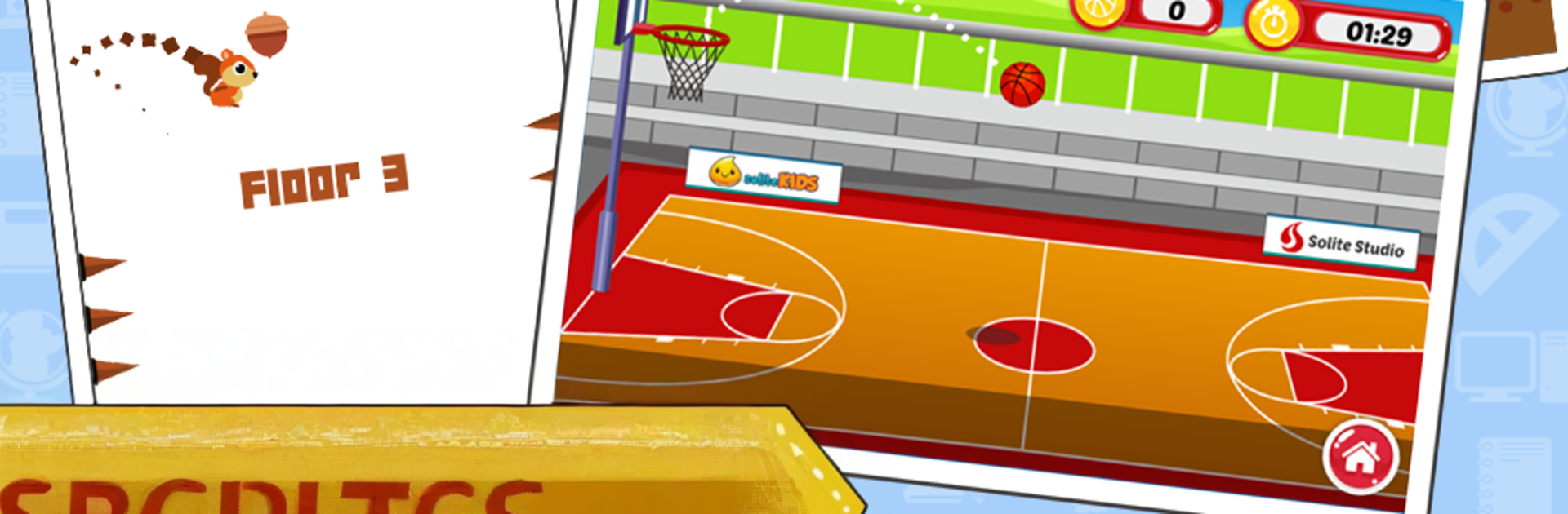
The app lets users download extra packs, including UN sets like the 2017 bundles, so it is easy to drill one subject hard when needed. There are small break-time games too, like Flappy Bee, Squirrel Jump, a simple basketball toss, and a goofy football tapper, just enough to reset the brain between tests. The layout is simple, not flashy, but it loads fast and gets out of the way. It suits students who want regular timed practice and clear answer discussions, or parents who want to see a report card instead of just a score number.

Big screen. Bigger performance. Use BlueStacks on your PC or Mac to run your favorite apps.

How to Download and Run Cerdas Cermat SMA on PC or Mac

  • Download and install BlueStacks on your PC or Mac

  • Complete Google sign-in to access the Play Store, or do it later

  • Look for Cerdas Cermat SMA in the search bar at the top right corner

  • Click to install Cerdas Cermat SMA from the search results

  • Complete Google sign-in (if you skipped step 2) to install Cerdas Cermat SMA

  • Click the Cerdas Cermat SMA icon on the home screen to start playing

video
Watch Video

Minimum System Requirements

With BlueStacks 5, you can get started on a PC that fulfills the following requirements.

  • Operating System

    Microsoft Windows 7 or above, macOS 11 (Big Sur) or above

  • Processor

    Intel, AMD or Apple Silicon Processor

  • RAM

    at least 4GB

  • HDD

    10GB Free Disk Space

Note:

* You must be an Administrator on your PC. Up to date graphics drivers from Microsoft or the chipset vendor.

Cerdas Cermat SMA - FAQs

  • How to Run Cerdas Cermat SMA on Windows PC & Mac?

    Run Cerdas Cermat SMA on your PC or Mac by following these simple steps.

    • Click on ‘Download Cerdas Cermat SMA on PC’ to download BlueStacks
    • Install it and log-in to Google Play Store
    • Launch and run the app.
  • Why is BlueStacks the fastest and safest platform to play games on PC?

    BlueStacks respects your privacy and is always safe and secure to use. It does not carry any malware, spyware, or any sort of additional software that could harm your PC.

    It is engineered to optimize speed and performance for a seamless gaming experience.

  • What are Cerdas Cermat SMA PC requirements?

    Minimum requirement to run Cerdas Cermat SMA on your PC

    • OS: Microsoft Windows 7 and above:
    • Processor: Intel or AMD Processor:
    • RAM: Your PC must have at least 2GB of RAM. (Note that having 2GB or more disk space is not a substitute for RAM):
    • HDD: 5GB Free Disk Space.
    • You must be an Administrator on your PC.




