



Let BlueStacks turn your PC, Mac, or laptop into the perfect home for 한국사 능력, a fun Education app from 별책.
About the App
한국사 능력 by 별책 is an Education app built for anyone preparing for the Korean History Proficiency Test. It blends past-question practice with clear, readable materials and practical tools so you can study with structure—not stress. Prefer a bigger screen? You can run it on BlueStacks to make long sessions more comfortable.
App Features
- Real exam coverage: Practice with question sets spanning from the 26th test (2016) to the latest release.
- Teacher-built content: Crafted by school teachers and Korean history editors, including 230 short text lectures that lock in core ideas.
- Timeline view: Follow major eras and events on a clean timeline that makes the historical flow easier to grasp.
- Speed study mode: Use a timed auto-advance quiz to review key concepts quickly when you’ve only got a few minutes.
- Extra-dark display (Hyungseong hole mode): An ultra-dark theme that also darkens images for focused studying in low light (Android 10+).
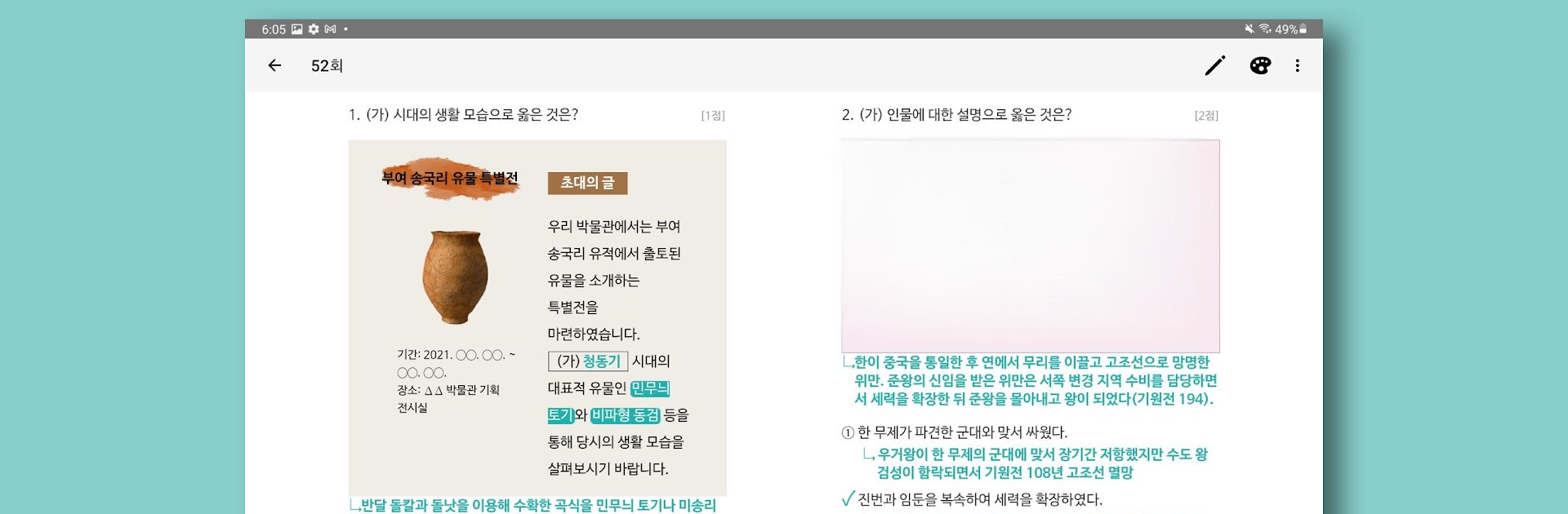
- Tablet handwriting: Write directly on problems with an electronic pen—officially supports Samsung Galaxy tablets and S Pen. Save your handwritten notes per question and browse them later in a dedicated collection.
- Publishing-grade readability: Questions are shown as crisp, selectable text—not blurry screenshots—so you can search and pinch-to-zoom for careful reading.
- Instant explanations: See clear, step-by-step commentary right after you answer, with markups that highlight what matters.
- Flexible practice filters: Drill by era, region, topic, or keyword to match your study plan.
- High‑yield focus: Target the most crucial, test-deciding questions when you want a tighter, more efficient set.
- Chronological tables: Handy reference tables for each king’s reign, tailored for test prep.
- Two-step tablet solving: A two-stage layout on tablets that mirrors the structure of real test papers.
- Powerful search: Search all text in a set, jump to flagged items, or review questions with low correct-answer rates.
- Progress checks: Track correct-answer rates by area to spot weak spots and sharpen your focus.
Ready to experience 한국사 능력 on a bigger screen, in all its glory? Download BlueStacks now.





