KPD-BIO
KPD-BIO

KPD-BIO

Education

| МЦНМО

Play on PC with BlueStacks or from our cloud

  • Overview
  • How to Download

Page Modified On: November 28, 2025

Run KPD-BIO on PC or Mac

Get freedom from your phone’s obvious limitations. Use KPD-BIO, made by МЦНМО, a Education app on your PC or Mac with BlueStacks, and level up your experience.

About the App

KPD-BIO by МЦНМО is a Russian‑language biology course built around Campbell Biology (10th edition) with two companion resources that make studying smoother. It’s designed for serious learning without feeling stiff—great for high school students, Olympiad prep, or teachers refreshing their toolkit. Genre: Education. Prefer a bigger screen? You can also use it with BlueStacks on your computer.

App Features

  • Complete Biology Course: Covers all major areas—from molecules and cells to ecosystems—organized from simple ideas to more complex concepts.
  • Russian-Language Edition: Thoughtful translation tuned for learners, keeping the science accurate and clear.
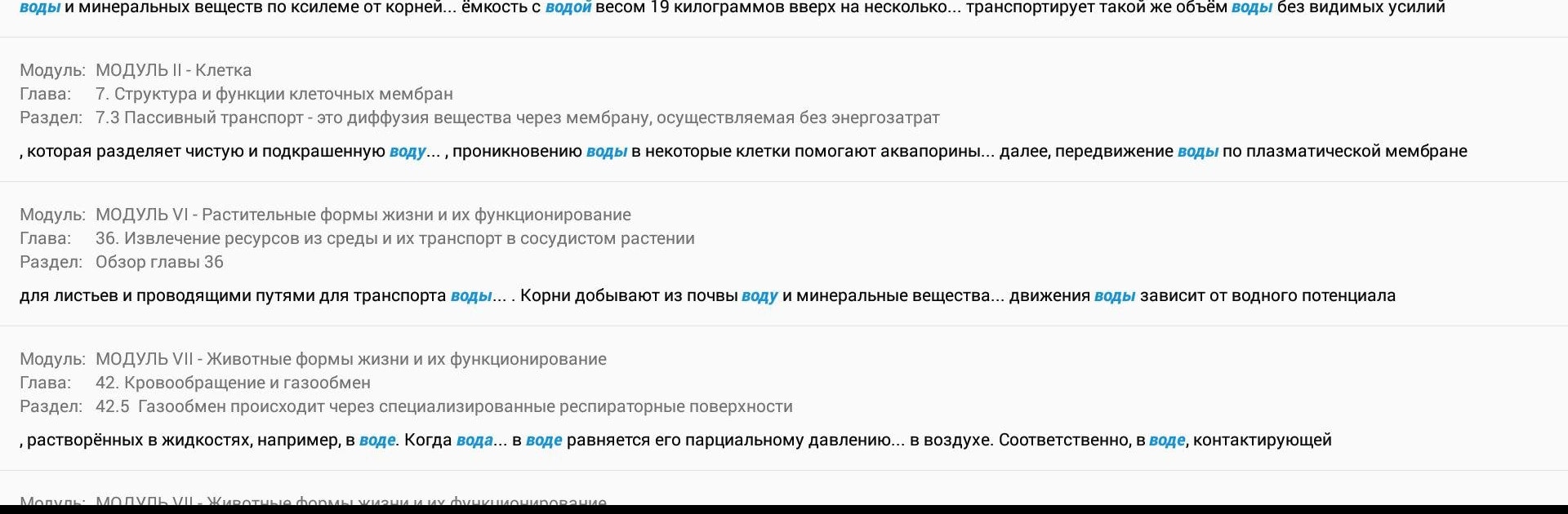
  • Rich Visuals: Hundreds of photos, diagrams, and schemes that explain tough topics at a glance.
  • Two Study Companions: Student Study Guide for practice and self-check, plus Inquiry in Action to help you read and interpret scientific papers.
  • Exam and Olympiad Practice: Chapter tests and question sets to build confidence for ЕГЭ, ОГЭ, and biology competitions.
  • Real Research Examples: Learn concepts through case studies based on actual scientific work to see how the scientific method plays out.
  • Scientist Interviews: Short features with researchers from different fields to spark curiosity and show real career paths.
  • Smart Navigation: Clean structure and intuitive sectioning so you can jump between chapters without losing context.
  • Glossary with Search: Look up terms instantly and keep new vocabulary in check.
  • Full-Content Search: Find what you need across the entire textbook in seconds.
  • Contextual Error Report: Highlight a word or phrase to send a quick in-text note if you spot an issue.

Switch to BlueStacks and make the most of your apps on your PC or Mac.

How to Download and Run KPD-BIO on PC or Mac

  • Download and install BlueStacks on your PC or Mac

  • Complete Google sign-in to access the Play Store, or do it later

  • Look for KPD-BIO in the search bar at the top right corner

  • Click to install KPD-BIO from the search results

  • Complete Google sign-in (if you skipped step 2) to install KPD-BIO

  • Click the KPD-BIO icon on the home screen to start playing

video
Watch Video

Minimum System Requirements

With BlueStacks 5, you can get started on a PC that fulfills the following requirements.

  • Operating System

    Microsoft Windows 7 or above, macOS 11 (Big Sur) or above

  • Processor

    Intel, AMD or Apple Silicon Processor

  • RAM

    at least 4GB

  • HDD

    10GB Free Disk Space

Note:

* You must be an Administrator on your PC. Up to date graphics drivers from Microsoft or the chipset vendor.

KPD-BIO - FAQs

  • How to Run KPD-BIO on Windows PC & Mac?

    Run KPD-BIO on your PC or Mac by following these simple steps.

    • Click on ‘Download KPD-BIO on PC’ to download BlueStacks
    • Install it and log-in to Google Play Store
    • Launch and run the app.
  • Why is BlueStacks the fastest and safest platform to play games on PC?

    BlueStacks respects your privacy and is always safe and secure to use. It does not carry any malware, spyware, or any sort of additional software that could harm your PC.

    It is engineered to optimize speed and performance for a seamless gaming experience.

  • What are KPD-BIO PC requirements?

    Minimum requirement to run KPD-BIO on your PC

    • OS: Microsoft Windows 7 and above:
    • Processor: Intel or AMD Processor:
    • RAM: Your PC must have at least 2GB of RAM. (Note that having 2GB or more disk space is not a substitute for RAM):
    • HDD: 5GB Free Disk Space.
    • You must be an Administrator on your PC.