
Language Game - LangLandia

Language Game - LangLandia

Education

| Language Unlimited LLC

Play on PC with BlueStacks or from our cloud

  • Overview
  • How to Download

Page Modified On: December 08, 2025

Run Language Game - LangLandia on PC or Mac

What’s better than using Language Game – LangLandia by Language Unlimited LLC? Well, try it on a big screen, on your PC or Mac, with BlueStacks to see the difference.

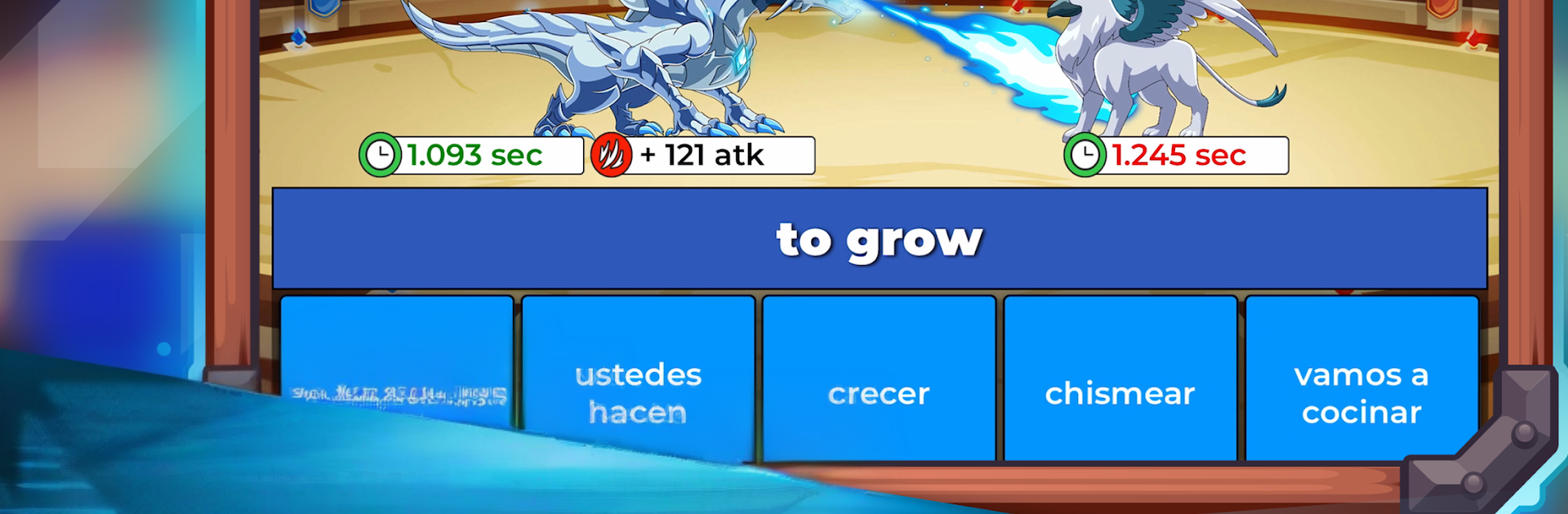
Language Game – LangLandia plays like a monster-catching RPG that secretly teaches languages. A player starts by trapping a baby beast, maybe a lion, wolf, snake, or if luck hits, a yeti or dragon. That creature grows stronger while the person learns words, verbs, and sentences, then both head into battles where correct answers power the attacks. It is not just Spanish either, there are options for French, Korean, Russian, German, Italian, Portuguese, Thai, Indonesian, and Japanese, but Spanish gets the most depth with piles of vocabulary and conjugation work. The practice flow is smart: quick flashcards with audio, then straight into combat where the same words pop up again, including modes that target common words, numbers, verbs, and grammar. It even has “worst” and “slowest” lists that push the stuff someone keeps missing, plus matching drills and special vocab or grammar packs.

There is online play too. A person can queue for 1v1 arena matches to see who is fastest on answers, join big boss fights, or sit an exam-style challenge that ranks everyone. Reading is handled with short in-world books, tap a word for a translation and then answer a few questions for loot. Audio repeats during battles, so pronunciation sticks without forcing long listening exercises. Difficulty matters here, since the easy meadow is calm, the forest picks up speed, and the cave fights go fast enough to train quick recognition. It works offline, and the loop has a lot to chew on without spending money. On PC through BlueStacks, the bigger screen helps with the rapid multiple-choice prompts, and typing verb forms on a keyboard makes the conjugation rounds less awkward. It feels like an actual game rather than homework, and the steady drip of new beasts, books, and vocabulary keeps players moving forward without nagging.

Switch to BlueStacks and make the most of your apps on your PC or Mac.

How to Download and Run Language Game - LangLandia on PC or Mac

  • Download and install BlueStacks on your PC or Mac

  • Complete Google sign-in to access the Play Store, or do it later

  • Look for Language Game - LangLandia in the search bar at the top right corner

  • Click to install Language Game - LangLandia from the search results

  • Complete Google sign-in (if you skipped step 2) to install Language Game - LangLandia

  • Click the Language Game - LangLandia icon on the home screen to start playing

video
Watch Video

Minimum System Requirements

With BlueStacks 5, you can get started on a PC that fulfills the following requirements.

  • Operating System

    Microsoft Windows 7 or above, macOS 11 (Big Sur) or above

  • Processor

    Intel, AMD or Apple Silicon Processor

  • RAM

    at least 4GB

  • HDD

    10GB Free Disk Space

Note:

* You must be an Administrator on your PC. Up to date graphics drivers from Microsoft or the chipset vendor.

Language Game - LangLandia - FAQs

  • How to Run Language Game - LangLandia on Windows PC & Mac?

    Run Language Game - LangLandia on your PC or Mac by following these simple steps.

    • Click on ‘Download Language Game - LangLandia on PC’ to download BlueStacks
    • Install it and log-in to Google Play Store
    • Launch and run the app.
  • Why is BlueStacks the fastest and safest platform to play games on PC?

    BlueStacks respects your privacy and is always safe and secure to use. It does not carry any malware, spyware, or any sort of additional software that could harm your PC.

    It is engineered to optimize speed and performance for a seamless gaming experience.

  • What are Language Game - LangLandia PC requirements?

    Minimum requirement to run Language Game - LangLandia on your PC

    • OS: Microsoft Windows 7 and above:
    • Processor: Intel or AMD Processor:
    • RAM: Your PC must have at least 2GB of RAM. (Note that having 2GB or more disk space is not a substitute for RAM):
    • HDD: 5GB Free Disk Space.
    • You must be an Administrator on your PC.




