
Learn French - 5,000 Phrases

Learn French - 5,000 Phrases

Education

| FunEasyLearn

Play on PC with BlueStacks or from our cloud

  • Overview
  • How to Download

Page Modified On: January 02, 2026

Run Learn French - 5,000 Phrases on PC or Mac

Why limit yourself to your small screen on the phone? Run Learn French – 5,000 Phrases, an app by FunEasyLearn, best experienced on your PC or Mac with BlueStacks, the world’s #1 Android emulator.

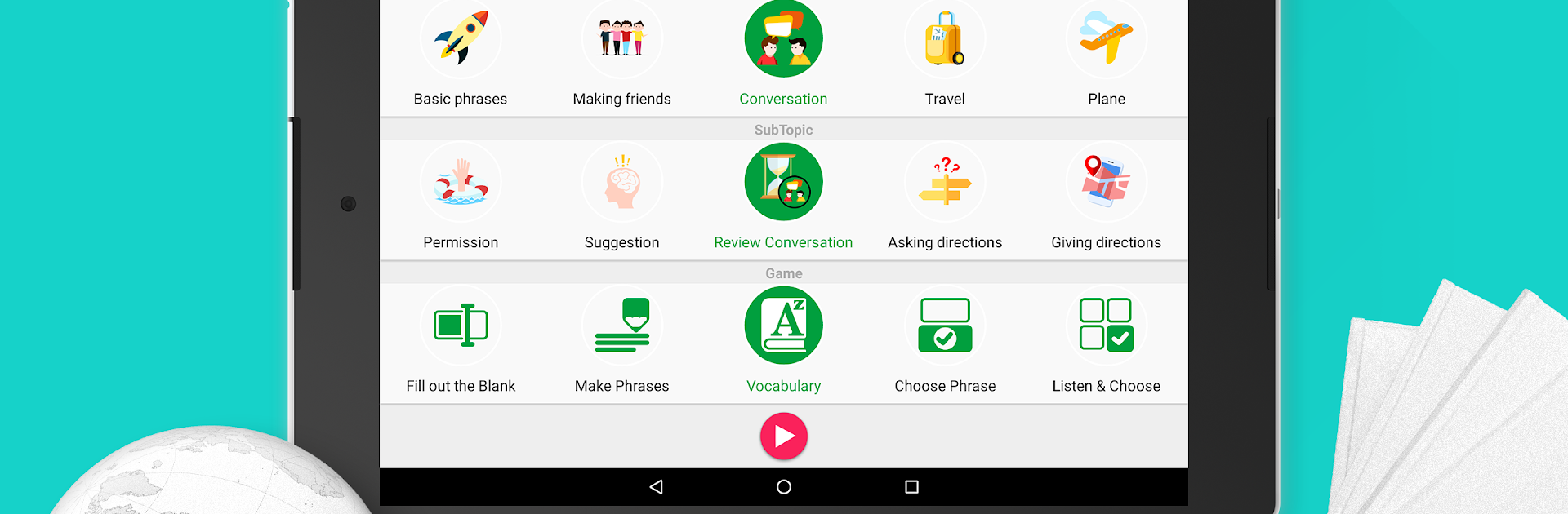
Learn French – 5,000 Phrases feels like a big phrasebook that turned into short, bite-size games. It is all about everyday lines, grouped by stuff people actually do, like greetings, ordering food, hotel check-in, transport, shopping, work. There are four difficulty levels, so a beginner can stick to basics while more confident learners jump into longer sentences. Each phrase comes with clear audio from native speakers and a phonetic hint, which helps a lot when the spelling looks tricky. It runs offline, so practice on a flight or train is no problem. There is a quick search, bookmarks for saving go-to phrases, and a points system that nudges people to keep going. The “random” option is fun when someone does not know what to study next. It supports tons of interface languages too, so learning from a first language feels more natural.

The mini games keep things moving, from listening drills and typing to simple speaking checks. It is more phrase practice than a deep grammar course, but for travel prep or daily refreshers it moves fast and sticks. On PC with BlueStacks, the bigger screen makes the matching and typing games easier, and the audio is louder and cleaner through regular speakers. Using a keyboard for the writing parts speeds things up, and the mic works fine for the speaking bits. Repetition can feel a little grindy after a while, yet it is the good kind of repetition that helps the phrases actually stay in memory.

Switch to BlueStacks and make the most of your apps on your PC or Mac.

How to Download and Run Learn French - 5,000 Phrases on PC or Mac

  • Download and install BlueStacks on your PC or Mac

  • Complete Google sign-in to access the Play Store, or do it later

  • Look for Learn French - 5,000 Phrases in the search bar at the top right corner

  • Click to install Learn French - 5,000 Phrases from the search results

  • Complete Google sign-in (if you skipped step 2) to install Learn French - 5,000 Phrases

  • Click the Learn French - 5,000 Phrases icon on the home screen to start playing

video
Watch Video

Minimum System Requirements

With BlueStacks 5, you can get started on a PC that fulfills the following requirements.

  • Operating System

    Microsoft Windows 7 or above, macOS 11 (Big Sur) or above

  • Processor

    Intel, AMD or Apple Silicon Processor

  • RAM

    at least 4GB

  • HDD

    10GB Free Disk Space

Note:

* You must be an Administrator on your PC. Up to date graphics drivers from Microsoft or the chipset vendor.

Learn French - 5,000 Phrases - FAQs

  • How to Run Learn French - 5,000 Phrases on Windows PC & Mac?

    Run Learn French - 5,000 Phrases on your PC or Mac by following these simple steps.

    • Click on ‘Download Learn French - 5,000 Phrases on PC’ to download BlueStacks
    • Install it and log-in to Google Play Store
    • Launch and run the app.
  • Why is BlueStacks the fastest and safest platform to play games on PC?

    BlueStacks respects your privacy and is always safe and secure to use. It does not carry any malware, spyware, or any sort of additional software that could harm your PC.

    It is engineered to optimize speed and performance for a seamless gaming experience.

  • What are Learn French - 5,000 Phrases PC requirements?

    Minimum requirement to run Learn French - 5,000 Phrases on your PC

    • OS: Microsoft Windows 7 and above:
    • Processor: Intel or AMD Processor:
    • RAM: Your PC must have at least 2GB of RAM. (Note that having 2GB or more disk space is not a substitute for RAM):
    • HDD: 5GB Free Disk Space.
    • You must be an Administrator on your PC.




