Belajar Buah Dan Sayuran

Belajar Buah Dan Sayuran

Education

| Annisa Cipta Informatika

Play on PC with BlueStacks or from our cloud

  • Overview
  • How to Download

Page Modified On: August 26, 2025

Run Belajar Buah Dan Sayuran on PC or Mac

Multitask effortlessly on your PC or Mac as you try out Belajar Buah Dan Sayuran, a Education app by Annisa Cipta Informatika on BlueStacks.

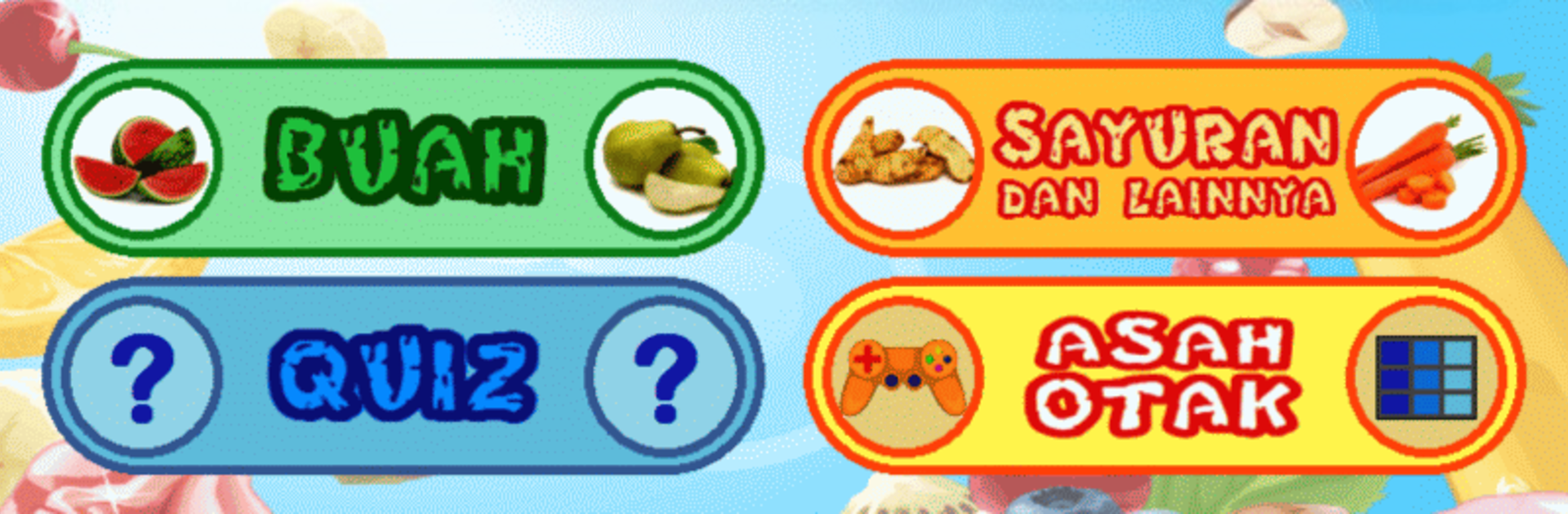
The app is like a simple, cheerful classroom for little ones who are just learning what fruits and vegetables look and sound like. It shows real photos so kids see actual fruit instead of cartoon sketches, and each item has a clear spoken name so it is easy to repeat and remember. There are about sixty different plants and foods to go through, a handful of familiar Indonesian children’s songs that play in the background, and three short games — a memory match, a picture puzzle, and a guess-the-picture activity — that make practice feel more like play than a lesson. The images get a full-screen treatment when the device is held sideways, which makes things more impressive for a small audience, and it also works in portrait if that is easier.

Controls and menus are straightforward, nothing to wrestle with, and there is a small quiz-style practice mode to check how much the child remembers. One useful touch is the option to swap the voice recordings for a parent or sibling voice, so it can feel more personal. The file size is small enough that it does not clutter a tablet or phone. For anyone wanting to run it on a laptop or desktop, it also runs fine on BlueStacks, so the bigger screen is an easy option. Overall it is gentle, clear, and made for very young kids who need repetition and bright, real photos rather than flashy effects.

Big screen. Bigger performance. Use BlueStacks on your PC or Mac to run your favorite apps.

How to Download and Run Belajar Buah Dan Sayuran on PC or Mac

  • Download and install BlueStacks on your PC or Mac

  • Complete Google sign-in to access the Play Store, or do it later

  • Look for Belajar Buah Dan Sayuran in the search bar at the top right corner

  • Click to install Belajar Buah Dan Sayuran from the search results

  • Complete Google sign-in (if you skipped step 2) to install Belajar Buah Dan Sayuran

  • Click the Belajar Buah Dan Sayuran icon on the home screen to start playing

video
Watch Video

Minimum System Requirements

With BlueStacks 5, you can get started on a PC that fulfills the following requirements.

  • Operating System

    Microsoft Windows 7 or above, macOS 11 (Big Sur) or above

  • Processor

    Intel, AMD or Apple Silicon Processor

  • RAM

    at least 4GB

  • HDD

    10GB Free Disk Space

Note:

* You must be an Administrator on your PC. Up to date graphics drivers from Microsoft or the chipset vendor.

Belajar Buah Dan Sayuran - FAQs

  • How to Run Belajar Buah Dan Sayuran on Windows PC & Mac?

    Run Belajar Buah Dan Sayuran on your PC or Mac by following these simple steps.

    • Click on ‘Download Belajar Buah Dan Sayuran on PC’ to download BlueStacks
    • Install it and log-in to Google Play Store
    • Launch and run the app.
  • Why is BlueStacks the fastest and safest platform to play games on PC?

    BlueStacks respects your privacy and is always safe and secure to use. It does not carry any malware, spyware, or any sort of additional software that could harm your PC.

    It is engineered to optimize speed and performance for a seamless gaming experience.

  • What are Belajar Buah Dan Sayuran PC requirements?

    Minimum requirement to run Belajar Buah Dan Sayuran on your PC

    • OS: Microsoft Windows 7 and above:
    • Processor: Intel or AMD Processor:
    • RAM: Your PC must have at least 2GB of RAM. (Note that having 2GB or more disk space is not a substitute for RAM):
    • HDD: 5GB Free Disk Space.
    • You must be an Administrator on your PC.