
Learn Greek Free
Learn Greek Free

Learn Greek Free

Education

| InnovationApps

Play on PC with BlueStacks or from our cloud

  • Overview
  • How to Download

Page Modified On: August 25, 2025

Run Learn Greek Free on PC or Mac

Get freedom from your phone’s obvious limitations. Use Learn Greek Free, made by InnovationApps, a Education app on your PC or Mac with BlueStacks, and level up your experience.

About the App

Curious about learning Greek or planning a trip to Greece? Learn Greek Free, brought to you by InnovationApps, makes picking up the language fun and easy—no matter your starting level. Whether you’re polishing up for travel or just interested in a few phrases, you’ll find this Education app gives you plenty of practical words, friendly audio, and fresh ways to practice. Plus, everything’s split into neat categories so you can jump right to whatever you need, whenever you want.

App Features

  • Extensive Word & Phrase List
    You get access to a massive collection of over 9,000 everyday Greek words and phrases, all organized so you can search, study, or just browse around.

  • High-Quality Audio
    Hear how things should really sound, thanks to clear audio for each entry—great for mastering the pronunciation and understanding the rhythm of spoken Greek.

  • Multiple Language Support
    No need to know just English—this app helps you translate from 32 different languages into Greek, so it doesn’t matter where you’re starting from.

  • Interactive Learning Games
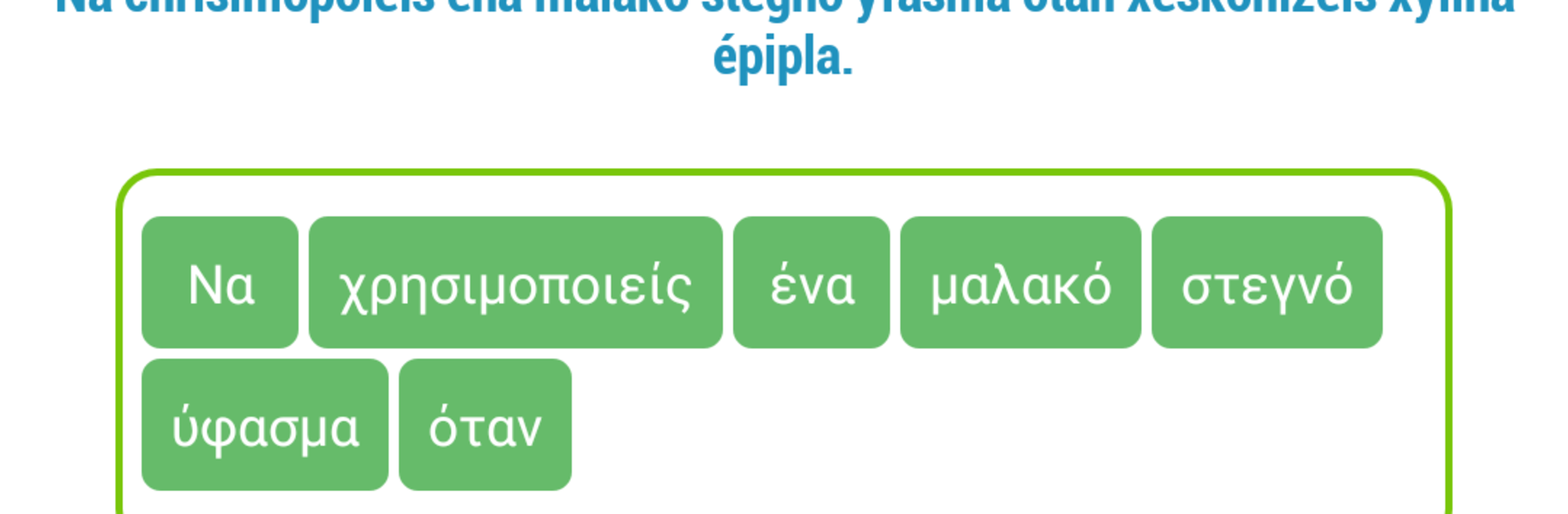
    Test yourself with quizzes that challenge you to pick the right answers or rearrange words to build proper sentences. It’s one thing to memorize; it’s another to use what you know!

  • Favorites & Smooth Search
    Quickly find what you’re looking for with an easy search feature. You can also save your favorite words or phrases for faster review whenever you need to brush up.

  • Offline Access
    Forget about needing Wi-Fi to keep learning. Everything works perfectly offline—ideal for travel or studying wherever you find yourself.

You’ll have a smooth time using Learn Greek Free on your phone, but if you want a bigger view, BlueStacks lets you explore the app right from your computer.

Big screen. Bigger performance. Use BlueStacks on your PC or Mac to run your favorite apps.

How to Download and Run Learn Greek Free on PC or Mac

  • Download and install BlueStacks on your PC or Mac

  • Complete Google sign-in to access the Play Store, or do it later

  • Look for Learn Greek Free in the search bar at the top right corner

  • Click to install Learn Greek Free from the search results

  • Complete Google sign-in (if you skipped step 2) to install Learn Greek Free

  • Click the Learn Greek Free icon on the home screen to start playing

video
Watch Video

Minimum System Requirements

With BlueStacks 5, you can get started on a PC that fulfills the following requirements.

  • Operating System

    Microsoft Windows 7 or above, macOS 11 (Big Sur) or above

  • Processor

    Intel, AMD or Apple Silicon Processor

  • RAM

    at least 4GB

  • HDD

    10GB Free Disk Space

Note:

* You must be an Administrator on your PC. Up to date graphics drivers from Microsoft or the chipset vendor.

Learn Greek Free - FAQs

  • How to Run Learn Greek Free on Windows PC & Mac?

    Run Learn Greek Free on your PC or Mac by following these simple steps.

    • Click on ‘Download Learn Greek Free on PC’ to download BlueStacks
    • Install it and log-in to Google Play Store
    • Launch and run the app.
  • Why is BlueStacks the fastest and safest platform to play games on PC?

    BlueStacks respects your privacy and is always safe and secure to use. It does not carry any malware, spyware, or any sort of additional software that could harm your PC.

    It is engineered to optimize speed and performance for a seamless gaming experience.

  • What are Learn Greek Free PC requirements?

    Minimum requirement to run Learn Greek Free on your PC

    • OS: Microsoft Windows 7 and above:
    • Processor: Intel or AMD Processor:
    • RAM: Your PC must have at least 2GB of RAM. (Note that having 2GB or more disk space is not a substitute for RAM):
    • HDD: 5GB Free Disk Space.
    • You must be an Administrator on your PC.




