
Belajar Hijaiyah + Suara

Belajar Hijaiyah + Suara

Education

| Solite Kids

Play on PC with BlueStacks or from our cloud

  • Overview
  • How to Download

Page Modified On: August 22, 2025

Run Belajar Hijaiyah + Suara on PC or Mac

Upgrade your experience. Try Belajar Hijaiyah + Suara, the fantastic Education app from Solite Kids, from the comfort of your laptop, PC, or Mac, only on BlueStacks.

About the App

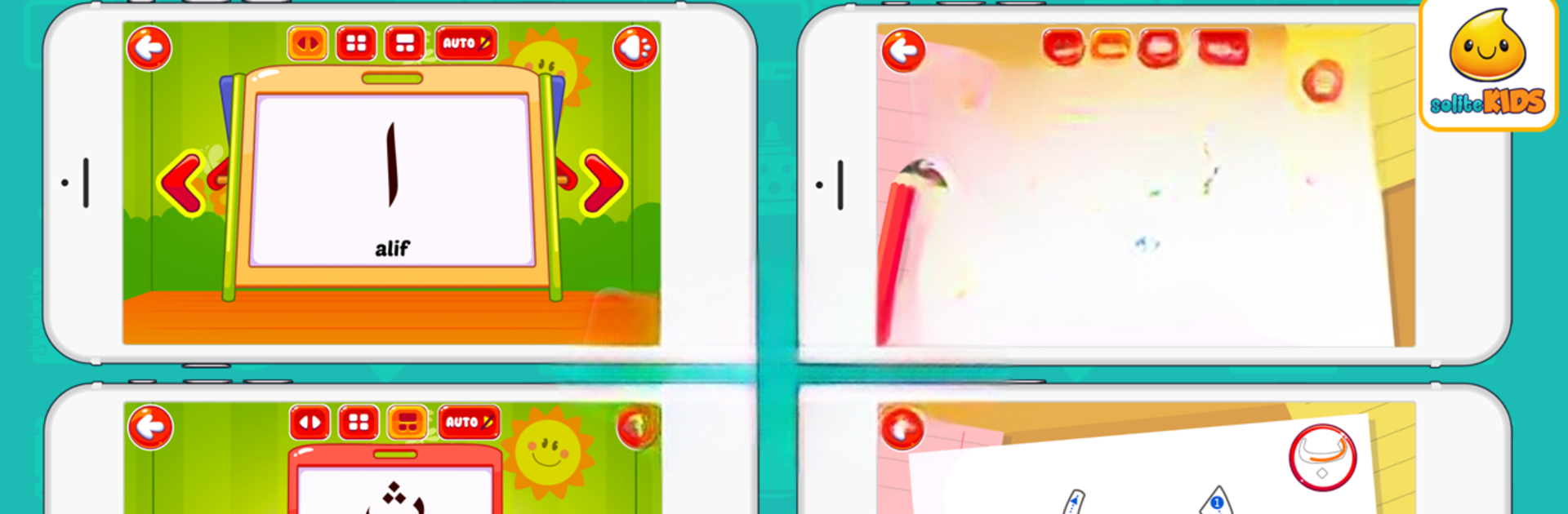
Belajar Hijaiyah + Suara is the kind of app that makes learning the basics of Hijaiyah letters actually fun for kids. Created by Solite Kids for the Education genre, it’s packed with playful sounds, colorful visuals, and activities that don’t just teach but keep kids curious and laughing along the way. Whether your child is just starting out with Hijaiyah or looking for a new way to practice, there’s something here for everyone—no boredom in sight.

App Features

  • Learn Hijaiyah Letters
    Let kids get to know every letter in the Hijaiyah alphabet, from alif all the way to ya’. Each letter comes with its own sound, so your child hears the correct pronunciation right from the start.

  • Writing Practice
    Interactive exercises let little ones trace letter shapes on the screen, turning handwriting practice into a hands-on, playful experience.

  • Catchy Kids’ Songs
    The app includes lively “A Ba Ta Tsa” songs—easy to sing along and perfect for helping kids remember each letter.

  • Guess the Ketupat Game
    This game keeps learning fresh by letting kids guess which Hijaiyah letter is hiding in the ketupat. It’s all about quick thinking, and kids can’t resist coming back for another round.

  • Hijaiyah Letters Quiz
    Kids can challenge themselves with letter quizzes, testing what they’ve learned in a low-pressure, game-like way.

  • Hijaiyah Tree Adventure
    Here’s a creative activity: Children match letters on a bright, leafy tree, helping them reinforce recognition in a way that feels more like exploring than studying.

  • Fish Pond Game
    Even the pond becomes a place to learn. Kids “catch” fish with the right Hijaiyah letters, mixing learning with a bit of friendly competition.

The app makes a smooth run with BlueStacks, making it possible to enjoy these learning experiences on a bigger screen, too.

Ready to experience Belajar Hijaiyah + Suara on a bigger screen, in all its glory? Download BlueStacks now.


How to Download and Run Belajar Hijaiyah + Suara on PC or Mac

  • Download and install BlueStacks on your PC or Mac

  • Complete Google sign-in to access the Play Store, or do it later

  • Look for Belajar Hijaiyah + Suara in the search bar at the top right corner

  • Click to install Belajar Hijaiyah + Suara from the search results

  • Complete Google sign-in (if you skipped step 2) to install Belajar Hijaiyah + Suara

  • Click the Belajar Hijaiyah + Suara icon on the home screen to start playing

video
Watch Video

Minimum System Requirements

With BlueStacks 5, you can get started on a PC that fulfills the following requirements.

  • Operating System

    Microsoft Windows 7 or above, macOS 11 (Big Sur) or above

  • Processor

    Intel, AMD or Apple Silicon Processor

  • RAM

    at least 4GB

  • HDD

    10GB Free Disk Space

Note:

* You must be an Administrator on your PC. Up to date graphics drivers from Microsoft or the chipset vendor.

Belajar Hijaiyah + Suara - FAQs

  • How to Run Belajar Hijaiyah + Suara on Windows PC & Mac?

    Run Belajar Hijaiyah + Suara on your PC or Mac by following these simple steps.

    • Click on ‘Download Belajar Hijaiyah + Suara on PC’ to download BlueStacks
    • Install it and log-in to Google Play Store
    • Launch and run the app.
  • Why is BlueStacks the fastest and safest platform to play games on PC?

    BlueStacks respects your privacy and is always safe and secure to use. It does not carry any malware, spyware, or any sort of additional software that could harm your PC.

    It is engineered to optimize speed and performance for a seamless gaming experience.

  • What are Belajar Hijaiyah + Suara PC requirements?

    Minimum requirement to run Belajar Hijaiyah + Suara on your PC

    • OS: Microsoft Windows 7 and above:
    • Processor: Intel or AMD Processor:
    • RAM: Your PC must have at least 2GB of RAM. (Note that having 2GB or more disk space is not a substitute for RAM):
    • HDD: 5GB Free Disk Space.
    • You must be an Administrator on your PC.



