
Learn Japanese For Kids

Learn Japanese For Kids

Education

| KidsTube

Play on PC with BlueStacks or from our cloud

  • Overview
  • How to Download

Page Modified On: September 12, 2025

Run Learn Japanese For Kids on PC or Mac

Let BlueStacks turn your PC, Mac, or laptop into the perfect home for Learn Japanese For Kids, a fun Education app from KidsTube.

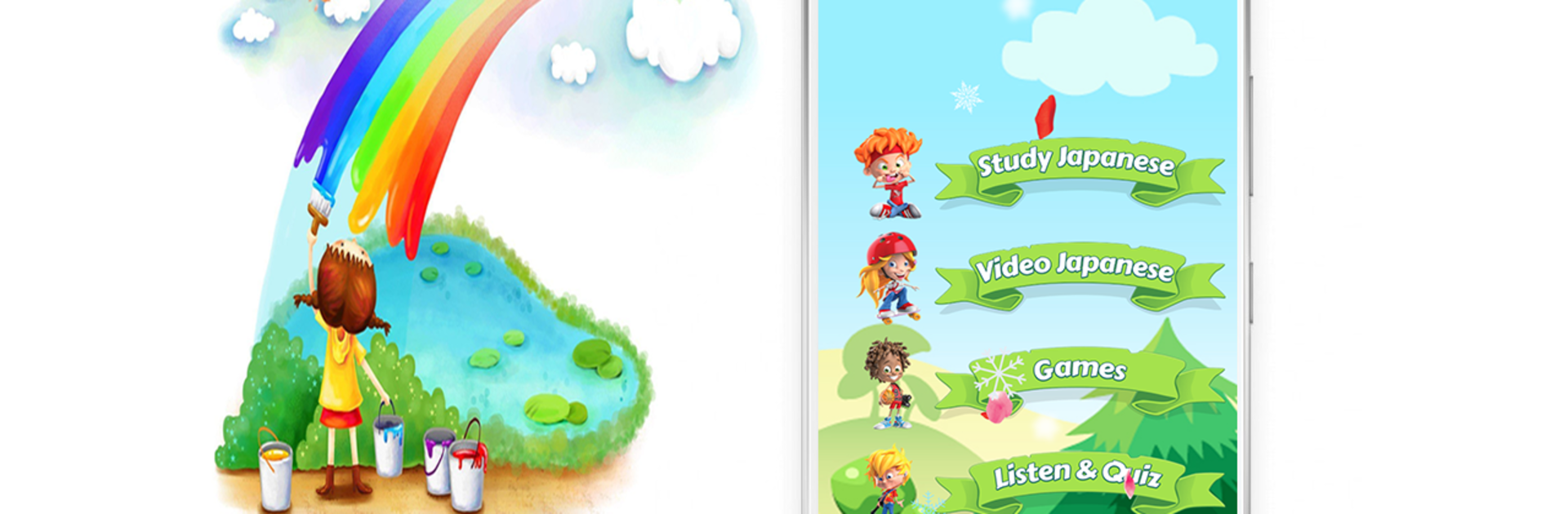
Learn Japanese For Kids feels like a big talking picture book that keeps things simple and friendly. The app sorts words into everyday topics that make sense for kids and beginners, like animals, fruits, colors, vehicles, jobs, shapes, food, classroom stuff, dates, even holiday words. There is a full section for Hiragana and Katakana, plus numbers up to twenty. Each card shows a clear image and plays the word out loud, so matching sound to picture comes naturally. The three mini games are straightforward in a good way. It speaks a word, the player picks the right image, then hears it again, so the repetition sticks without feeling heavy. There is a basic phonics feel to it, so ears start to catch common Japanese sounds and rhythms.

What stands out is the amount of content. There are dozens of categories and a big pile of vocabulary, with clean audio and real photos for a lot of items. It runs offline, so no need for a connection once everything is installed. There is also a video tab with a large collection of learning clips gathered in one place, handy if someone wants extra listening practice. On PC with BlueStacks, the bigger screen makes the pictures easier to see, and clicking images is smoother than tiny taps, plus speakers make the pronunciations louder. The English in the menus is not perfect and a few labels feel a bit odd, but the navigation is simple and the goal is very clear. It teaches by showing, saying, and letting the player choose, again and again, which is honestly how kids remember new words.

BlueStacks brings your apps to life on a bigger screen—seamless and straightforward.

How to Download and Run Learn Japanese For Kids on PC or Mac

  • Download and install BlueStacks on your PC or Mac

  • Complete Google sign-in to access the Play Store, or do it later

  • Look for Learn Japanese For Kids in the search bar at the top right corner

  • Click to install Learn Japanese For Kids from the search results

  • Complete Google sign-in (if you skipped step 2) to install Learn Japanese For Kids

  • Click the Learn Japanese For Kids icon on the home screen to start playing

video
Watch Video

Minimum System Requirements

With BlueStacks 5, you can get started on a PC that fulfills the following requirements.

  • Operating System

    Microsoft Windows 7 or above, macOS 11 (Big Sur) or above

  • Processor

    Intel, AMD or Apple Silicon Processor

  • RAM

    at least 4GB

  • HDD

    10GB Free Disk Space

Note:

* You must be an Administrator on your PC. Up to date graphics drivers from Microsoft or the chipset vendor.

Learn Japanese For Kids - FAQs

  • How to Run Learn Japanese For Kids on Windows PC & Mac?

    Run Learn Japanese For Kids on your PC or Mac by following these simple steps.

    • Click on ‘Download Learn Japanese For Kids on PC’ to download BlueStacks
    • Install it and log-in to Google Play Store
    • Launch and run the app.
  • Why is BlueStacks the fastest and safest platform to play games on PC?

    BlueStacks respects your privacy and is always safe and secure to use. It does not carry any malware, spyware, or any sort of additional software that could harm your PC.

    It is engineered to optimize speed and performance for a seamless gaming experience.

  • What are Learn Japanese For Kids PC requirements?

    Minimum requirement to run Learn Japanese For Kids on your PC

    • OS: Microsoft Windows 7 and above:
    • Processor: Intel or AMD Processor:
    • RAM: Your PC must have at least 2GB of RAM. (Note that having 2GB or more disk space is not a substitute for RAM):
    • HDD: 5GB Free Disk Space.
    • You must be an Administrator on your PC.




