
Mental Abacus Expert

Mental Abacus Expert

Education

| Lindblå läs & skrivutveckling

Play on PC with BlueStacks or from our cloud

  • Overview
  • How to Download

Page Modified On: November 03, 2025

Run Mental Abacus Expert on PC or Mac

Multitask effortlessly on your PC or Mac as you try out Mental Abacus Expert, a Education app by Lindblå läs & skrivutveckling on BlueStacks.

About the App

Mental Abacus Expert turns abacus practice into a clear, repeatable routine that actually sticks. It’s an Education app from Lindblå läs & skrivutveckling designed to train mental arithmetic by teaching your brain to “see” and move beads without a physical frame. Sessions are short, focused, and surprisingly engaging—perfect when you want to build speed, concentration, and working memory over time. Prefer a bigger screen? You can also train on BlueStacks.

App Features

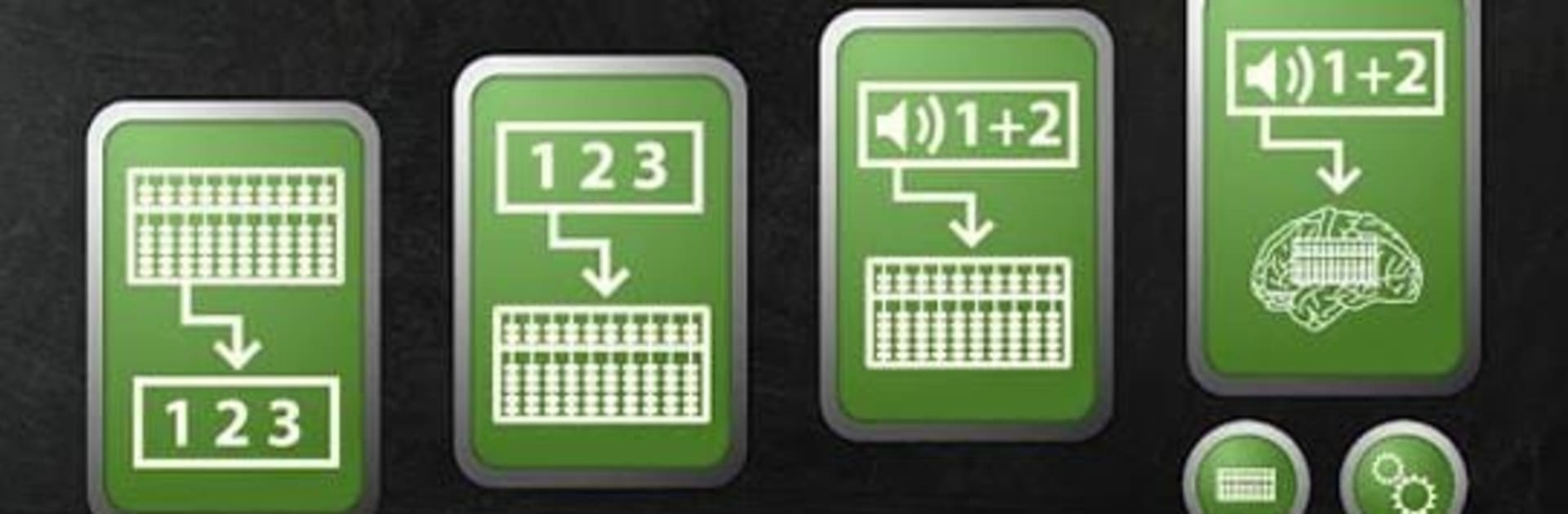
  • Visualize Bead Patterns: Quickly read abacus figures and hold the image in your mind. This exercise builds the mental picture you’ll need for fast mental math.

  • Numbers to Abacus: See numbers in standard form, remember them, then convert them into abacus positions. Great for bridging digits and bead layouts.

  • Listen or Look, Then Calculate: Practice addition, subtraction, or mixed operations using spoken or on-screen numbers while you “move” beads on an imagined frame.

  • Fully Mental Mode: Train with mental-only prompts and perform calculations on your inner abacus. It’s where the technique really clicks.

  • Modern or Classic Frames: Choose the style you prefer—modern (4+1) or classic (5+2)—so your practice matches your learning or competition format.

  • Clear Guidance Built In: Get straightforward text and video instructions that explain each step, plus tips to get the most from every session.

  • Voice Support: A built-in speech engine reads numbers to you, helping you focus on the mental steps instead of looking back and forth.

  • Beginner and Expert Options: Switch between beginner and expert modes on the two advanced exercises to keep the challenge just right.

  • Flash Anzan Friendly: The structure and pacing work well for Flash Anzan training, supporting fast perception and accurate recall.

Switch to BlueStacks and make the most of your apps on your PC or Mac.

How to Download and Run Mental Abacus Expert on PC or Mac

  • Download and install BlueStacks on your PC or Mac

  • Complete Google sign-in to access the Play Store, or do it later

  • Look for Mental Abacus Expert in the search bar at the top right corner

  • Click to install Mental Abacus Expert from the search results

  • Complete Google sign-in (if you skipped step 2) to install Mental Abacus Expert

  • Click the Mental Abacus Expert icon on the home screen to start playing

video
Watch Video

Minimum System Requirements

With BlueStacks 5, you can get started on a PC that fulfills the following requirements.

  • Operating System

    Microsoft Windows 7 or above, macOS 11 (Big Sur) or above

  • Processor

    Intel, AMD or Apple Silicon Processor

  • RAM

    at least 4GB

  • HDD

    10GB Free Disk Space

Note:

* You must be an Administrator on your PC. Up to date graphics drivers from Microsoft or the chipset vendor.

Mental Abacus Expert - FAQs

  • How to Run Mental Abacus Expert on Windows PC & Mac?

    Run Mental Abacus Expert on your PC or Mac by following these simple steps.

    • Click on ‘Download Mental Abacus Expert on PC’ to download BlueStacks
    • Install it and log-in to Google Play Store
    • Launch and run the app.
  • Why is BlueStacks the fastest and safest platform to play games on PC?

    BlueStacks respects your privacy and is always safe and secure to use. It does not carry any malware, spyware, or any sort of additional software that could harm your PC.

    It is engineered to optimize speed and performance for a seamless gaming experience.

  • What are Mental Abacus Expert PC requirements?

    Minimum requirement to run Mental Abacus Expert on your PC

    • OS: Microsoft Windows 7 and above:
    • Processor: Intel or AMD Processor:
    • RAM: Your PC must have at least 2GB of RAM. (Note that having 2GB or more disk space is not a substitute for RAM):
    • HDD: 5GB Free Disk Space.
    • You must be an Administrator on your PC.




