
میشا و کوشا اول تا پنجم دبستان

میشا و کوشا اول تا پنجم دبستان

Education

| Misha & Koosha

Play on PC with BlueStacks or from our cloud

  • Overview
  • How to Download

Page Modified On: September 19, 2025

Run میشا و کوشا اول تا پنجم دبستان on PC or Mac

Get freedom from your phone’s obvious limitations. Use میشا و کوشا اول تا پنجم دبستان, made by Misha & Koosha, a Education app on your PC or Mac with BlueStacks, and level up your experience.

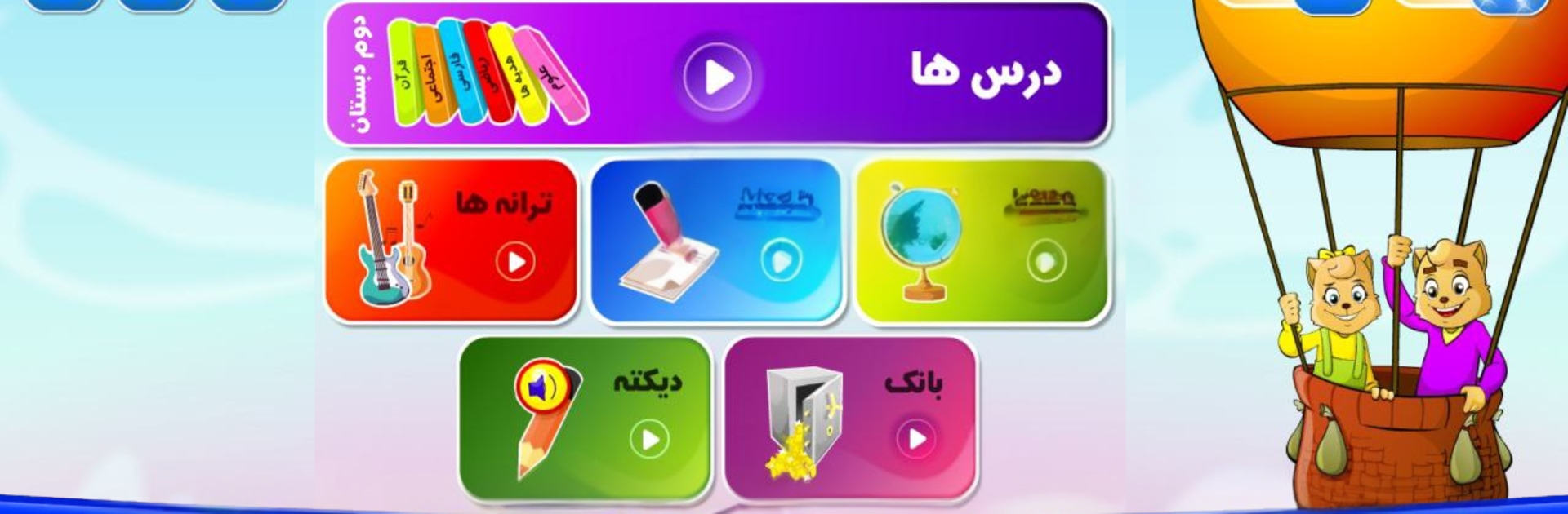
Misha & Koosha feels like a friendly digital version of grade 1 to 5 school books, only with color, voices, and small games that actually make the lessons stick. It lines up with what kids see in class, so the math, Farsi, writing, and science parts do not feel random. Explanations are simple and clear, then it nudges into practice with game-like tasks. The points system tracks how each stage went, which helps a parent see progress without digging around. What stands out is how the activities are built right from textbook style exercises, so a child is practicing the real thing, not a loose quiz. The content gets refreshed each year to match textbook changes, which lowers the usual worry about out of date material.

On PC with BlueStacks, everything is easier to see and click, especially Farsi letters and tiny buttons. Dictation practice is neat on a keyboard, and switching between lessons with a mouse feels quick. There are cheerful songs from the books, a little mysterious museum area with hidden bits to discover, short physical education prompts, and clear self protection rules for kids. The look is bright and a little old school in places, but solid. It suits families who want reliable homework help and extra practice that feels like play, not a separate curriculum. It is straightforward, structured, and surprisingly lively for a study app.

Eager to take your app experience to the next level? Start right away by downloading BlueStacks on your PC or Mac.


How to Download and Run میشا و کوشا اول تا پنجم دبستان on PC or Mac

  • Download and install BlueStacks on your PC or Mac

  • Complete Google sign-in to access the Play Store, or do it later

  • Look for میشا و کوشا اول تا پنجم دبستان in the search bar at the top right corner

  • Click to install میشا و کوشا اول تا پنجم دبستان from the search results

  • Complete Google sign-in (if you skipped step 2) to install میشا و کوشا اول تا پنجم دبستان

  • Click the میشا و کوشا اول تا پنجم دبستان icon on the home screen to start playing

video
Watch Video

Minimum System Requirements

With BlueStacks 5, you can get started on a PC that fulfills the following requirements.

  • Operating System

    Microsoft Windows 7 or above, macOS 11 (Big Sur) or above

  • Processor

    Intel, AMD or Apple Silicon Processor

  • RAM

    at least 4GB

  • HDD

    10GB Free Disk Space

Note:

* You must be an Administrator on your PC. Up to date graphics drivers from Microsoft or the chipset vendor.

میشا و کوشا اول تا پنجم دبستان - FAQs

  • How to Run میشا و کوشا اول تا پنجم دبستان on Windows PC & Mac?

    Run میشا و کوشا اول تا پنجم دبستان on your PC or Mac by following these simple steps.

    • Click on ‘Download میشا و کوشا اول تا پنجم دبستان on PC’ to download BlueStacks
    • Install it and log-in to Google Play Store
    • Launch and run the app.
  • Why is BlueStacks the fastest and safest platform to play games on PC?

    BlueStacks respects your privacy and is always safe and secure to use. It does not carry any malware, spyware, or any sort of additional software that could harm your PC.

    It is engineered to optimize speed and performance for a seamless gaming experience.

  • What are میشا و کوشا اول تا پنجم دبستان PC requirements?

    Minimum requirement to run میشا و کوشا اول تا پنجم دبستان on your PC

    • OS: Microsoft Windows 7 and above:
    • Processor: Intel or AMD Processor:
    • RAM: Your PC must have at least 2GB of RAM. (Note that having 2GB or more disk space is not a substitute for RAM):
    • HDD: 5GB Free Disk Space.
    • You must be an Administrator on your PC.



