REAL ANIMALS HD (Full)

REAL ANIMALS HD (Full)

Education

| PROPE,Ltd.

Play on PC with BlueStacks or from our cloud

  • Overview
  • How to Download

Page Modified On: December 05, 2025

Run REAL ANIMALS HD (Full) on PC or Mac

What’s better than using REAL ANIMALS HD (Full) by PROPE,Ltd.? Well, try it on a big screen, on your PC or Mac, with BlueStacks to see the difference.

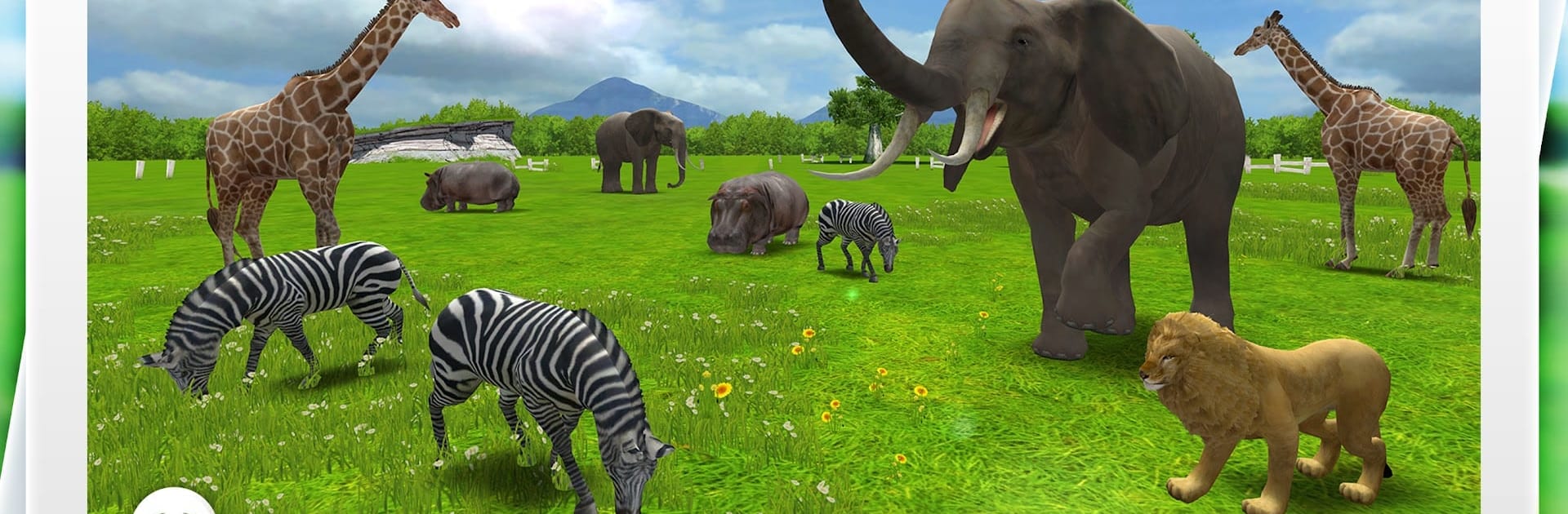
REAL ANIMALS HD (Full) is a relaxed little digital safari that is all about poking, swiping, and watching animals react. Lifelike 3D creatures wander in, and taps or clicks make them jump, roll over, call out, or occasionally pull off a special “Happy Action.” Dragging moves them around so they walk or run in any direction, and the camera lets the scene be watched from different angles. On PC with BlueStacks, the bigger screen and mouse clicks make the whole thing feel more like a playful desktop toy, with the animations looking clean and lively.

There is a gentle learning side too. Names show on screen with clear spelling, there is spoken pronunciation, and quick bits about habitats. Language support covers a lot of regions, so families can switch to what they prefer. The settings let names or “Happy Actions” be toggled on or off, and it handles both portrait and landscape without fuss. There are no scores and no goals, just a calm space to explore animals and see how they move and sound. It suits kids really well, but animal fans of any age can zone out with it. Think of it as an interactive animal shelf rather than a traditional game, simple on purpose, with those small surprises that keep eyes on the screen.

Ready to experience REAL ANIMALS HD (Full) on a bigger screen, in all its glory? Download BlueStacks now.


How to Download and Run REAL ANIMALS HD (Full) on PC or Mac

  • Download and install BlueStacks on your PC or Mac

  • Complete Google sign-in to access the Play Store, or do it later

  • Look for REAL ANIMALS HD (Full) in the search bar at the top right corner

  • Click to install REAL ANIMALS HD (Full) from the search results

  • Complete Google sign-in (if you skipped step 2) to install REAL ANIMALS HD (Full)

  • Click the REAL ANIMALS HD (Full) icon on the home screen to start playing

video
Watch Video

Minimum System Requirements

With BlueStacks 5, you can get started on a PC that fulfills the following requirements.

  • Operating System

    Microsoft Windows 7 or above, macOS 11 (Big Sur) or above

  • Processor

    Intel, AMD or Apple Silicon Processor

  • RAM

    at least 4GB

  • HDD

    10GB Free Disk Space

Note:

* You must be an Administrator on your PC. Up to date graphics drivers from Microsoft or the chipset vendor.

REAL ANIMALS HD (Full) - FAQs

  • How to Run REAL ANIMALS HD (Full) on Windows PC & Mac?

    Run REAL ANIMALS HD (Full) on your PC or Mac by following these simple steps.

    • Click on ‘Download REAL ANIMALS HD (Full) on PC’ to download BlueStacks
    • Install it and log-in to Google Play Store
    • Launch and run the app.
  • Why is BlueStacks the fastest and safest platform to play games on PC?

    BlueStacks respects your privacy and is always safe and secure to use. It does not carry any malware, spyware, or any sort of additional software that could harm your PC.

    It is engineered to optimize speed and performance for a seamless gaming experience.

  • What are REAL ANIMALS HD (Full) PC requirements?

    Minimum requirement to run REAL ANIMALS HD (Full) on your PC

    • OS: Microsoft Windows 7 and above:
    • Processor: Intel or AMD Processor:
    • RAM: Your PC must have at least 2GB of RAM. (Note that having 2GB or more disk space is not a substitute for RAM):
    • HDD: 5GB Free Disk Space.
    • You must be an Administrator on your PC.