Shapes and Colors for kids

Shapes and Colors for kids

Education

| PSV Studio Kidnimals baby games

Play on PC with BlueStacks or from our cloud

  • Overview
  • How to Download

Page Modified On: July 17, 2025

Run Shapes and Colors for kids on PC or Mac

What’s better than using Shapes and Colors for kids by Baby Educational Games for boys, for girls? Well, try it on a big screen, on your PC or Mac, with BlueStacks to see the difference.

About the App

Shapes and Colors for kids is a playful way for little ones to start learning about the basics—shapes and colors—while having a great time. Created with toddlers and preschoolers in mind, this Education app by Baby Educational Games for boys, for girls keeps things light and interactive, turning tricky topics into simple, hands-on games. Whether your child is just getting curious about the world or you’re looking for a fun way to help them grow, you’ll find plenty here to keep them engaged.

App Features

  • Learn Shapes the Easy Way
    Bright, friendly shapes pop up on the screen, making it easy for kids to spot the difference between a triangle and a square. Each shape is clearly shown, so recognizing them becomes second nature.

  • Colors That Pop
    Vivid, bold colors make things exciting for little eyes. Kids get to match, sort, and identify colors in a clear, inviting way, which really helps those skills stick.

  • Mini-Games for Every Mood
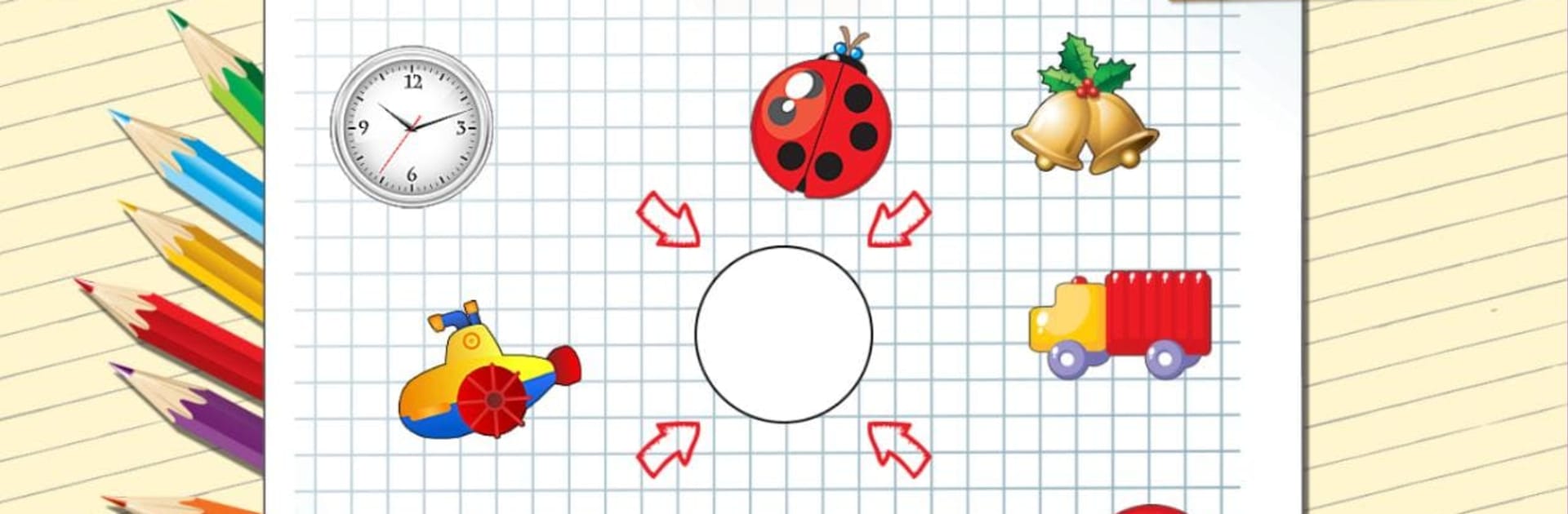
    The app bundles together four different mini-games, from basic shape and color matching to surprises that reward kids for their progress. It’s always a bit of a new adventure, even after repeated play.

  • Multiple Languages, Genuine Voices
    Kids can play and learn in several languages, featuring real human voices in English, Russian, German, Spanish, Romanian, and French. This helps create a comfortable, friendly atmosphere for every child.

  • Just Fun, No Pressure
    There are no complicated menus or tricky rules—just tap, play, and watch your child discover. It’s appealing to both boys and girls, built for curious hands and minds.

  • Parent-Approved Content
    The activities are designed with help from child development experts, so you know your child’s playtime is also learning time.

  • Play on BlueStacks
    If you prefer a bigger screen or want to manage kid’s games from your desktop, Shapes and Colors for kids also works with BlueStacks, giving you more options to fit your family’s routine.

BlueStacks brings your apps to life on a bigger screen—seamless and straightforward.

How to Download and Run Shapes and Colors for kids on PC or Mac

  • Download and install BlueStacks on your PC or Mac

  • Complete Google sign-in to access the Play Store, or do it later

  • Look for Shapes and Colors for kids in the search bar at the top right corner

  • Click to install Shapes and Colors for kids from the search results

  • Complete Google sign-in (if you skipped step 2) to install Shapes and Colors for kids

  • Click the Shapes and Colors for kids icon on the home screen to start playing

video
Watch Video

Minimum System Requirements

With BlueStacks 5, you can get started on a PC that fulfills the following requirements.

  • Operating System

    Microsoft Windows 7 or above, macOS 11 (Big Sur) or above

  • Processor

    Intel, AMD or Apple Silicon Processor

  • RAM

    at least 4GB

  • HDD

    10GB Free Disk Space

Note:

* You must be an Administrator on your PC. Up to date graphics drivers from Microsoft or the chipset vendor.

Shapes and Colors for kids - FAQs

  • How to Run Shapes and Colors for kids on Windows PC & Mac?

    Run Shapes and Colors for kids on your PC or Mac by following these simple steps.

    • Click on ‘Download Shapes and Colors for kids on PC’ to download BlueStacks
    • Install it and log-in to Google Play Store
    • Launch and run the app.
  • Why is BlueStacks the fastest and safest platform to play games on PC?

    BlueStacks respects your privacy and is always safe and secure to use. It does not carry any malware, spyware, or any sort of additional software that could harm your PC.

    It is engineered to optimize speed and performance for a seamless gaming experience.

  • What are Shapes and Colors for kids PC requirements?

    Minimum requirement to run Shapes and Colors for kids on your PC

    • OS: Microsoft Windows 7 and above:
    • Processor: Intel or AMD Processor:
    • RAM: Your PC must have at least 2GB of RAM. (Note that having 2GB or more disk space is not a substitute for RAM):
    • HDD: 5GB Free Disk Space.
    • You must be an Administrator on your PC.