
Thai Dict Chinese
Thai Dict Chinese

Thai Dict Chinese

Education

| Dictionary Makers Co., Ltd.

Play on PC with BlueStacks or from our cloud

  • Overview
  • How to Download

Page Modified On: October 24, 2025

Run Thai Dict Chinese on PC or Mac

Get freedom from your phone’s obvious limitations. Use Thai Dict Chinese, made by Dictionary Makers Co., Ltd., a Education app on your PC or Mac with BlueStacks, and level up your experience.

Thai Dict Chinese feels like a serious study buddy that still stays quick when someone just wants to look something up. It is a Thai, English, and Chinese dictionary rolled into one, with over 700,000 entries, HSK 1 to 6 vocabulary, and a huge set of Chinese characters. Search is flexible, so someone can type English, Chinese characters, Thai, or Pinyin with either tone numbers or tone marks, and even toss in wildcards. Results can show up in two lists side by side, which makes comparing meanings and forms less of a hassle. Tap any word or character and it jumps to related entries, so it is easy to follow a thread without losing track.

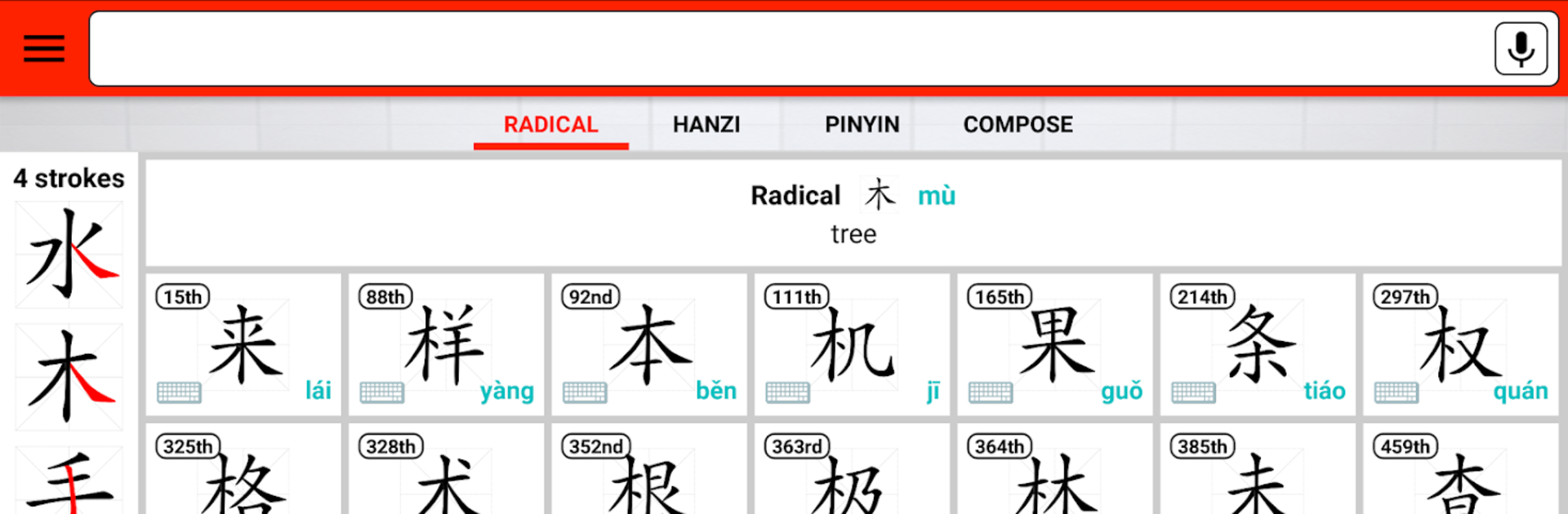
What stands out for learning are the little helpers. Stroke order animations show how to write each Hanzi in the correct order. There is a radicals view and decomposition, so characters make more sense piece by piece. Audio is built in for Chinese and English, and voice search works fine when someone does not feel like typing. Online mode can pull definitions and examples from big name references like Oxford, Collins, Cambridge, and more, plus translation sources, and it also branches out to many other languages beyond the main three. On PC with BlueStacks, the dual lists and stroke order animations are easier to read, copying text is smoother, and clicking around long entries feels natural. It looks like the app is still very active, so features keep growing alittle over time.

Ready to experience Thai Dict Chinese on a bigger screen, in all its glory? Download BlueStacks now.


How to Download and Run Thai Dict Chinese on PC or Mac

  • Download and install BlueStacks on your PC or Mac

  • Complete Google sign-in to access the Play Store, or do it later

  • Look for Thai Dict Chinese in the search bar at the top right corner

  • Click to install Thai Dict Chinese from the search results

  • Complete Google sign-in (if you skipped step 2) to install Thai Dict Chinese

  • Click the Thai Dict Chinese icon on the home screen to start playing

video
Watch Video

Minimum System Requirements

With BlueStacks 5, you can get started on a PC that fulfills the following requirements.

  • Operating System

    Microsoft Windows 7 or above, macOS 11 (Big Sur) or above

  • Processor

    Intel, AMD or Apple Silicon Processor

  • RAM

    at least 4GB

  • HDD

    10GB Free Disk Space

Note:

* You must be an Administrator on your PC. Up to date graphics drivers from Microsoft or the chipset vendor.

Thai Dict Chinese - FAQs

  • How to Run Thai Dict Chinese on Windows PC & Mac?

    Run Thai Dict Chinese on your PC or Mac by following these simple steps.

    • Click on ‘Download Thai Dict Chinese on PC’ to download BlueStacks
    • Install it and log-in to Google Play Store
    • Launch and run the app.
  • Why is BlueStacks the fastest and safest platform to play games on PC?

    BlueStacks respects your privacy and is always safe and secure to use. It does not carry any malware, spyware, or any sort of additional software that could harm your PC.

    It is engineered to optimize speed and performance for a seamless gaming experience.

  • What are Thai Dict Chinese PC requirements?

    Minimum requirement to run Thai Dict Chinese on your PC

    • OS: Microsoft Windows 7 and above:
    • Processor: Intel or AMD Processor:
    • RAM: Your PC must have at least 2GB of RAM. (Note that having 2GB or more disk space is not a substitute for RAM):
    • HDD: 5GB Free Disk Space.
    • You must be an Administrator on your PC.



