
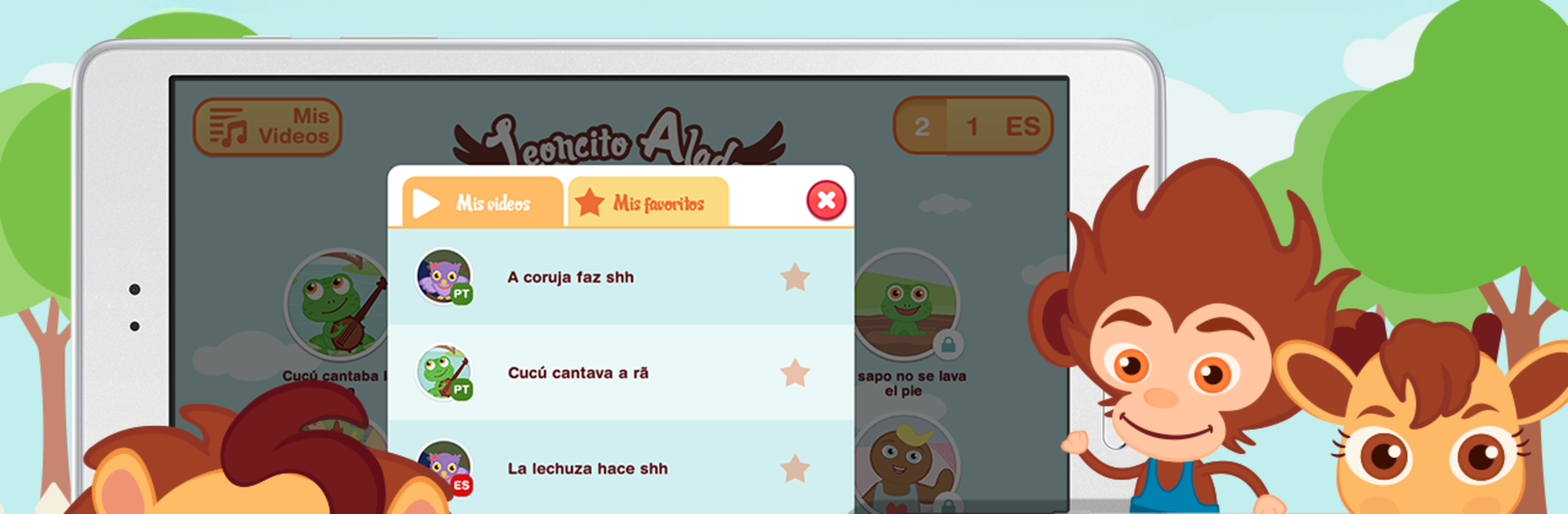
Leoncito Alado
Leoncito Alado

Leoncito Alado

Education

| 01Digital

Play on PC with BlueStacks or from our cloud

  • Overview
  • How to Download

Page Modified On: August 25, 2025

Run Leoncito Alado on PC or Mac

Let BlueStacks turn your PC, Mac, or laptop into the perfect home for Leoncito Alado, a fun Education app from 01Digital.

About the App

Leoncito Alado is all about turning screen time into fun, stress-free moments for little ones and families. If you’re looking for a way to keep toddlers happily occupied while sneaking in some sweet Spanish tunes and animated stories, this Education app from 01Digital just gets it. With vibrant videos and catchy songs, it’s designed to capture the attention of kids ages 1 to 4—and honestly, the tunes are the kind that parents catch themselves humming, too.

App Features

  • Animated Songs in Spanish and Portuguese
    Find a handpicked collection of animated singalongs, with 10 videos in Spanish and another 10 in Portuguese. It’s a playful way for kids to listen, learn, and maybe even pick up a new word or two along the way.

  • Made for On-the-Go Moments
    Stuck in traffic, waiting at the doctor’s office, or dealing with a meltdown? This app is a lifesaver—you don’t even need internet access after downloading the videos.

  • Easy Playlist Options
    Set up a playlist so the songs keep rolling without fuss. No need to start a new video every few minutes—just hit play and relax while your child is entertained.

  • One-Time Purchase, Multiple Devices
    No surprise fees here. Buy it once and you can use it on your phone or tablet. Handy for families with more than one device lying around.

  • Family-Friendly Viewing with Chromecast
    Got a TV with Chromecast? You can cast the videos right to your big screen for an instant mini dance party or a calmer bedtime routine.

  • Great for Family Fun
    The music is intentionally chosen to be enjoyable for kids and parents alike, so it’s actually fun to watch and sing along together.

And if you want to let your little one keep bopping along while you multitask on BlueStacks, that’s an option too.

BlueStacks brings your apps to life on a bigger screen—seamless and straightforward.

How to Download and Run Leoncito Alado on PC or Mac

  • Download and install BlueStacks on your PC or Mac

  • Complete Google sign-in to access the Play Store, or do it later

  • Look for Leoncito Alado in the search bar at the top right corner

  • Click to install Leoncito Alado from the search results

  • Complete Google sign-in (if you skipped step 2) to install Leoncito Alado

  • Click the Leoncito Alado icon on the home screen to start playing

video
Watch Video

Minimum System Requirements

With BlueStacks 5, you can get started on a PC that fulfills the following requirements.

  • Operating System

    Microsoft Windows 7 or above, macOS 11 (Big Sur) or above

  • Processor

    Intel, AMD or Apple Silicon Processor

  • RAM

    at least 4GB

  • HDD

    10GB Free Disk Space

Note:

* You must be an Administrator on your PC. Up to date graphics drivers from Microsoft or the chipset vendor.

Leoncito Alado - FAQs

  • How to Run Leoncito Alado on Windows PC & Mac?

    Run Leoncito Alado on your PC or Mac by following these simple steps.

    • Click on ‘Download Leoncito Alado on PC’ to download BlueStacks
    • Install it and log-in to Google Play Store
    • Launch and run the app.
  • Why is BlueStacks the fastest and safest platform to play games on PC?

    BlueStacks respects your privacy and is always safe and secure to use. It does not carry any malware, spyware, or any sort of additional software that could harm your PC.

    It is engineered to optimize speed and performance for a seamless gaming experience.

  • What are Leoncito Alado PC requirements?

    Minimum requirement to run Leoncito Alado on your PC

    • OS: Microsoft Windows 7 and above:
    • Processor: Intel or AMD Processor:
    • RAM: Your PC must have at least 2GB of RAM. (Note that having 2GB or more disk space is not a substitute for RAM):
    • HDD: 5GB Free Disk Space.
    • You must be an Administrator on your PC.




