Dinosaur games for kids & baby

Dinosaur games for kids & baby

Educational

| Brainytrainee Ltd

Play on PC with BlueStacks or from our cloud

  • Overview
  • Game Features
  • How to Play

Page Modified On: August 25, 2025

Play Dinosaur games for kids & baby on PC or Mac

Step into the World of Dinosaur games for kids & baby, a thrilling Educational game from the house of FURTABAS LTD. Play this Android game on BlueStacks App Player and experience immersive gaming on PC or Mac.

About the Game

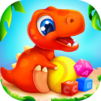
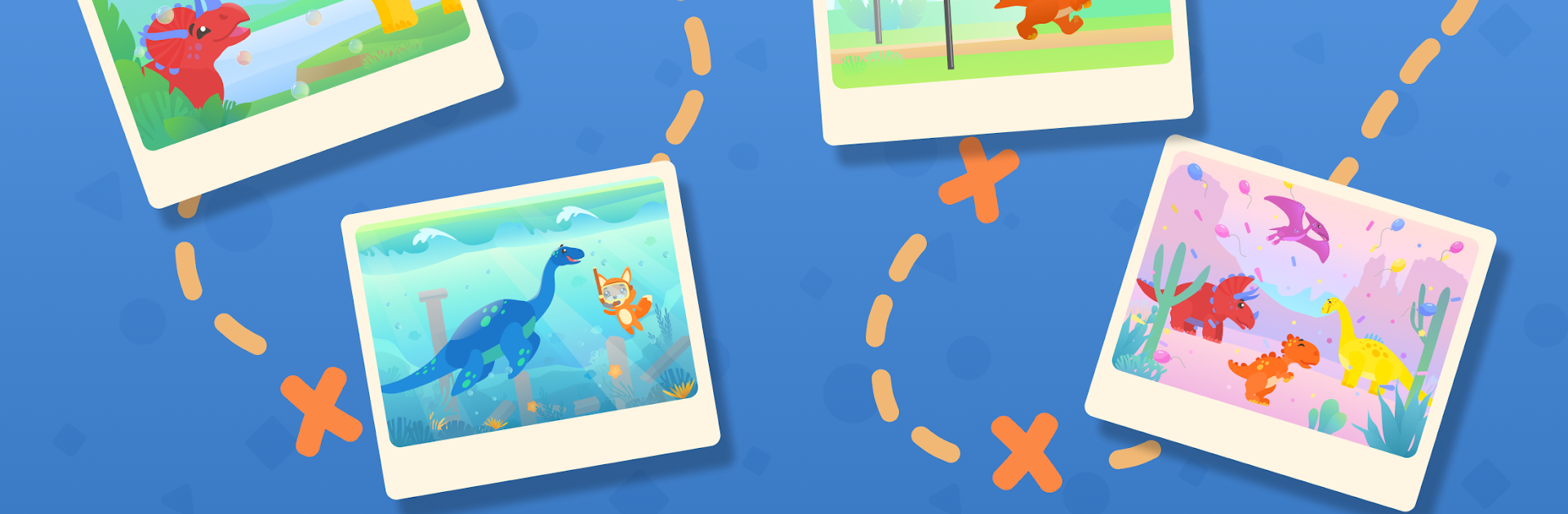
Welcome to a colorful, prehistoric playground packed with friendly dinos and clever puzzles—this is Dinosaur games for kids & baby from FURTABAS LTD. Whether your child is just starting to learn numbers or you’re looking for some wholesome educational fun, this game brings a bunch of dinosaur-themed mini-games right to your device. Kids get to explore, race, and solve all sorts of activities at their own pace, learning new skills while meeting adorable dinosaur buddies.

Game Features

  • Seven Varied Mini-Games
    Kids can jump into a variety of games that mix it up: puzzles, races, sorting tasks, and more. There’s something here for every curious mind, whether your little one prefers hands-on problem solving or action-packed dino runs.

  • Built for Independent Play
    The controls and layout are simple, perfect for kids to pick up and play without grown-up help. Even toddlers can navigate the menus and start their favorite game anytime.

  • Fine Motor Skill Development
    Activities like assembling jigsaw puzzles make this a gentle way for kids to practice hand-eye coordination and dexterity. Watch those clumsy fingers turn into true puzzle pros.

  • Learning Numbers & Counting
    Basic math gets a prehistoric twist—kids start to recognize numbers and try out simple arithmetic, all while collecting stars and figuring out fun counting challenges alongside the dinos.

  • Train Logic and Sorting
    Matching games and sorting challenges help develop logic and teach kids how to spot differences in size, color, and shape. Plus, being right is rewarded with grins from their dinosaur friends.

  • Fun Races and Time Challenges
    There are games where kids can guide their dino through obstacle courses, dodging trouble, picking up stars, and maybe even setting a speedy new record.

  • Ad-Free Experience
    No pop-ups or unexpected interruptions—kids stay focused on learning and playing without distractions.

  • Offline Accessible
    All the games can be played without an internet connection, making it easy to keep kids entertained wherever you are—even if you’ve run out of Wi-Fi.

  • Parental Controls and In-App Purchases
    In-app purchases are there for parents to unlock more content, but only if you want them—nothing’s snuck past you.

If you’d rather give those little learners a screen break from your phone, Dinosaur games for kids & baby works smoothly on BlueStacks, too, for a bigger and brighter dino adventure.

Make your gaming sessions memorable with precise controls that give you an edge in close combats and visuals that pop up, bringing every character to life.


Game Features

Enhancements

  • Macros
  • Multi Instance
  • Multi Instance Sync
  • Script
  • Enhancements
Macros

Macros

Automate the predictable in Dinosaur games for kids & baby and transform your gameplay with Macros. Get access to inventive Macros in the BlueStacks Macro Community
Multi Instance

Multi Instance

Play Dinosaur games for kids & baby on one window. And chat with your friend on the other. Press CTRL + Shift + 8 to open the Multi-Instance Manager. And start creating fresh instances or clone an existing one.
Multi Instance Sync

Multi Instance Sync

Play Dinosaur games for kids & baby with the power of Multi-Instance Sync. Replicate what you are doing on the main instance on all other instances. Level up faster, play more.
Script

Script

Script your way to gaming glory in Dinosaur games for kids & baby with BlueStacks Script. Write and run a set of commands to automate repeated tasks. Trigger the command by assigning it to any key.
Read More

How to Download and Play Dinosaur games for kids & baby on PC or Mac

  • Download and install BlueStacks on your PC or Mac

  • Complete Google sign-in to access the Play Store, or do it later

  • Look for Dinosaur games for kids & baby in the search bar at the top right corner

  • Click to install Dinosaur games for kids & baby from the search results

  • Complete Google sign-in (if you skipped step 2) to install Dinosaur games for kids & baby

  • Click the Dinosaur games for kids & baby icon on the home screen to start playing

video
Watch Video

Minimum System Requirements

With BlueStacks 5, you can get started on a PC that fulfills the following requirements.

  • Operating System

    Microsoft Windows 7 or above, macOS 11 (Big Sur) or above

  • Processor

    Intel, AMD or Apple Silicon Processor

  • RAM

    at least 4GB

  • HDD

    10GB Free Disk Space

Note:

* You must be an Administrator on your PC. Up to date graphics drivers from Microsoft or the chipset vendor.

Dinosaur games for kids & baby - FAQs

  • How to play Dinosaur games for kids & baby on Windows PC & Mac?

    Play Dinosaur games for kids & baby on your PC or Mac by following these simple steps.

    • Click on 'Play Dinosaur games for kids & baby on PC’ to download BlueStacks
    • Install it and log-in to Google Play Store
    • Launch and play the game.
  • Why is BlueStacks the fastest and safest platform to play games on PC?

    BlueStacks respects your privacy and is always safe and secure to use. It does not carry any malware, spyware, or any sort of additional software that could harm your PC.

    It is engineered to optimize speed and performance for a seamless gaming experience.

  • What are Dinosaur games for kids & baby PC requirements?

    Minimum requirement to run Dinosaur games for kids & baby on your PC

    • OS: Microsoft Windows 7 or above MacOS 11 (Big Sur) or above
    • Processor: Intel, AMD or Apple Silicon Processor
    • RAM: Your PC must have at least 4GB of RAM. (Note that having 4GB or more disk space is not a substitute for RAM)
    • HDD: 10GB Free Disk Space.
    • You must be an Administrator on your PC.