Trò chơi trẻ em Gokko World

Trò chơi trẻ em Gokko World

Educational

| KidsStar Inc.

Play on PC with BlueStacks or from our cloud

  • Overview
  • Game Features
  • How to Play

Page Modified On: December 05, 2025

Play Trò chơi trẻ em Gokko World on PC or Mac

Step into the World of Trò chơi trẻ em Gokko World, a thrilling Educational game from the house of KidsStar Inc.. Play this Android game on BlueStacks App Player and experience immersive gaming on PC or Mac.

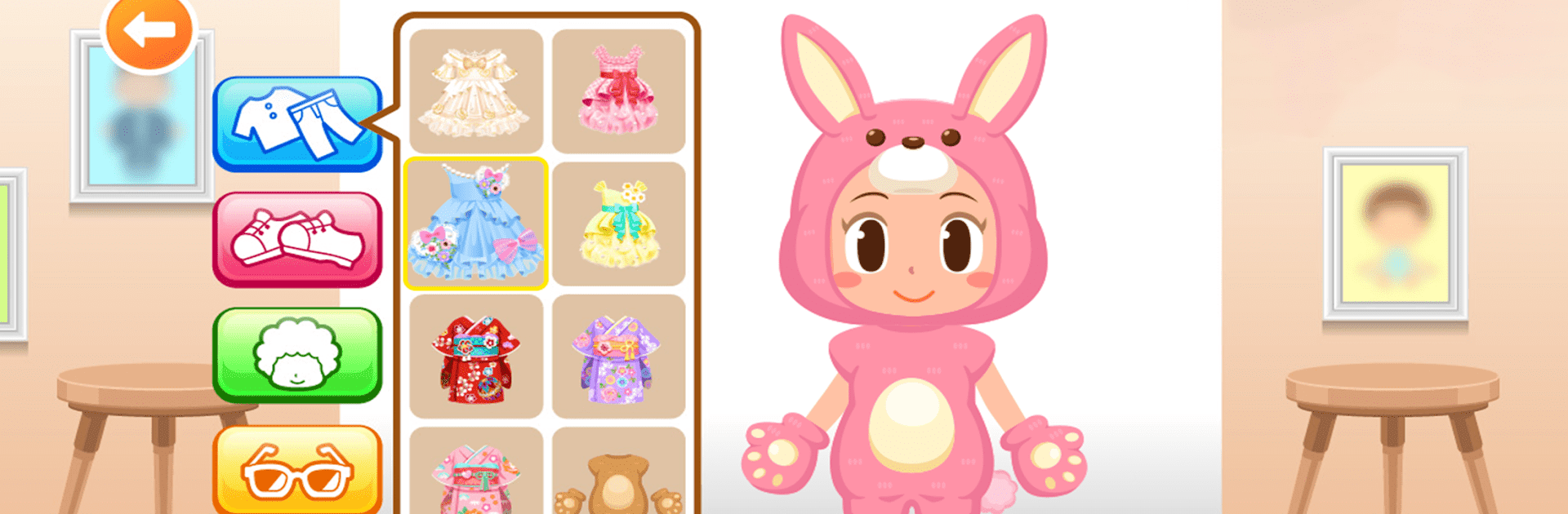
Gokko World feels like a big pretend play hub where kids rotate through small, easy jobs and just try things. It is all very hands on. A hair salon scene hands over scissors, a dryer, a comb, some colors, and lets them give Mom or Dad a new cut. The airport scenes walk through being a pilot, a flight attendant, or staff on the ground, then let them guide a plane or help passengers to seats. There is a makeup corner, a simple city builder where buildings are placed and moved around, cars and planes to play with, even dentist style checkups. Every activity uses simple click and drag actions, large buttons, and calm pacing so kids as young as 2 can manage without getting stuck.

Learning bits slide in gently. Numbers, words, matching, and basic steps of how jobs work are tucked into the tasks without turning it into homework. It targets toddlers and early elementary, so instructions are clear and the tone is friendly. No ads popping up either, which is a relief. On PC with BlueStacks, the mouse makes the dragging cleaner and the bigger screen helps small hands see what they need to press. There are a lot of mini games in one place, and new roles show up over time. The job details are simplified for children, but it still gives a good sense of how different roles fit together in a little city.

Ready to top the leaderboard? We bet you do. Let precise controls and sharp visuals optimized on BlueStacks lead you to victory.


Game Features

Enhancements

  • Macros
  • Multi Instance
  • Multi Instance Sync
  • Script
  • Enhancements
Macros

Macros

Automate the predictable in Trò chơi trẻ em Gokko World and transform your gameplay with Macros. Get access to inventive Macros in the BlueStacks Macro Community
Multi Instance

Multi Instance

Play Trò chơi trẻ em Gokko World on one window. And chat with your friend on the other. Press CTRL + Shift + 8 to open the Multi-Instance Manager. And start creating fresh instances or clone an existing one.
Multi Instance Sync

Multi Instance Sync

Play Trò chơi trẻ em Gokko World with the power of Multi-Instance Sync. Replicate what you are doing on the main instance on all other instances. Level up faster, play more.
Script

Script

Script your way to gaming glory in Trò chơi trẻ em Gokko World with BlueStacks Script. Write and run a set of commands to automate repeated tasks. Trigger the command by assigning it to any key.
Read More

How to Download and Play Trò chơi trẻ em Gokko World on PC or Mac

  • Download and install BlueStacks on your PC or Mac

  • Complete Google sign-in to access the Play Store, or do it later

  • Look for Trò chơi trẻ em Gokko World in the search bar at the top right corner

  • Click to install Trò chơi trẻ em Gokko World from the search results

  • Complete Google sign-in (if you skipped step 2) to install Trò chơi trẻ em Gokko World

  • Click the Trò chơi trẻ em Gokko World icon on the home screen to start playing

video
Watch Video

Minimum System Requirements

With BlueStacks 5, you can get started on a PC that fulfills the following requirements.

  • Operating System

    Microsoft Windows 7 or above, macOS 11 (Big Sur) or above

  • Processor

    Intel, AMD or Apple Silicon Processor

  • RAM

    at least 4GB

  • HDD

    10GB Free Disk Space

Note:

* You must be an Administrator on your PC. Up to date graphics drivers from Microsoft or the chipset vendor.

Trò chơi trẻ em Gokko World - FAQs

  • How to play Trò chơi trẻ em Gokko World on Windows PC & Mac?

    Play Trò chơi trẻ em Gokko World on your PC or Mac by following these simple steps.

    • Click on 'Play Trò chơi trẻ em Gokko World on PC’ to download BlueStacks
    • Install it and log-in to Google Play Store
    • Launch and play the game.
  • Why is BlueStacks the fastest and safest platform to play games on PC?

    BlueStacks respects your privacy and is always safe and secure to use. It does not carry any malware, spyware, or any sort of additional software that could harm your PC.

    It is engineered to optimize speed and performance for a seamless gaming experience.

  • What are Trò chơi trẻ em Gokko World PC requirements?

    Minimum requirement to run Trò chơi trẻ em Gokko World on your PC

    • OS: Microsoft Windows 7 or above MacOS 11 (Big Sur) or above
    • Processor: Intel, AMD or Apple Silicon Processor
    • RAM: Your PC must have at least 4GB of RAM. (Note that having 4GB or more disk space is not a substitute for RAM)
    • HDD: 10GB Free Disk Space.
    • You must be an Administrator on your PC.