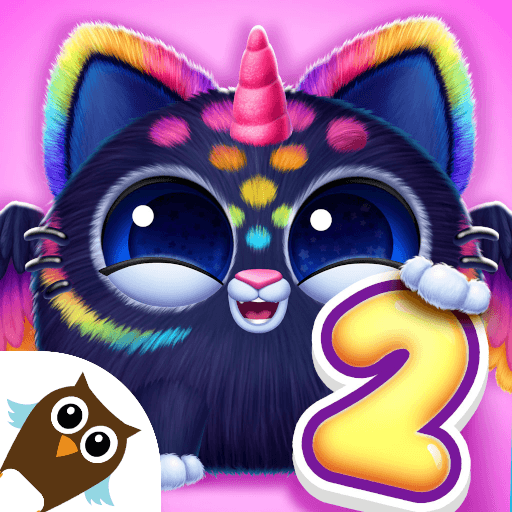
Pet Hair Salon For Toddlers

Pet Hair Salon For Toddlers

Educational

| Pazu Games

Play on PC with BlueStacks or from our cloud

  • Overview
  • Game Features
  • How to Play

Page Modified On: September 14, 2026

Play Pet Hair Salon For Toddlers on PC or Mac

Step into the World of Pet Hair Salon For Toddlers, a thrilling Educational game from the house of Pazu Games. Play this Android game on BlueStacks App Player and experience immersive gaming on PC or Mac.

About the Game

Pet Hair Salon For Toddlers turns messy fur into silly masterpieces. This Educational playtime is built for preschoolers and kindergarteners, letting little ones shampoo, trim, and decorate a cast of cuddly animals with easy, forgiving tools. Prefer a bigger canvas for those wild styles? It runs smoothly on BlueStacks, too.

Game Features

  • Simple, tap-first controls: Big, friendly buttons and clear prompts make it easy for young kids to explore without help.
  • Adorable animal guests: Meet a sweet mix of fluffy clients waiting for a wash, brush, trim, and a little glam.
  • Loads of tools and accessories: Scissors, clippers, combs, sprays, and colorful add-ons like bows and hats keep the salon buzzing.
  • Open-ended styling: No timers, pressure, or scores—kids can try ideas, undo, and try again as much as they like.
  • Creativity and motor skills: Every snip and swipe helps build fine motor control, imagination, and confidence.
  • Calm, kid-safe space: Play in a clean environment with no ads or random pop-ups getting in the way.
  • Just-right for ages 3–6: Gentle feedback, cheerful sounds, and age-appropriate interactions support independent play.
  • Co-play friendly: Sit beside your child and pick colors together, or let them take the lead and surprise you.
  • Bright visuals and giggly sounds: Soft animations and playful effects keep toddlers engaged without overwhelming them.

Start playing Pet Hair Salon For Toddlers on BlueStacks and get a smoother, more comfortable PC or Mac setup.


Game Features

Enhancements

  • Macros
  • Multi Instance
  • Multi Instance Sync
  • Script
  • Enhancements
Macros

Macros

Automate the predictable in Pet Hair Salon For Toddlers and transform your gameplay with Macros. Get access to inventive Macros in the BlueStacks Macro Community
Multi Instance

Multi Instance

Play Pet Hair Salon For Toddlers on one window. And chat with your friend on the other. Press CTRL + Shift + 8 to open the Multi-Instance Manager. And start creating fresh instances or clone an existing one.
Multi Instance Sync

Multi Instance Sync

Play Pet Hair Salon For Toddlers with the power of Multi-Instance Sync. Replicate what you are doing on the main instance on all other instances. Level up faster, play more.
Script

Script

Script your way to gaming glory in Pet Hair Salon For Toddlers with BlueStacks Script. Write and run a set of commands to automate repeated tasks. Trigger the command by assigning it to any key.
Read More

How to Download and Play Pet Hair Salon For Toddlers on PC or Mac

  • Download and install BlueStacks on your PC or Mac

  • Complete Google sign-in to access the Play Store, or do it later

  • Look for Pet Hair Salon For Toddlers in the search bar at the top right corner

  • Click to install Pet Hair Salon For Toddlers from the search results

  • Complete Google sign-in (if you skipped step 2) to install Pet Hair Salon For Toddlers

  • Click the Pet Hair Salon For Toddlers icon on the home screen to start playing

video
Watch Video

Minimum System Requirements

With BlueStacks 5, you can get started on a PC that fulfills the following requirements.

  • Operating System

    Microsoft Windows 7 or above, macOS 11 (Big Sur) or above

  • Processor

    Intel, AMD or Apple Silicon Processor

  • RAM

    at least 4GB

  • HDD

    10GB Free Disk Space

Note:

* You must be an Administrator on your PC. Up to date graphics drivers from Microsoft or the chipset vendor.

Pet Hair Salon For Toddlers - FAQs

  • How to play Pet Hair Salon For Toddlers on Windows PC & Mac?

    Play Pet Hair Salon For Toddlers on your PC or Mac by following these simple steps.

    • Click on 'Play Pet Hair Salon For Toddlers on PC’ to download BlueStacks
    • Install it and log-in to Google Play Store
    • Launch and play the game.
  • Why is BlueStacks the fastest and safest platform to play games on PC?

    BlueStacks respects your privacy and is always safe and secure to use. It does not carry any malware, spyware, or any sort of additional software that could harm your PC.

    It is engineered to optimize speed and performance for a seamless gaming experience.

  • What are Pet Hair Salon For Toddlers PC requirements?

    Minimum requirement to run Pet Hair Salon For Toddlers on your PC

    • OS: Microsoft Windows 7 or above MacOS 11 (Big Sur) or above
    • Processor: Intel, AMD or Apple Silicon Processor
    • RAM: Your PC must have at least 4GB of RAM. (Note that having 4GB or more disk space is not a substitute for RAM)
    • HDD: 10GB Free Disk Space.
    • You must be an Administrator on your PC.