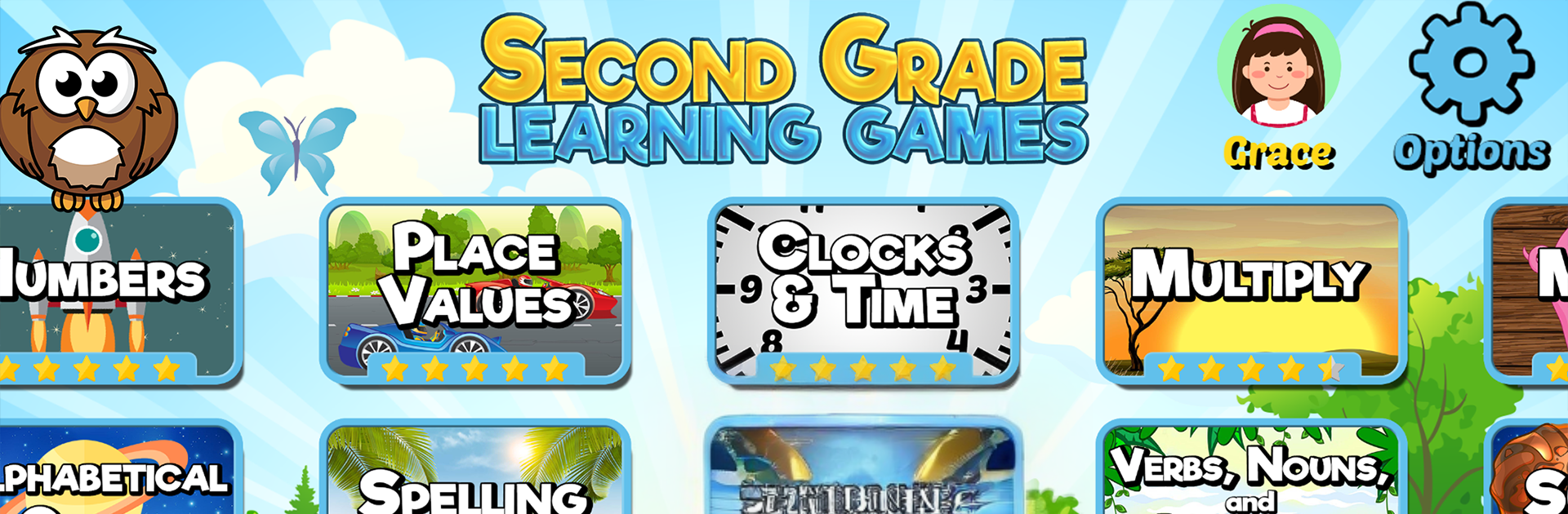
Second Grade Learning Games SE

Second Grade Learning Games SE

Educational

| RosiMosi LLC

Play on PC with BlueStacks or from our cloud

  • Overview
  • Game Features
  • How to Play

Page Modified On: November 28, 2025

Play Second Grade Learning Games SE on PC or Mac

From the innovators and creators at RosiMosi LLC, Second Grade Learning Games SE is another fun addition to the World of Educational games. Go beyond your mobile screen and play it bigger and better on your PC or Mac. An immersive experience awaits you.

Second Grade Learning Games SE feels like a big box of quick mini games that cover a lot of what kids see in class around ages 6 to 9. It bounces between math, reading, science, and some light STEM puzzles, so the player is never stuck on one thing too long. One moment it is odd versus even and greater than or less than, next it is placing ones, tens, hundreds, and thousands where they belong. There is a spelling game with tons of words, a clock game that has the kid set the hands and read the time, and those timed math drills that feed a little soccer shot as a reward. Language stuff is clear and neat too, with verbs, nouns, adjectives, punctuation drag and drop, synonyms and antonyms, and building words with suffixes while popping little asteroids.

The science set is surprisingly broad. Human body parts and systems, states of matter and how they change, seasons and what causes them, a quick oceans lesson about why they matter, even a density activity that uses water to compare items. There is a map bit that uses cardinal directions to move a pirate around a treasure grid, plus calendars and reading short passages with questions. It all tracks with what most second grade classes teach, so it actually feels useful, not random.

Rounds are short, the instructions are spoken clearly, and feedback is instant, which keeps a kid moving without a lot of fiddling. The art is simple and bright, sounds are cheerful, sometimes a little repetitive, but fine for short sessions. On PC with BlueStacks, the larger screen helps with the reading and map parts, and mouse drag and drop makes the punctuation and money counting tasks feel smoother. It is more practice than adventure, but the variety and little themes keep it from getting stale, and the difficulty nudges up just enough to make kids think without freezing them up.

Start your journey now. Download the game on BlueStacks, invite your friends, and march on a new adventure.


Game Features

Enhancements

  • Macros
  • Multi Instance
  • Multi Instance Sync
  • Script
  • Enhancements
Macros

Macros

Automate the predictable in Second Grade Learning Games SE and transform your gameplay with Macros. Get access to inventive Macros in the BlueStacks Macro Community
Multi Instance

Multi Instance

Play Second Grade Learning Games SE on one window. And chat with your friend on the other. Press CTRL + Shift + 8 to open the Multi-Instance Manager. And start creating fresh instances or clone an existing one.
Multi Instance Sync

Multi Instance Sync

Play Second Grade Learning Games SE with the power of Multi-Instance Sync. Replicate what you are doing on the main instance on all other instances. Level up faster, play more.
Script

Script

Script your way to gaming glory in Second Grade Learning Games SE with BlueStacks Script. Write and run a set of commands to automate repeated tasks. Trigger the command by assigning it to any key.
Read More

How to Download and Play Second Grade Learning Games SE on PC or Mac

  • Download and install BlueStacks on your PC or Mac

  • Complete Google sign-in to access the Play Store, or do it later

  • Look for Second Grade Learning Games SE in the search bar at the top right corner

  • Click to install Second Grade Learning Games SE from the search results

  • Complete Google sign-in (if you skipped step 2) to install Second Grade Learning Games SE

  • Click the Second Grade Learning Games SE icon on the home screen to start playing

video
Watch Video

Minimum System Requirements

With BlueStacks 5, you can get started on a PC that fulfills the following requirements.

  • Operating System

    Microsoft Windows 7 or above, macOS 11 (Big Sur) or above

  • Processor

    Intel, AMD or Apple Silicon Processor

  • RAM

    at least 4GB

  • HDD

    10GB Free Disk Space

Note:

* You must be an Administrator on your PC. Up to date graphics drivers from Microsoft or the chipset vendor.

Second Grade Learning Games SE - FAQs

  • How to play Second Grade Learning Games SE on Windows PC & Mac?

    Play Second Grade Learning Games SE on your PC or Mac by following these simple steps.

    • Click on 'Play Second Grade Learning Games SE on PC’ to download BlueStacks
    • Install it and log-in to Google Play Store
    • Launch and play the game.
  • Why is BlueStacks the fastest and safest platform to play games on PC?

    BlueStacks respects your privacy and is always safe and secure to use. It does not carry any malware, spyware, or any sort of additional software that could harm your PC.

    It is engineered to optimize speed and performance for a seamless gaming experience.

  • What are Second Grade Learning Games SE PC requirements?

    Minimum requirement to run Second Grade Learning Games SE on your PC

    • OS: Microsoft Windows 7 or above MacOS 11 (Big Sur) or above
    • Processor: Intel, AMD or Apple Silicon Processor
    • RAM: Your PC must have at least 4GB of RAM. (Note that having 4GB or more disk space is not a substitute for RAM)
    • HDD: 10GB Free Disk Space.
    • You must be an Administrator on your PC.