AniVera - Anime TV SUB & DUB

AniVera - Anime TV SUB & DUB

Entertainment

| ezaowsla

Play on PC with BlueStacks or from our cloud

  • Overview
  • How to Download

Page Modified On: August 18, 2026

Run AniVera - Anime TV SUB & DUB on PC or Mac

Get freedom from your phone’s obvious limitations. Use AniVera – Anime TV SUB & DUB, made by ezaowsla, a Entertainment app on your PC or Mac with BlueStacks, and level up your experience.

About the App

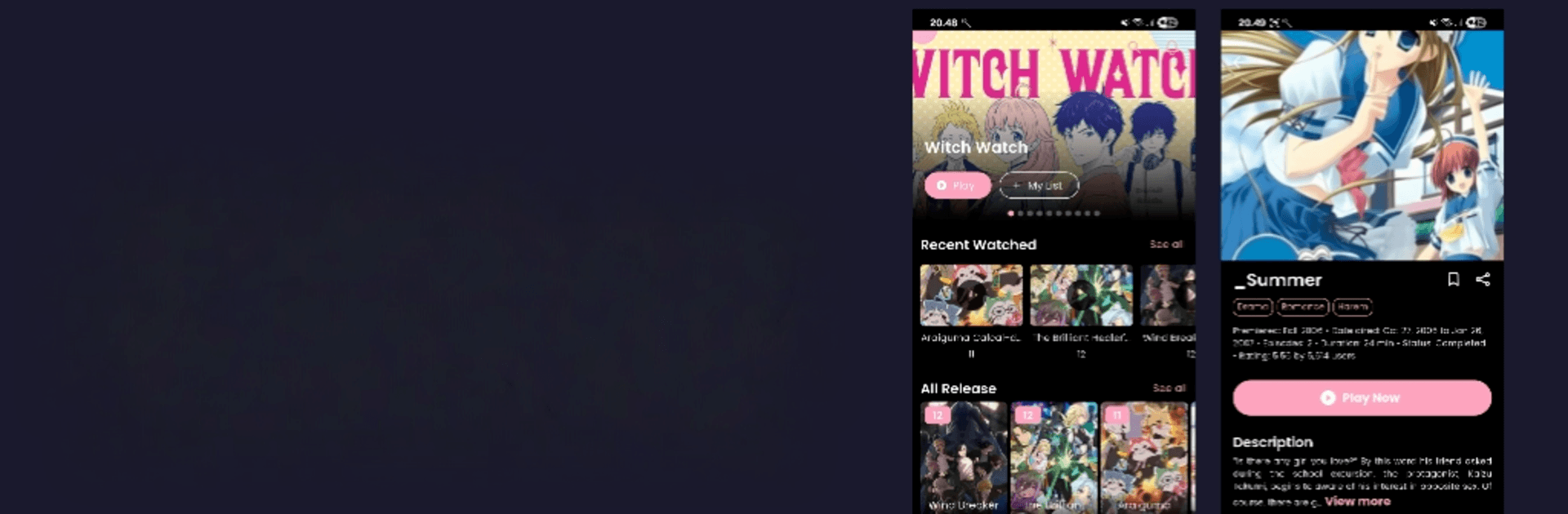
AniVera – Anime TV SUB & DUB makes keeping up with the anime scene feel easy and fun. It’s a fast, lightweight Entertainment app built for browsing seasonal lineups, trending hits, and timeless favorites—no hoops, no clutter. Prefer a bigger screen now and then? It works smoothly on BlueStacks, too.

App Features

  • Big catalog, easy browsing: Scroll through a wide range of titles—from cult classics to fresh premieres—organized by what’s popular, seasonal picks, and more.
  • Smart recommendations: Get suggestions that match your tastes based on what you check out and like, so finding your next show doesn’t feel like a chore.
  • Clean, fast interface: Simple navigation, quick loading, and a comfy dark mode make it easy to skim, search, and explore without distractions.
  • Powerful search and filters: Look up titles by name, genre, or release year, then narrow your results to exactly what you’re in the mood for.
  • No sign-up required: Open the app and start exploring right away. No accounts, no passwords—just anime.
  • Up-to-date every week: Stay current with regular updates featuring seasonal shows, upcoming releases, and what’s buzzing right now.
  • Subbed and dubbed options: Browse titles with sub and dub availability when offered, so you can stick with your preferred way to watch.

Eager to take your app experience to the next level? Start right away by downloading BlueStacks on your PC or Mac.


How to Download and Run AniVera - Anime TV SUB & DUB on PC or Mac

  • Download and install BlueStacks on your PC or Mac

  • Complete Google sign-in to access the Play Store, or do it later

  • Look for AniVera - Anime TV SUB & DUB in the search bar at the top right corner

  • Click to install AniVera - Anime TV SUB & DUB from the search results

  • Complete Google sign-in (if you skipped step 2) to install AniVera - Anime TV SUB & DUB

  • Click the AniVera - Anime TV SUB & DUB icon on the home screen to start playing

video
Watch Video

Minimum System Requirements

With BlueStacks 5, you can get started on a PC that fulfills the following requirements.

  • Operating System

    Microsoft Windows 7 or above, macOS 11 (Big Sur) or above

  • Processor

    Intel, AMD or Apple Silicon Processor

  • RAM

    at least 4GB

  • HDD

    10GB Free Disk Space

Note:

* You must be an Administrator on your PC. Up to date graphics drivers from Microsoft or the chipset vendor.

AniVera - Anime TV SUB & DUB - FAQs

  • How to Run AniVera - Anime TV SUB & DUB on Windows PC & Mac?

    Run AniVera - Anime TV SUB & DUB on your PC or Mac by following these simple steps.

    • Click on ‘Download AniVera - Anime TV SUB & DUB on PC’ to download BlueStacks
    • Install it and log-in to Google Play Store
    • Launch and run the app.
  • Why is BlueStacks the fastest and safest platform to play games on PC?

    BlueStacks respects your privacy and is always safe and secure to use. It does not carry any malware, spyware, or any sort of additional software that could harm your PC.

    It is engineered to optimize speed and performance for a seamless gaming experience.

  • What are AniVera - Anime TV SUB & DUB PC requirements?

    Minimum requirement to run AniVera - Anime TV SUB & DUB on your PC

    • OS: Microsoft Windows 7 and above:
    • Processor: Intel or AMD Processor:
    • RAM: Your PC must have at least 2GB of RAM. (Note that having 2GB or more disk space is not a substitute for RAM):
    • HDD: 5GB Free Disk Space.
    • You must be an Administrator on your PC.