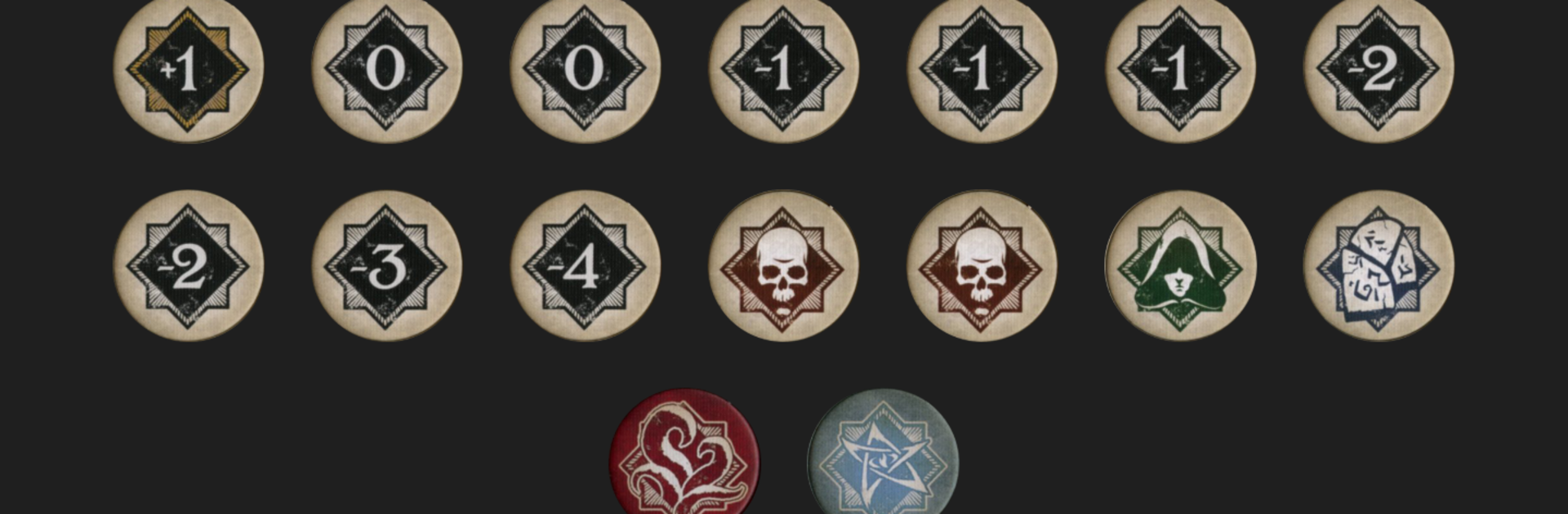
Arkham Chaos Bag
Arkham Chaos Bag

Arkham Chaos Bag

Entertainment

| Kevin E. Allen

Play on PC with BlueStacks or from our cloud

  • Overview
  • How to Download

Page Modified On: October 23, 2025

Run Arkham Chaos Bag on PC or Mac

Let BlueStacks turn your PC, Mac, or laptop into the perfect home for Arkham Chaos Bag, a fun Entertainment app from Kevin E. Allen.

About the App

Arkham Chaos Bag is a handy digital stand‑in for the chaos bag used in Arkham Horror: The Card Game. It keeps setup fast, draws clean, and rules reminders close at hand so you can stay focused on the investigation. Prefer a larger view while you play? You can run it on your PC with BlueStacks, too.

Created by Kevin E. Allen in the Entertainment genre, this tool trims table clutter without changing how the game feels. Pick your scenario, set the difficulty, and start pulling tokens—no fumbling with sleeves or fishing around in a bag.

App Features

  • Scenario-aware setup: Choose the exact scenario and difficulty, and the app loads the correct token pool automatically, matching what the rulebook expects.
  • Multi-token draws: Need a handful at once? Pull up to nine tokens in a single draw when the game calls for big reveals.
  • Special token reminders: Don’t remember what Skull or Cultist does this time? Check the built‑in reference that adjusts to the current scenario.
  • On‑the‑fly edits: Bags change mid‑campaign. Add or remove tokens during play to reflect story effects and resolutions as they happen.
  • Custom bags (save three): Build your own configurations—perfect for standalone setups, practice runs, or house rules—and store up to three for quick reuse.
  • Quick, table-friendly flow: Minimal taps, clear results, and no-nonsense controls keep the pace moving between tests and turns while you handle the real chaos on the board.

BlueStacks brings your apps to life on a bigger screen—seamless and straightforward.

How to Download and Run Arkham Chaos Bag on PC or Mac

  • Download and install BlueStacks on your PC or Mac

  • Complete Google sign-in to access the Play Store, or do it later

  • Look for Arkham Chaos Bag in the search bar at the top right corner

  • Click to install Arkham Chaos Bag from the search results

  • Complete Google sign-in (if you skipped step 2) to install Arkham Chaos Bag

  • Click the Arkham Chaos Bag icon on the home screen to start playing

video
Watch Video

Minimum System Requirements

With BlueStacks 5, you can get started on a PC that fulfills the following requirements.

  • Operating System

    Microsoft Windows 7 or above, macOS 11 (Big Sur) or above

  • Processor

    Intel, AMD or Apple Silicon Processor

  • RAM

    at least 4GB

  • HDD

    10GB Free Disk Space

Note:

* You must be an Administrator on your PC. Up to date graphics drivers from Microsoft or the chipset vendor.

Arkham Chaos Bag - FAQs

  • How to Run Arkham Chaos Bag on Windows PC & Mac?

    Run Arkham Chaos Bag on your PC or Mac by following these simple steps.

    • Click on ‘Download Arkham Chaos Bag on PC’ to download BlueStacks
    • Install it and log-in to Google Play Store
    • Launch and run the app.
  • Why is BlueStacks the fastest and safest platform to play games on PC?

    BlueStacks respects your privacy and is always safe and secure to use. It does not carry any malware, spyware, or any sort of additional software that could harm your PC.

    It is engineered to optimize speed and performance for a seamless gaming experience.

  • What are Arkham Chaos Bag PC requirements?

    Minimum requirement to run Arkham Chaos Bag on your PC

    • OS: Microsoft Windows 7 and above:
    • Processor: Intel or AMD Processor:
    • RAM: Your PC must have at least 2GB of RAM. (Note that having 2GB or more disk space is not a substitute for RAM):
    • HDD: 5GB Free Disk Space.
    • You must be an Administrator on your PC.