
Atoto - фильмы и сериалы

Atoto - фильмы и сериалы

Entertainment

| ООО "Инфон"

Play on PC with BlueStacks or from our cloud

  • Overview
  • How to Download

Page Modified On: October 24, 2025

Run Atoto - фильмы и сериалы on PC or Mac

Let BlueStacks turn your PC, Mac, or laptop into the perfect home for Atoto – фильмы и сериалы, a fun Entertainment app from ООО “Инфон”.

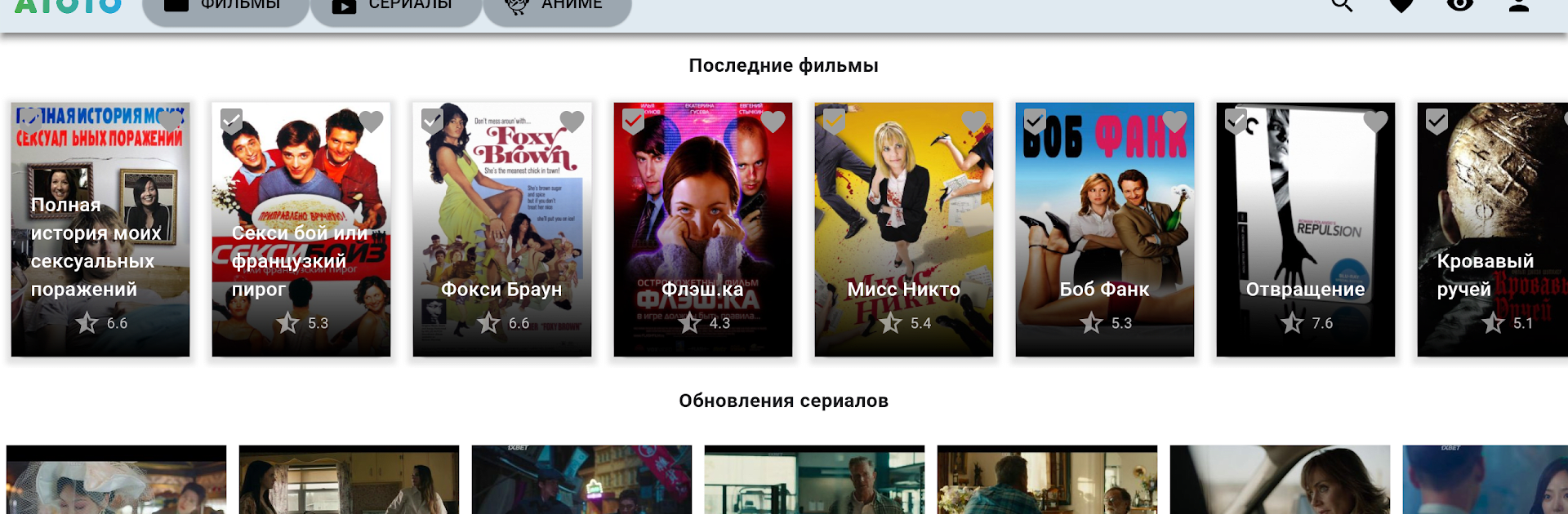
Atoto is basically a free movie and TV hub that sticks to legal, open content, so it feels simple and low pressure. No sign ups, no subscription steps to jump through. Open it, pick a genre, and start watching. The catalog pulls from a bunch of categories, from action and comedy to family stuff and older classics, and it leans on what rights holders have allowed for free. That means the selection shifts and sometimes the newest blockbuster is not there, but it also means the app stays clean and legit. The layout is straightforward with big posters and quick info, so picking something for the evening is easy, not a chore. It gives the feeling of channel surfing for on demand titles, only without the usual paywall getting in the way.

On a PC with BlueStacks it works nicely. Scrolling through rows with a mouse is quick, the bigger screen helps when reading descriptions and cast lists, and pinning it next to other windows is handy if someone likes to keep a show running while doing light work. Playback starts fast and the controls are uncomplicated. It suits anyone who does not want to keep track of another subscription and just wants to press play on something legally free. If a title seems missing, that is because Atoto shows what is allowed to be free by default, so expectations set right and browsing stays relaxed.

Switch to BlueStacks and make the most of your apps on your PC or Mac.

How to Download and Run Atoto - фильмы и сериалы on PC or Mac

  • Download and install BlueStacks on your PC or Mac

  • Complete Google sign-in to access the Play Store, or do it later

  • Look for Atoto - фильмы и сериалы in the search bar at the top right corner

  • Click to install Atoto - фильмы и сериалы from the search results

  • Complete Google sign-in (if you skipped step 2) to install Atoto - фильмы и сериалы

  • Click the Atoto - фильмы и сериалы icon on the home screen to start playing

video
Watch Video

Minimum System Requirements

With BlueStacks 5, you can get started on a PC that fulfills the following requirements.

  • Operating System

    Microsoft Windows 7 or above, macOS 11 (Big Sur) or above

  • Processor

    Intel, AMD or Apple Silicon Processor

  • RAM

    at least 4GB

  • HDD

    10GB Free Disk Space

Note:

* You must be an Administrator on your PC. Up to date graphics drivers from Microsoft or the chipset vendor.

Atoto - фильмы и сериалы - FAQs

  • How to Run Atoto - фильмы и сериалы on Windows PC & Mac?

    Run Atoto - фильмы и сериалы on your PC or Mac by following these simple steps.

    • Click on ‘Download Atoto - фильмы и сериалы on PC’ to download BlueStacks
    • Install it and log-in to Google Play Store
    • Launch and run the app.
  • Why is BlueStacks the fastest and safest platform to play games on PC?

    BlueStacks respects your privacy and is always safe and secure to use. It does not carry any malware, spyware, or any sort of additional software that could harm your PC.

    It is engineered to optimize speed and performance for a seamless gaming experience.

  • What are Atoto - фильмы и сериалы PC requirements?

    Minimum requirement to run Atoto - фильмы и сериалы on your PC

    • OS: Microsoft Windows 7 and above:
    • Processor: Intel or AMD Processor:
    • RAM: Your PC must have at least 2GB of RAM. (Note that having 2GB or more disk space is not a substitute for RAM):
    • HDD: 5GB Free Disk Space.
    • You must be an Administrator on your PC.




