
Bikini Bottom Game for MCPE

Bikini Bottom Game for MCPE

Entertainment

| TrendingCraft Games

Play on PC with BlueStacks or from our cloud

  • Overview
  • How to Download

Page Modified On: January 02, 2026

Run Bikini Bottom Game for MCPE on PC or Mac

What’s better than using Bikini Bottom Game for MCPE by TrendingCraft Games? Well, try it on a big screen, on your PC or Mac, with BlueStacks to see the difference.

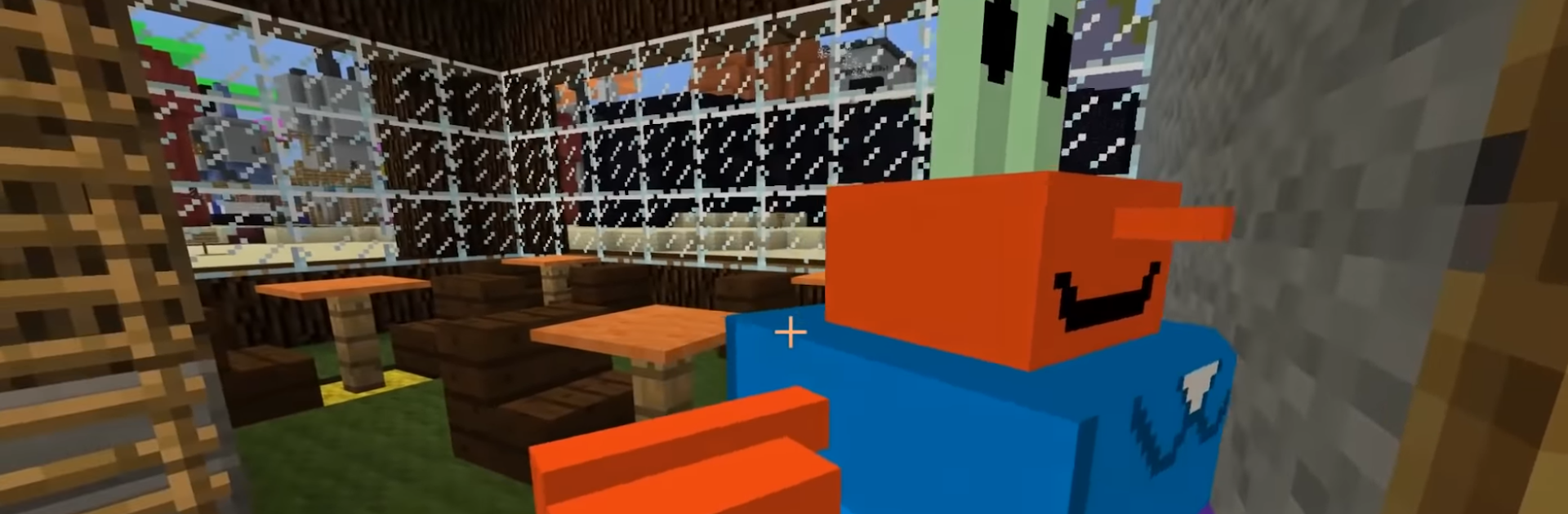
Bikini Bottom Game for MCPE is basically a fan add on that drops a full Sponge Squarepants style town into Minecraft Pocket Edition. It sets up a big 3D map with familiar spots, so someone can walk past a pineapple house, peek at the clarinet neighbor, swing by the burger joint, then wander to the science dome or the boating school. Characters show up as skins, so swapping into a favorite look takes a few taps, and the app keeps tossing in new skins and maps when it updates. Nothing fancy to learn. Pick a map in the app, hit install, it opens in MCPE, and then it is just free roaming and building on top of what is already there.

On PC, running it with BlueStacks makes the camera and movement feel smoother with a mouse and keyboard, and the larger screen helps spot little details in the builds. The style stays pure Minecraft, so it feels light and quick rather than heavy. It is not a separate game with missions, it is a world to explore and role play in, or to use as a base to add custom builds. It does require Minecraft Pocket Edition to be installed since the app is only a map and skin installer, and it is unofficial and fan made, which keeps expectations in the right place.

Switch to BlueStacks and make the most of your apps on your PC or Mac.

How to Download and Run Bikini Bottom Game for MCPE on PC or Mac

  • Download and install BlueStacks on your PC or Mac

  • Complete Google sign-in to access the Play Store, or do it later

  • Look for Bikini Bottom Game for MCPE in the search bar at the top right corner

  • Click to install Bikini Bottom Game for MCPE from the search results

  • Complete Google sign-in (if you skipped step 2) to install Bikini Bottom Game for MCPE

  • Click the Bikini Bottom Game for MCPE icon on the home screen to start playing

video
Watch Video

Minimum System Requirements

With BlueStacks 5, you can get started on a PC that fulfills the following requirements.

  • Operating System

    Microsoft Windows 7 or above, macOS 11 (Big Sur) or above

  • Processor

    Intel, AMD or Apple Silicon Processor

  • RAM

    at least 4GB

  • HDD

    10GB Free Disk Space

Note:

* You must be an Administrator on your PC. Up to date graphics drivers from Microsoft or the chipset vendor.

Bikini Bottom Game for MCPE - FAQs

  • How to Run Bikini Bottom Game for MCPE on Windows PC & Mac?

    Run Bikini Bottom Game for MCPE on your PC or Mac by following these simple steps.

    • Click on ‘Download Bikini Bottom Game for MCPE on PC’ to download BlueStacks
    • Install it and log-in to Google Play Store
    • Launch and run the app.
  • Why is BlueStacks the fastest and safest platform to play games on PC?

    BlueStacks respects your privacy and is always safe and secure to use. It does not carry any malware, spyware, or any sort of additional software that could harm your PC.

    It is engineered to optimize speed and performance for a seamless gaming experience.

  • What are Bikini Bottom Game for MCPE PC requirements?

    Minimum requirement to run Bikini Bottom Game for MCPE on your PC

    • OS: Microsoft Windows 7 and above:
    • Processor: Intel or AMD Processor:
    • RAM: Your PC must have at least 2GB of RAM. (Note that having 2GB or more disk space is not a substitute for RAM):
    • HDD: 5GB Free Disk Space.
    • You must be an Administrator on your PC.




