
Kraina ABC
Kraina ABC

Kraina ABC

Entertainment

| TVP S.A.

Play on PC with BlueStacks or from our cloud

  • Overview
  • How to Download

Page Modified On: January 09, 2026

Run Kraina ABC on PC or Mac

What’s better than using Kraina ABC by TVP S.A.? Well, try it on a big screen, on your PC or Mac, with BlueStacks to see the difference.

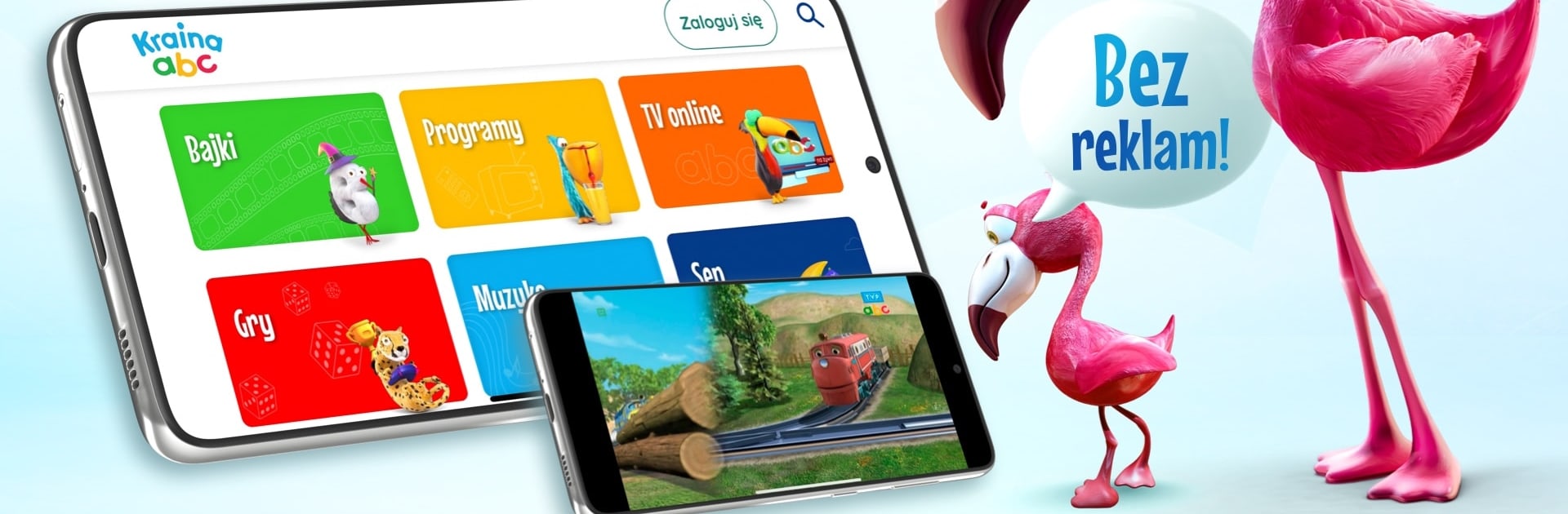
Kraina ABC feels like a cozy Polish kids hub, not just another app. It splits everything into simple zones that even a toddler can figure out, Fairy Tales, Programs, Online TV, Games, Music, and a Sleep section for winding down. The little alphabet characters pop up as guides and point to the right place, which is cute and actually helpful. The whole thing is built around Polish-language content, so it makes sense for families who want cartoons and songs in Polish without sorting through random stuff.

The library is stacked with familiar names, Maja the Bee, Super Wings, Heidi, Ricky Zoom, Lego City Adventures, plus classics like Bolek and Lolek and Reksio. There are original TVP ABC shows too, like Reading Before Sleeping and Friends of Bear and Margolcia, and the Online TV tab shows what is on today and tomorrow across TVP ABC and TVP ABC 2. The games lean educational and they are grouped by age, so it does not swing wildly between too easy and too hard. No ads popping up, and there is a parental panel where screen time can be capped and content picked. On a PC with BlueStacks it runs smooth, the big screen makes the cartoons look cleaner and menus are easy to click through with a mouse, which oddly makes the alphabet guides even more fun to poke at. It has that feeling of everything in one place, which is kind of the point here.

Switch to BlueStacks and make the most of your apps on your PC or Mac.

How to Download and Run Kraina ABC on PC or Mac

  • Download and install BlueStacks on your PC or Mac

  • Complete Google sign-in to access the Play Store, or do it later

  • Look for Kraina ABC in the search bar at the top right corner

  • Click to install Kraina ABC from the search results

  • Complete Google sign-in (if you skipped step 2) to install Kraina ABC

  • Click the Kraina ABC icon on the home screen to start playing

video
Watch Video

Minimum System Requirements

With BlueStacks 5, you can get started on a PC that fulfills the following requirements.

  • Operating System

    Microsoft Windows 7 or above, macOS 11 (Big Sur) or above

  • Processor

    Intel, AMD or Apple Silicon Processor

  • RAM

    at least 4GB

  • HDD

    10GB Free Disk Space

Note:

* You must be an Administrator on your PC. Up to date graphics drivers from Microsoft or the chipset vendor.

Kraina ABC - FAQs

  • How to Run Kraina ABC on Windows PC & Mac?

    Run Kraina ABC on your PC or Mac by following these simple steps.

    • Click on ‘Download Kraina ABC on PC’ to download BlueStacks
    • Install it and log-in to Google Play Store
    • Launch and run the app.
  • Why is BlueStacks the fastest and safest platform to play games on PC?

    BlueStacks respects your privacy and is always safe and secure to use. It does not carry any malware, spyware, or any sort of additional software that could harm your PC.

    It is engineered to optimize speed and performance for a seamless gaming experience.

  • What are Kraina ABC PC requirements?

    Minimum requirement to run Kraina ABC on your PC

    • OS: Microsoft Windows 7 and above:
    • Processor: Intel or AMD Processor:
    • RAM: Your PC must have at least 2GB of RAM. (Note that having 2GB or more disk space is not a substitute for RAM):
    • HDD: 5GB Free Disk Space.
    • You must be an Administrator on your PC.




