
Pixel Football Art Sandbox and more

Pixel Football Art Sandbox and more

Entertainment

| IncuvationLabsLLC

Play on PC with BlueStacks or from our cloud

  • Overview
  • How to Download

Page Modified On: September 02, 2025

Run Pixel Football Art Sandbox and more on PC or Mac

Let BlueStacks turn your PC, Mac, or laptop into the perfect home for Pixel Football Art Sandbox and more, a fun Entertainment app from IncuvationLabsLLC.

About the App

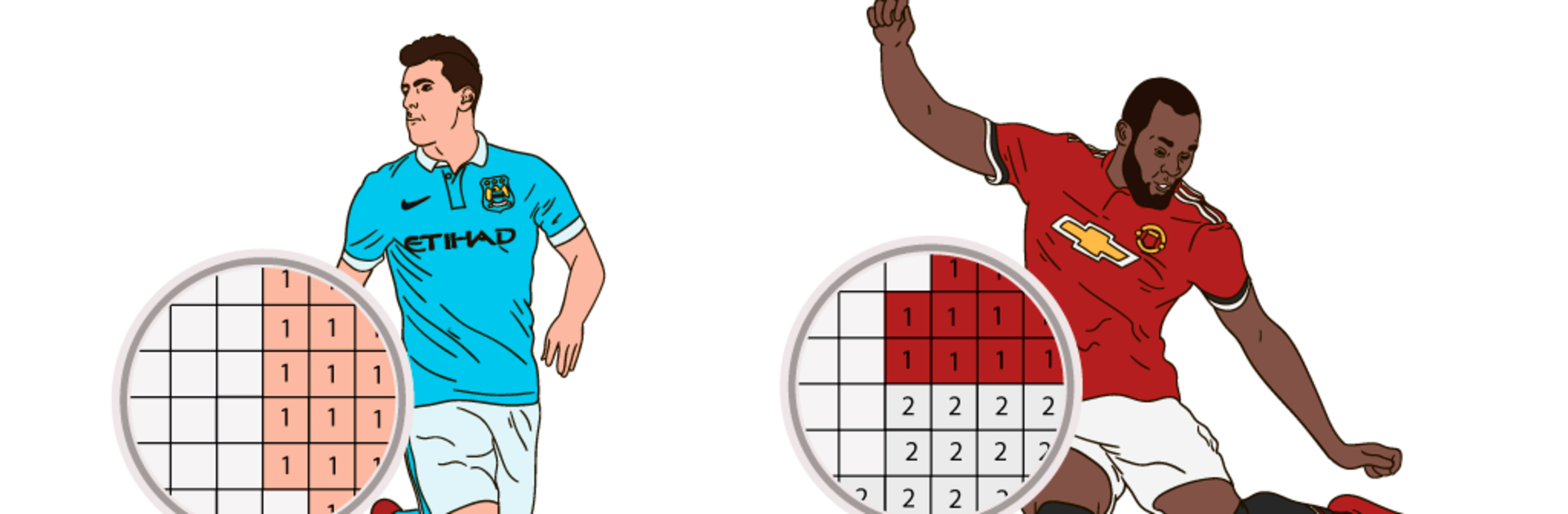
Pixel Football Art Sandbox and more from IncuvationLabsLLC turns chill coloring time into a pixel-art playground for sports fans and anyone who loves tap-to-fill art. Pick a grid, match numbers, and watch famous football and soccer faces pop into color, one square at a time. Want a bigger canvas? It also feels great on a PC or Mac with BlueStacks. Genre: Entertainment.

App Features

  • Pixel-by-number coloring: Tap the numbered tiles to complete detailed pixel portraits and designs. It’s simple, relaxing, and surprisingly satisfying.
  • Famous players: Color well-known football and soccer stars, including Golden Foot winners, standout goalkeepers, and notable coaches.
  • World stage picks: Explore sets inspired by international themes like world cups and country-based collections.
  • Logos and playful twists: Tackle team-style logos and fun parodies when you’re in the mood for something different.
  • Beyond football: Switch gears with extra categories—boxers, Xmas items, SWAT-inspired designs, Halloween pieces, emojis, and more.
  • Machines and motion: Color speedy sports cars, military jets and airplanes, plus other equipment for a change of pace.
  • Organized by country: Browse by nation to find players and themes you’re connected to.
  • Share your art: Save your finished pixel pieces and show them off wherever you like.
  • Flexible access: It’s free to play with ad-based unlocks, or subscribe for full access to the entire catalog.

BlueStacks gives you the much-needed freedom to experience your favorite apps on a bigger screen. Get it now.


How to Download and Run Pixel Football Art Sandbox and more on PC or Mac

  • Download and install BlueStacks on your PC or Mac

  • Complete Google sign-in to access the Play Store, or do it later

  • Look for Pixel Football Art Sandbox and more in the search bar at the top right corner

  • Click to install Pixel Football Art Sandbox and more from the search results

  • Complete Google sign-in (if you skipped step 2) to install Pixel Football Art Sandbox and more

  • Click the Pixel Football Art Sandbox and more icon on the home screen to start playing

video
Watch Video

Minimum System Requirements

With BlueStacks 5, you can get started on a PC that fulfills the following requirements.

  • Operating System

    Microsoft Windows 7 or above, macOS 11 (Big Sur) or above

  • Processor

    Intel, AMD or Apple Silicon Processor

  • RAM

    at least 4GB

  • HDD

    10GB Free Disk Space

Note:

* You must be an Administrator on your PC. Up to date graphics drivers from Microsoft or the chipset vendor.

Pixel Football Art Sandbox and more - FAQs

  • How to Run Pixel Football Art Sandbox and more on Windows PC & Mac?

    Run Pixel Football Art Sandbox and more on your PC or Mac by following these simple steps.

    • Click on ‘Download Pixel Football Art Sandbox and more on PC’ to download BlueStacks
    • Install it and log-in to Google Play Store
    • Launch and run the app.
  • Why is BlueStacks the fastest and safest platform to play games on PC?

    BlueStacks respects your privacy and is always safe and secure to use. It does not carry any malware, spyware, or any sort of additional software that could harm your PC.

    It is engineered to optimize speed and performance for a seamless gaming experience.

  • What are Pixel Football Art Sandbox and more PC requirements?

    Minimum requirement to run Pixel Football Art Sandbox and more on your PC

    • OS: Microsoft Windows 7 and above:
    • Processor: Intel or AMD Processor:
    • RAM: Your PC must have at least 2GB of RAM. (Note that having 2GB or more disk space is not a substitute for RAM):
    • HDD: 5GB Free Disk Space.
    • You must be an Administrator on your PC.



