
Princess Castle Cleaning

Princess Castle Cleaning

Entertainment

| winkypinky

Play on PC with BlueStacks or from our cloud

  • Overview
  • How to Download

Page Modified On: May 01, 2025

Run Princess Castle Cleaning on PC or Mac

Upgrade your experience. Try Princess Castle Cleaning, the fantastic Entertainment app from winkypinky, from the comfort of your laptop, PC, or Mac, only on BlueStacks.

About the App

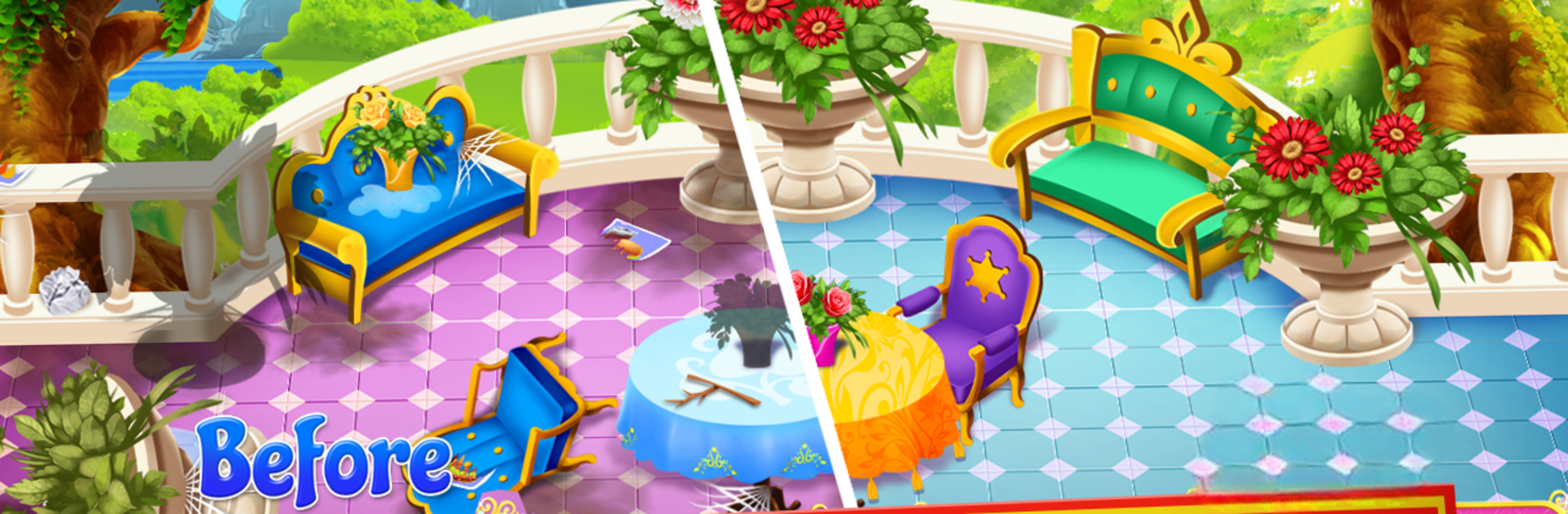
Ever wondered what it’d be like to step inside a royal castle and give it a magical makeover? With Princess Castle Cleaning from winkypinky, you’ll become both the designer and the cleaner, tackling fun and quirky challenges as you help the royal family shine up their home. Each room brings a new twist—sometimes it’s a mess, sometimes it’s a design challenge, but it’s always a little adventure.

App Features

  • Charming Cleaning Mini-Games
    Scrub floors, swat spider webs, tidy up the furniture, and even tackle the messiest kitchen around. Each room comes with a fresh set of cleaning tasks that keep things interesting.

  • Design & Customize Every Space
    Once the mess is gone, it’s time to style each room. Choose from fitting decorations and arrange items your way, making each part of the castle feel special.

  • Solve Fun Puzzles
    Kick off your cleaning quest with a family portrait puzzle. Put the pieces together to unlock more of the castle and the story behind it.

  • Meet the Royal Family
    You’ll get to know the unique characters and their quirks as you progress. It’s not just about cleaning—it’s about helping this family feel at home.

  • Explore Inside and Out
    The fun doesn’t stop at the castle doors. Take on tasks in the garden and out on the terrace for a full royal home makeover.

  • Easy Controls & Bright Graphics
    Everything’s made simple to pick up and play. Vibrant graphics and cheerful sounds make every activity a bit more fun.

  • Follow a Whimsical Story
    Follow along as new chapters of the royal family’s life open up with each completed challenge.

  • Kid-Friendly and Free to Play
    No worries about tricky controls or complicated menus—just jump in and enjoy the experience.

(And if you ever feel like playing on a bigger screen, BlueStacks has you covered.)

BlueStacks gives you the much-needed freedom to experience your favorite apps on a bigger screen. Get it now.


How to Download and Run Princess Castle Cleaning on PC or Mac

  • Download and install BlueStacks on your PC or Mac

  • Complete Google sign-in to access the Play Store, or do it later

  • Look for Princess Castle Cleaning in the search bar at the top right corner

  • Click to install Princess Castle Cleaning from the search results

  • Complete Google sign-in (if you skipped step 2) to install Princess Castle Cleaning

  • Click the Princess Castle Cleaning icon on the home screen to start playing

video
Watch Video

Minimum System Requirements

With BlueStacks 5, you can get started on a PC that fulfills the following requirements.

  • Operating System

    Microsoft Windows 7 or above, macOS 11 (Big Sur) or above

  • Processor

    Intel, AMD or Apple Silicon Processor

  • RAM

    at least 4GB

  • HDD

    10GB Free Disk Space

Note:

* You must be an Administrator on your PC. Up to date graphics drivers from Microsoft or the chipset vendor.

Princess Castle Cleaning - FAQs

  • How to Run Princess Castle Cleaning on Windows PC & Mac?

    Run Princess Castle Cleaning on your PC or Mac by following these simple steps.

    • Click on ‘Download Princess Castle Cleaning on PC’ to download BlueStacks
    • Install it and log-in to Google Play Store
    • Launch and run the app.
  • Why is BlueStacks the fastest and safest platform to play games on PC?

    BlueStacks respects your privacy and is always safe and secure to use. It does not carry any malware, spyware, or any sort of additional software that could harm your PC.

    It is engineered to optimize speed and performance for a seamless gaming experience.

  • What are Princess Castle Cleaning PC requirements?

    Minimum requirement to run Princess Castle Cleaning on your PC

    • OS: Microsoft Windows 7 and above:
    • Processor: Intel or AMD Processor:
    • RAM: Your PC must have at least 2GB of RAM. (Note that having 2GB or more disk space is not a substitute for RAM):
    • HDD: 5GB Free Disk Space.
    • You must be an Administrator on your PC.



