
Spinning Wheel + Roulette

Spinning Wheel + Roulette

Entertainment

| Komorebi Inc.

Play on PC with BlueStacks or from our cloud

  • Overview
  • How to Download

Page Modified On: December 15, 2025

Run Spinning Wheel + Roulette on PC or Mac

Let BlueStacks turn your PC, Mac, or laptop into the perfect home for Spinning Wheel + Roulette, a fun Entertainment app from Komorebi Inc..

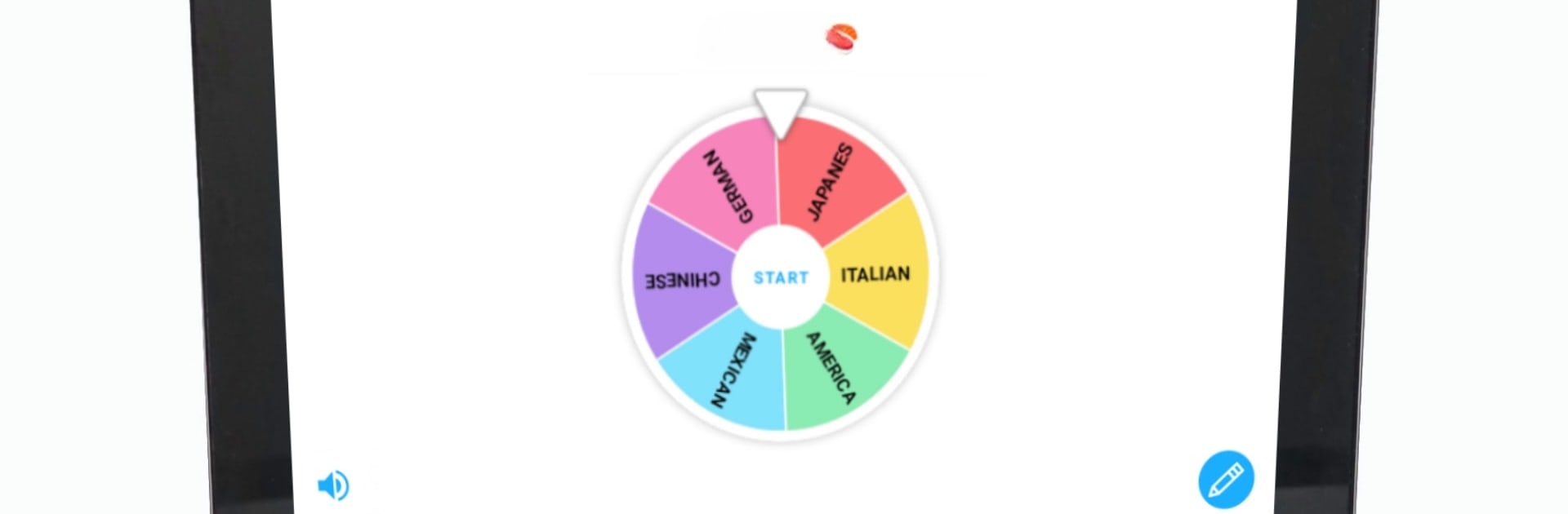
Spinning Wheel + Roulette is basically a big digital decision maker that feels way more fun than flipping a coin. It lets someone build as many wheels as they want, name each one, pick colors, and load them with options for anything, from lunch picks to party dares to raffle names. The whole thing is super simple to use, the wheel looks clean, and the little sound effects and music tracks give it some personality without being noisy. There are over a hundred background tunes and sounds if someone wants to dress it up, and a passcode lock and dark mode if they care about privacy or late night use. Ads can be removed if that stuff is annoying, but even the free setup is easy to live with.

The extra tools are what make it handy. A selected slice can auto-remove so it works like an elimination game until the last option is left. Spin time can be set from 3 to 20 seconds, which helps for suspense at parties. There is a tap to stop mode that makes it feel like timing matters, and special effects and odds tweaks if a group wants more drama for a raffle or wedding game. On a PC with BlueStacks, typing long lists and showing the wheel full screen is smooth, and clicking to spin feels crisp. It can be loud with all the effects, but everything can be tuned down, or kept simple if someone just needs a fast yes or no.

Eager to take your app experience to the next level? Start right away by downloading BlueStacks on your PC or Mac.


How to Download and Run Spinning Wheel + Roulette on PC or Mac

  • Download and install BlueStacks on your PC or Mac

  • Complete Google sign-in to access the Play Store, or do it later

  • Look for Spinning Wheel + Roulette in the search bar at the top right corner

  • Click to install Spinning Wheel + Roulette from the search results

  • Complete Google sign-in (if you skipped step 2) to install Spinning Wheel + Roulette

  • Click the Spinning Wheel + Roulette icon on the home screen to start playing

video
Watch Video

Minimum System Requirements

With BlueStacks 5, you can get started on a PC that fulfills the following requirements.

  • Operating System

    Microsoft Windows 7 or above, macOS 11 (Big Sur) or above

  • Processor

    Intel, AMD or Apple Silicon Processor

  • RAM

    at least 4GB

  • HDD

    10GB Free Disk Space

Note:

* You must be an Administrator on your PC. Up to date graphics drivers from Microsoft or the chipset vendor.

Spinning Wheel + Roulette - FAQs

  • How to Run Spinning Wheel + Roulette on Windows PC & Mac?

    Run Spinning Wheel + Roulette on your PC or Mac by following these simple steps.

    • Click on ‘Download Spinning Wheel + Roulette on PC’ to download BlueStacks
    • Install it and log-in to Google Play Store
    • Launch and run the app.
  • Why is BlueStacks the fastest and safest platform to play games on PC?

    BlueStacks respects your privacy and is always safe and secure to use. It does not carry any malware, spyware, or any sort of additional software that could harm your PC.

    It is engineered to optimize speed and performance for a seamless gaming experience.

  • What are Spinning Wheel + Roulette PC requirements?

    Minimum requirement to run Spinning Wheel + Roulette on your PC

    • OS: Microsoft Windows 7 and above:
    • Processor: Intel or AMD Processor:
    • RAM: Your PC must have at least 2GB of RAM. (Note that having 2GB or more disk space is not a substitute for RAM):
    • HDD: 5GB Free Disk Space.
    • You must be an Administrator on your PC.



