
TDT Spain - TV España directo

TDT Spain - TV España directo

Entertainment

| tdtspain

Play on PC with BlueStacks or from our cloud

  • Overview
  • How to Download

Page Modified On: January 09, 2026

Run TDT Spain - TV España directo on PC or Mac

Let BlueStacks turn your PC, Mac, or laptop into the perfect home for TDT Spain – TV España directo, a fun Entertainment app from tdtspain.

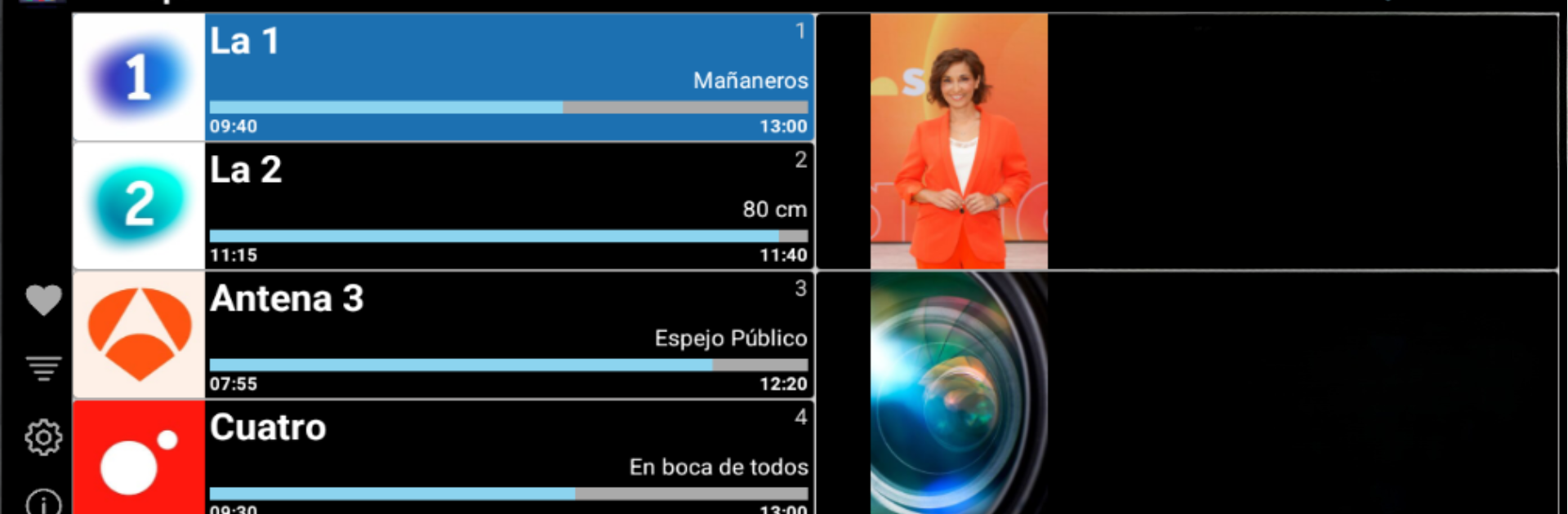
TDT Spain feels like a simple, straight-to-the-point remote for Spanish live TV. It pulls together the main Spain channels and lets users flip through them fast, almost like a regular antenna setup but over the internet. The interface is clearly tuned for Android TV and phones, and on a PC with BlueStacks it ends up feeling a bit like a living room box. Channel hopping with the arrow keys or the plus and minus is quick, and punching in a channel number jumps right to it without fuss. There is a favorites list that can be arranged in whatever order makes sense, so the usual channels are always first.

While a channel is playing, moving left or right, or sliding, brings up a quick channel rail and the guide, so checking what is on now or next does not break the flow. The programming guide is straightforward and readable, with no weird clutter. It is very much focused on live television and DTT Spain, not a bunch of on demand extras, which keeps it light and easy to navigate. As long as the connection is stable, it behaves like regular TV without an antenna, and on BlueStacks the keyboard control makes zapping around feel natural. Users who just want Spain TV live with quick access and no heavy menus will get what they expect here.

Eager to take your app experience to the next level? Start right away by downloading BlueStacks on your PC or Mac.


How to Download and Run TDT Spain - TV España directo on PC or Mac

  • Download and install BlueStacks on your PC or Mac

  • Complete Google sign-in to access the Play Store, or do it later

  • Look for TDT Spain - TV España directo in the search bar at the top right corner

  • Click to install TDT Spain - TV España directo from the search results

  • Complete Google sign-in (if you skipped step 2) to install TDT Spain - TV España directo

  • Click the TDT Spain - TV España directo icon on the home screen to start playing

video
Watch Video

Minimum System Requirements

With BlueStacks 5, you can get started on a PC that fulfills the following requirements.

  • Operating System

    Microsoft Windows 7 or above, macOS 11 (Big Sur) or above

  • Processor

    Intel, AMD or Apple Silicon Processor

  • RAM

    at least 4GB

  • HDD

    10GB Free Disk Space

Note:

* You must be an Administrator on your PC. Up to date graphics drivers from Microsoft or the chipset vendor.

TDT Spain - TV España directo - FAQs

  • How to Run TDT Spain - TV España directo on Windows PC & Mac?

    Run TDT Spain - TV España directo on your PC or Mac by following these simple steps.

    • Click on ‘Download TDT Spain - TV España directo on PC’ to download BlueStacks
    • Install it and log-in to Google Play Store
    • Launch and run the app.
  • Why is BlueStacks the fastest and safest platform to play games on PC?

    BlueStacks respects your privacy and is always safe and secure to use. It does not carry any malware, spyware, or any sort of additional software that could harm your PC.

    It is engineered to optimize speed and performance for a seamless gaming experience.

  • What are TDT Spain - TV España directo PC requirements?

    Minimum requirement to run TDT Spain - TV España directo on your PC

    • OS: Microsoft Windows 7 and above:
    • Processor: Intel or AMD Processor:
    • RAM: Your PC must have at least 2GB of RAM. (Note that having 2GB or more disk space is not a substitute for RAM):
    • HDD: 5GB Free Disk Space.
    • You must be an Administrator on your PC.



