VTVcab ON: Trực tiếp bóng đá – Xem tivi online

VTVcab ON: Trực tiếp bóng đá – Xem tivi online

Entertainment

| VTVcab

Play on PC with BlueStacks or from our cloud

  • Overview
  • How to Download

Page Modified On: October 24, 2025

Run VTVcab ON: Trực tiếp bóng đá – Xem tivi online on PC or Mac

Get freedom from your phone’s obvious limitations. Use VTVcab ON: Trực tiếp bóng đá – Xem tivi online, made by VTVcab, a Entertainment app on your PC or Mac with BlueStacks, and level up your experience.

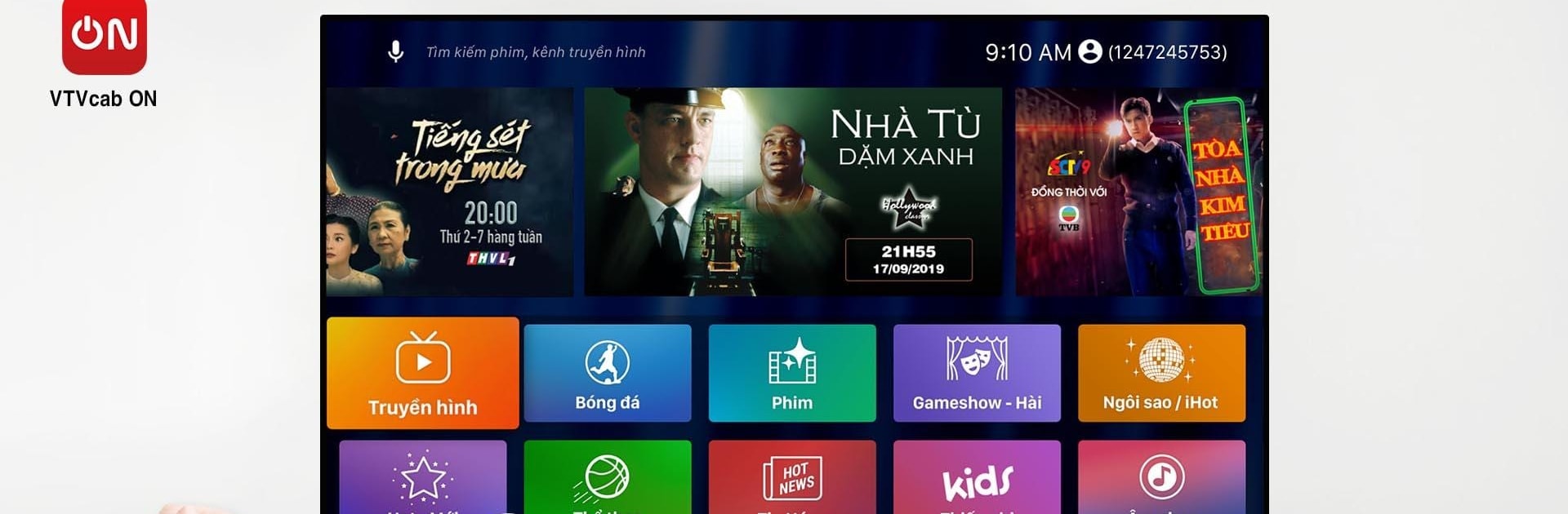
VTVcab ON feels like a big Vietnamese streaming hub that puts live football front and center. Think La Liga, the English League Cup, Vietnam National Cup, U23 Vietnam matches, EURO and World Cup qualifiers, plus top level tennis and some volleyball in the mix. The sports tab is easy to follow, with match schedules that update through the day and handy reminders so a kickoff does not sneak by. On a PC with BlueStacks it works like a tidy TV guide on a bigger screen, quick channel switches, no hunting through tiny menus.

It is not just sports either. There are over a hundred channels in HD or even 4K, from local staples like VTV1, VTV3, Bóng Đá TV and Thể Thao TV to movie and lifestyle picks such as Box Movie, FOX Movies, Woman and more. The on demand section is stacked with new films and dramas from China, Korea, Thailand, Vietnam, and the usual Hollywood stuff, with some cinema titles showing up fast after release. Kids have their own safe corner with channels like Baby TV and shows that are bright, simple, and actually educational. Streams spin up quickly and look clean, and if a match or episode gets missed, the app lets viewers jump back and replay programs from the last week. For anyone who wants Vietnamese TV and live sports in one place, especially if a household spans news junkies, drama fans, and football diehards, this app covers a lot without feeling messy.

Ready to experience VTVcab ON: Trực tiếp bóng đá – Xem tivi online on a bigger screen, in all its glory? Download BlueStacks now.


How to Download and Run VTVcab ON: Trực tiếp bóng đá – Xem tivi online on PC or Mac

  • Download and install BlueStacks on your PC or Mac

  • Complete Google sign-in to access the Play Store, or do it later

  • Look for VTVcab ON: Trực tiếp bóng đá – Xem tivi online in the search bar at the top right corner

  • Click to install VTVcab ON: Trực tiếp bóng đá – Xem tivi online from the search results

  • Complete Google sign-in (if you skipped step 2) to install VTVcab ON: Trực tiếp bóng đá – Xem tivi online

  • Click the VTVcab ON: Trực tiếp bóng đá – Xem tivi online icon on the home screen to start playing

video
Watch Video

Minimum System Requirements

With BlueStacks 5, you can get started on a PC that fulfills the following requirements.

  • Operating System

    Microsoft Windows 7 or above, macOS 11 (Big Sur) or above

  • Processor

    Intel, AMD or Apple Silicon Processor

  • RAM

    at least 4GB

  • HDD

    10GB Free Disk Space

Note:

* You must be an Administrator on your PC. Up to date graphics drivers from Microsoft or the chipset vendor.

VTVcab ON: Trực tiếp bóng đá – Xem tivi online - FAQs

  • How to Run VTVcab ON: Trực tiếp bóng đá – Xem tivi online on Windows PC & Mac?

    Run VTVcab ON: Trực tiếp bóng đá – Xem tivi online on your PC or Mac by following these simple steps.

    • Click on ‘Download VTVcab ON: Trực tiếp bóng đá – Xem tivi online on PC’ to download BlueStacks
    • Install it and log-in to Google Play Store
    • Launch and run the app.
  • Why is BlueStacks the fastest and safest platform to play games on PC?

    BlueStacks respects your privacy and is always safe and secure to use. It does not carry any malware, spyware, or any sort of additional software that could harm your PC.

    It is engineered to optimize speed and performance for a seamless gaming experience.

  • What are VTVcab ON: Trực tiếp bóng đá – Xem tivi online PC requirements?

    Minimum requirement to run VTVcab ON: Trực tiếp bóng đá – Xem tivi online on your PC

    • OS: Microsoft Windows 7 and above:
    • Processor: Intel or AMD Processor:
    • RAM: Your PC must have at least 2GB of RAM. (Note that having 2GB or more disk space is not a substitute for RAM):
    • HDD: 5GB Free Disk Space.
    • You must be an Administrator on your PC.