Wiki for Animal Crossing NL -

Wiki for Animal Crossing NL -

Entertainment

| BnrAjc

Play on PC with BlueStacks or from our cloud

  • Overview
  • How to Download

Page Modified On: October 24, 2025

Run Wiki for Animal Crossing NL - on PC or Mac

Upgrade your experience. Try Wiki for Animal Crossing NL – , the fantastic Entertainment app from BnrAjc, from the comfort of your laptop, PC, or Mac, only on BlueStacks.

About the App

Wiki for Animal Crossing NL – is a friendly, all-in-one companion made for fans who love keeping their town in perfect shape. It brings together villager info, collectibles, music, and helpful checklists so you don’t have to juggle notes or tabs. Prefer browsing on a bigger screen? It also works nicely on BlueStacks.

App Features

  • Resident Finder: Search villagers by species and personality to track down favorites fast.
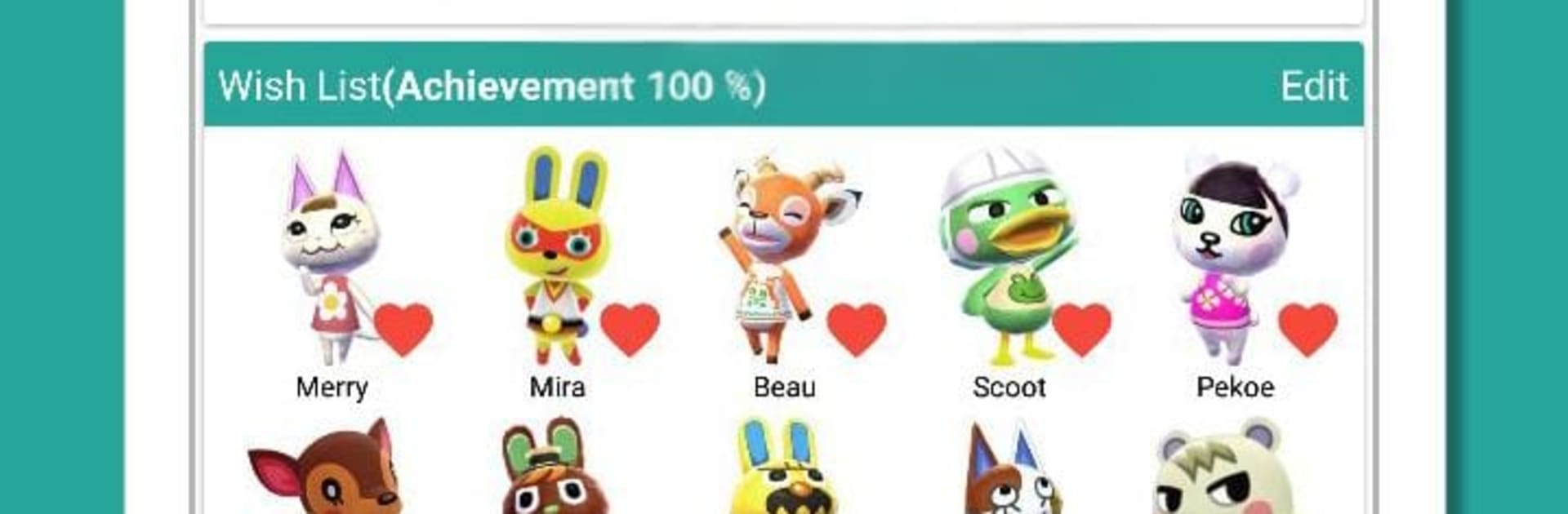
  • Wish List & Compatibility: Build a personal wish list and check a compatibility chart with simple, helpful recommendations.
  • Initial Furniture Peek: See each resident’s starting furniture at a glance so you know who fits your vibe.
  • Art Authenticity Guide: Compare pieces and spot fakes before you donate—no more getting fooled by a “masterpiece.”
  • Coffee Preferences: Check every villager’s and NPC’s coffee order (because who remembers all those sugar cubes?).
  • Music Player: Listen to K.K. Slider tracks and hourly BGM right in the app for instant nostalgia.
  • Public Works Overview: Review public works options to plan upgrades without second-guessing.
  • Amiibo Card Catalog: Browse amiibo cards in order, complete sets, and look up card numbers quickly.
  • Critterpedia Lists: Track insects, fish, and seafood with tidy lists that make museum completion painless.
  • Event Calendar: See upcoming events clearly laid out so you won’t miss the fun.
  • Screenshot Helper: Learn how to move screenshots from your console to your phone or PC with straightforward steps.
  • Themes & Storage: Switch app themes to match your mood and choose where to save your data.

Switch to BlueStacks and make the most of your apps on your PC or Mac.

How to Download and Run Wiki for Animal Crossing NL - on PC or Mac

  • Download and install BlueStacks on your PC or Mac

  • Complete Google sign-in to access the Play Store, or do it later

  • Look for Wiki for Animal Crossing NL - in the search bar at the top right corner

  • Click to install Wiki for Animal Crossing NL - from the search results

  • Complete Google sign-in (if you skipped step 2) to install Wiki for Animal Crossing NL -

  • Click the Wiki for Animal Crossing NL - icon on the home screen to start playing

video
Watch Video

Minimum System Requirements

With BlueStacks 5, you can get started on a PC that fulfills the following requirements.

  • Operating System

    Microsoft Windows 7 or above, macOS 11 (Big Sur) or above

  • Processor

    Intel, AMD or Apple Silicon Processor

  • RAM

    at least 4GB

  • HDD

    10GB Free Disk Space

Note:

* You must be an Administrator on your PC. Up to date graphics drivers from Microsoft or the chipset vendor.

Wiki for Animal Crossing NL - - FAQs

  • How to Run Wiki for Animal Crossing NL - on Windows PC & Mac?

    Run Wiki for Animal Crossing NL - on your PC or Mac by following these simple steps.

    • Click on ‘Download Wiki for Animal Crossing NL - on PC’ to download BlueStacks
    • Install it and log-in to Google Play Store
    • Launch and run the app.
  • Why is BlueStacks the fastest and safest platform to play games on PC?

    BlueStacks respects your privacy and is always safe and secure to use. It does not carry any malware, spyware, or any sort of additional software that could harm your PC.

    It is engineered to optimize speed and performance for a seamless gaming experience.

  • What are Wiki for Animal Crossing NL - PC requirements?

    Minimum requirement to run Wiki for Animal Crossing NL - on your PC

    • OS: Microsoft Windows 7 and above:
    • Processor: Intel or AMD Processor:
    • RAM: Your PC must have at least 2GB of RAM. (Note that having 2GB or more disk space is not a substitute for RAM):
    • HDD: 5GB Free Disk Space.
    • You must be an Administrator on your PC.