
1LIVE
1LIVE

1LIVE

Music & Audio

| Westdeutscher Rundfunk

Play on PC with BlueStacks or from our cloud

  • Overview
  • How to Download

Page Modified On: September 19, 2025

Run 1LIVE on PC or Mac

What’s better than using 1LIVE by Westdeutscher Rundfunk? Well, try it on a big screen, on your PC or Mac, with BlueStacks to see the difference.

About the App

1LIVE is the place to hear what’s hot right now—fresh hits, sharp news, standout podcasts, and the kind of comedies everyone talks about. Built by Westdeutscher Rundfunk, this Music & Audio app streams live radio all day and lets you catch up on shows whenever it fits your schedule. Use it on your phone or tablet, or fire it up on your computer with BlueStacks when you’re at a desk.

App Features

  • Live radio: Stream 1LIVE and 1LIVE DIGGI wherever you are and keep the music going around the clock.
  • Music shows on demand: Play “Plan B,” “Neu für den Sektor,” “DJ Session,” “Hip Hop Session,” “Go,” or “Moving” whenever you’ve got time.
  • Podcasts and comedy: Subscribe to favorites like “Bratwurst and Baklava,” “Intimbereich,” “Dennis ruft an,” or “Babo-Bus,” and get a heads-up when new episodes drop.
  • Radio plays: Settle in with immersive audio dramas—perfect for commutes or late-night listening.
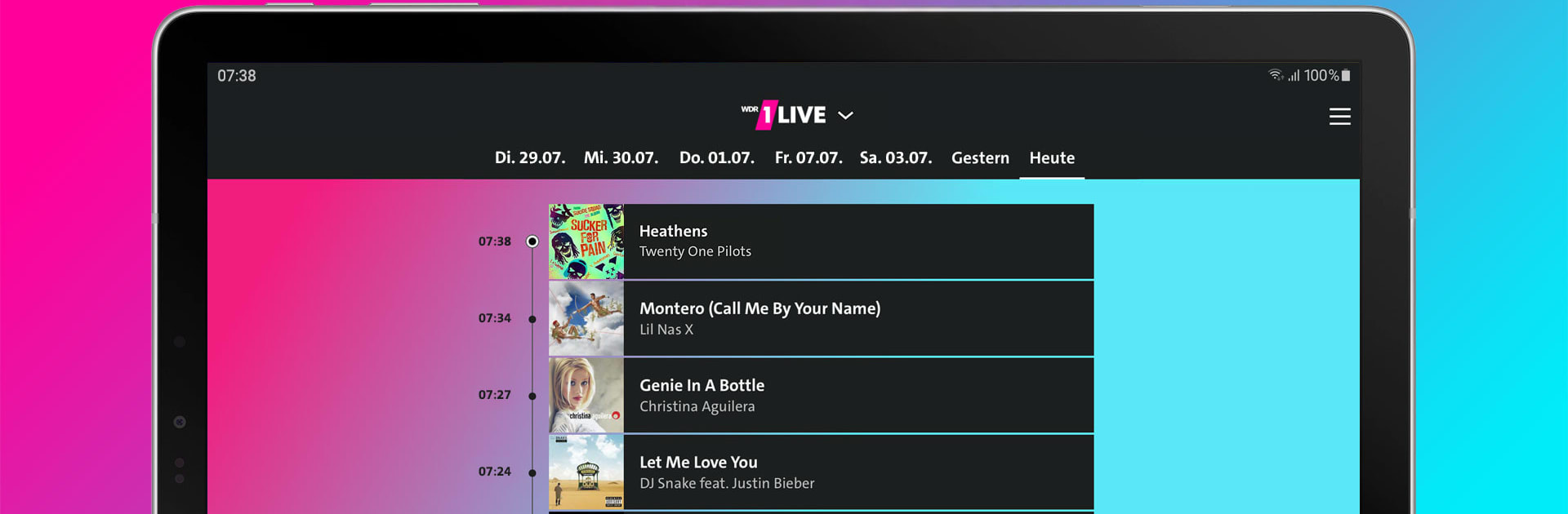
  • Playlist and artwork: See what just played, check cover art, and find tracks you want to save.
  • Special channels: Explore uniquely curated streams with regularly changing themes for even more music.
  • My 1LIVE: Personalize your feed, follow shows, and build your own backlog so you never miss a thing.
  • Messenger to the studio: Text the team or send voice messages, photos, and videos; request songs, share stories, or jump into contests.
  • News, weather, and traffic: Get independent news, tailor “Sektorwetter” to your locations, and track traffic in NRW with route-based updates.
  • Listen anywhere: On the go or at home—use your mobile device, or tune in on your PC or Mac via BlueStacks.

Switch to BlueStacks and make the most of your apps on your PC or Mac.

How to Download and Run 1LIVE on PC or Mac

  • Download and install BlueStacks on your PC or Mac

  • Complete Google sign-in to access the Play Store, or do it later

  • Look for 1LIVE in the search bar at the top right corner

  • Click to install 1LIVE from the search results

  • Complete Google sign-in (if you skipped step 2) to install 1LIVE

  • Click the 1LIVE icon on the home screen to start playing

video
Watch Video

Minimum System Requirements

With BlueStacks 5, you can get started on a PC that fulfills the following requirements.

  • Operating System

    Microsoft Windows 7 or above, macOS 11 (Big Sur) or above

  • Processor

    Intel, AMD or Apple Silicon Processor

  • RAM

    at least 4GB

  • HDD

    10GB Free Disk Space

Note:

* You must be an Administrator on your PC. Up to date graphics drivers from Microsoft or the chipset vendor.

1LIVE - FAQs

  • How to Run 1LIVE on Windows PC & Mac?

    Run 1LIVE on your PC or Mac by following these simple steps.

    • Click on ‘Download 1LIVE on PC’ to download BlueStacks
    • Install it and log-in to Google Play Store
    • Launch and run the app.
  • Why is BlueStacks the fastest and safest platform to play games on PC?

    BlueStacks respects your privacy and is always safe and secure to use. It does not carry any malware, spyware, or any sort of additional software that could harm your PC.

    It is engineered to optimize speed and performance for a seamless gaming experience.

  • What are 1LIVE PC requirements?

    Minimum requirement to run 1LIVE on your PC

    • OS: Microsoft Windows 7 and above:
    • Processor: Intel or AMD Processor:
    • RAM: Your PC must have at least 2GB of RAM. (Note that having 2GB or more disk space is not a substitute for RAM):
    • HDD: 5GB Free Disk Space.
    • You must be an Administrator on your PC.




