
DJ Mix Studio - DJ Music Mixer

DJ Mix Studio - DJ Music Mixer

Music & Audio

| Coocent

Play on PC with BlueStacks or from our cloud

  • Overview
  • How to Download

Page Modified On: January 06, 2026

Run DJ Mix Studio - DJ Music Mixer on PC or Mac

Get freedom from your phone’s obvious limitations. Use DJ Mix Studio – DJ Music Mixer, made by Coocent, a Music & Audio app on your PC or Mac with BlueStacks, and level up your experience.

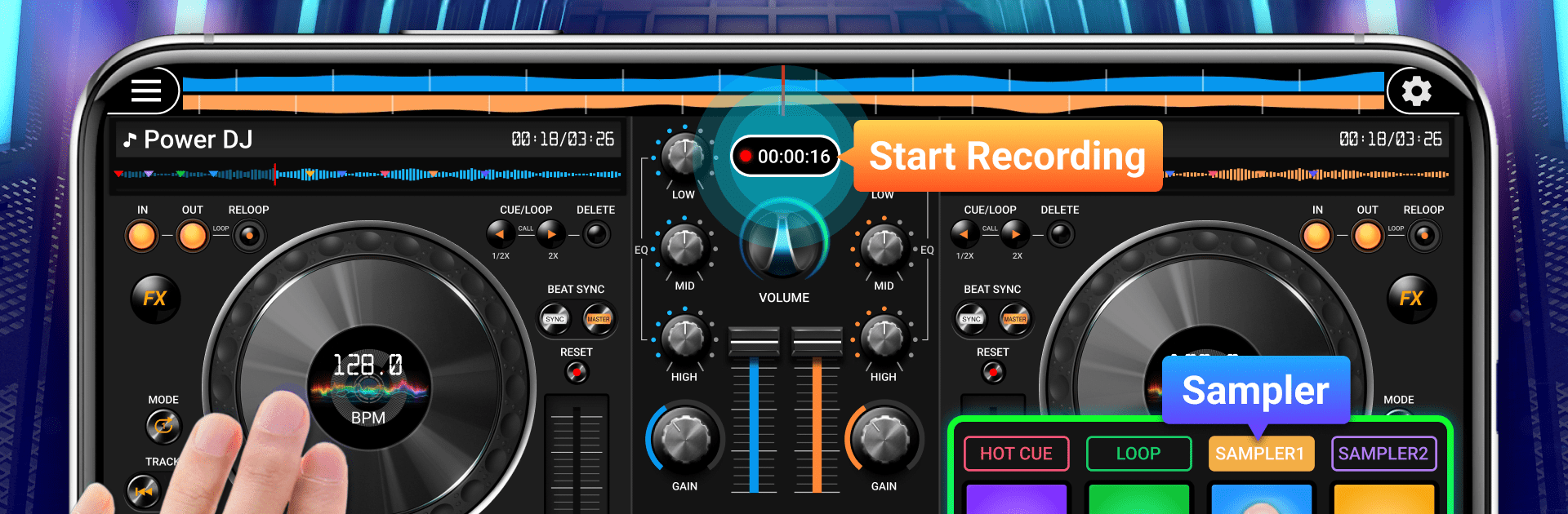
DJ Mix Studio – DJ Music Mixer feels like a simple little DJ booth that runs on a phone, but it works nicely on a PC through BlueStacks too. On a bigger screen it is easier to see what is happening and drag the sliders without missing. The layout is clean, so a new user can load two tracks, line up the beats, and blend them without digging through menus. Beat matching helps keep things in sync, and the crossfader does what it should. It is not trying to be a full studio, but it gives enough control to actually shape a mix instead of just pressing play.

There are lots of tools to play with. Loops snap in smoothly, the EQ and filters let someone carve out space, and gain control keeps volumes steady. The drumpads are handy for quick fills or drops. There is trimming if a track needs a shorter intro, and a merger tool for stitching songs together into one file when someone wants a quick mash. Recording is built in, so saving a set and sending it to friends takes a tap. It suits beginners who want to learn the basics without stress, and it still gives a more experienced person room to fine tune. Good for casual house mixes, practice sessions, or just playing around with ideas before taking them elsewhere.

BlueStacks brings your apps to life on a bigger screen—seamless and straightforward.

How to Download and Run DJ Mix Studio - DJ Music Mixer on PC or Mac

  • Download and install BlueStacks on your PC or Mac

  • Complete Google sign-in to access the Play Store, or do it later

  • Look for DJ Mix Studio - DJ Music Mixer in the search bar at the top right corner

  • Click to install DJ Mix Studio - DJ Music Mixer from the search results

  • Complete Google sign-in (if you skipped step 2) to install DJ Mix Studio - DJ Music Mixer

  • Click the DJ Mix Studio - DJ Music Mixer icon on the home screen to start playing

video
Watch Video

Minimum System Requirements

With BlueStacks 5, you can get started on a PC that fulfills the following requirements.

  • Operating System

    Microsoft Windows 7 or above, macOS 11 (Big Sur) or above

  • Processor

    Intel, AMD or Apple Silicon Processor

  • RAM

    at least 4GB

  • HDD

    10GB Free Disk Space

Note:

* You must be an Administrator on your PC. Up to date graphics drivers from Microsoft or the chipset vendor.

DJ Mix Studio - DJ Music Mixer - FAQs

  • How to Run DJ Mix Studio - DJ Music Mixer on Windows PC & Mac?

    Run DJ Mix Studio - DJ Music Mixer on your PC or Mac by following these simple steps.

    • Click on ‘Download DJ Mix Studio - DJ Music Mixer on PC’ to download BlueStacks
    • Install it and log-in to Google Play Store
    • Launch and run the app.
  • Why is BlueStacks the fastest and safest platform to play games on PC?

    BlueStacks respects your privacy and is always safe and secure to use. It does not carry any malware, spyware, or any sort of additional software that could harm your PC.

    It is engineered to optimize speed and performance for a seamless gaming experience.

  • What are DJ Mix Studio - DJ Music Mixer PC requirements?

    Minimum requirement to run DJ Mix Studio - DJ Music Mixer on your PC

    • OS: Microsoft Windows 7 and above:
    • Processor: Intel or AMD Processor:
    • RAM: Your PC must have at least 2GB of RAM. (Note that having 2GB or more disk space is not a substitute for RAM):
    • HDD: 5GB Free Disk Space.
    • You must be an Administrator on your PC.




