FREE Music App(Download Now) & Podcast Downloader!

FREE Music App(Download Now) & Podcast Downloader!

Music & Audio

| MixerBox© - Music & MP3 Player App

Play on PC with BlueStacks or from our cloud

  • Overview
  • How to Download

Page Modified On: September 02, 2025

Run FREE Music App(Download Now) & Podcast Downloader! on PC or Mac

Why limit yourself to your small screen on the phone? Run FREE Music App(Download Now) & Podcast Downloader!, an app by MixerBox© – Music & MP3 Player App Free Download, best experienced on your PC or Mac with BlueStacks, the world’s #1 Android emulator.

This feels like a big all in one music and podcast player that actually works well on a PC through BlueStacks. Someone can search a huge library and play full tracks without a lot of fuss, then save podcasts to listen offline for commutes or flights. It does stream from places like YouTube inside the app, but it does not let people download YouTube audio. The download part is for podcasts and for free tracks that Amazon lists, and the app just notifies when those are available. That detail matters if someone expects a full MP3 downloader. The floating mini player is handy, since it stays on top while browsing or answering messages, and on a desktop that feels natural.

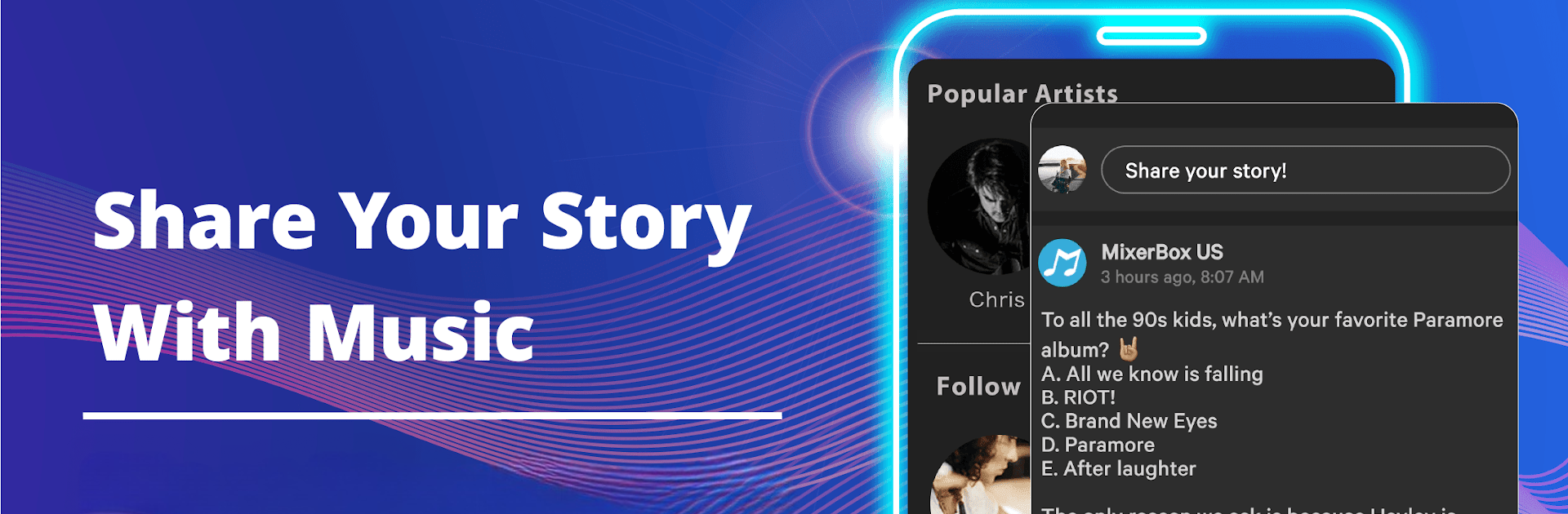
The extras are what make it sticky. Recommendations use an AI system so new songs show up that match what someone already plays, and there is a quick 20 second highlight for each track to sample before committing. Lyrics pop up for a lot of songs, there is a song ID tool for figuring out what is playing nearby, and playlists are easy to build and share. There is also a light social layer with feeds, chats, and even playlist contests, which is fun if someone likes comparing taste. Themes let them change the look, and it can play local MP3s too. On BlueStacks, the bigger screen and mouse make queueing, skimming lyrics, and juggling the floating player feel smoother than on a phone.

Ready to experience FREE Music App(Download Now) & Podcast Downloader! on a bigger screen, in all its glory? Download BlueStacks now.


How to Download and Run FREE Music App(Download Now) & Podcast Downloader! on PC or Mac

  • Download and install BlueStacks on your PC or Mac

  • Complete Google sign-in to access the Play Store, or do it later

  • Look for FREE Music App(Download Now) & Podcast Downloader! in the search bar at the top right corner

  • Click to install FREE Music App(Download Now) & Podcast Downloader! from the search results

  • Complete Google sign-in (if you skipped step 2) to install FREE Music App(Download Now) & Podcast Downloader!

  • Click the FREE Music App(Download Now) & Podcast Downloader! icon on the home screen to start playing

video
Watch Video

Minimum System Requirements

With BlueStacks 5, you can get started on a PC that fulfills the following requirements.

  • Operating System

    Microsoft Windows 7 or above, macOS 11 (Big Sur) or above

  • Processor

    Intel, AMD or Apple Silicon Processor

  • RAM

    at least 4GB

  • HDD

    10GB Free Disk Space

Note:

* You must be an Administrator on your PC. Up to date graphics drivers from Microsoft or the chipset vendor.

FREE Music App(Download Now) & Podcast Downloader! - FAQs

  • How to Run FREE Music App(Download Now) & Podcast Downloader! on Windows PC & Mac?

    Run FREE Music App(Download Now) & Podcast Downloader! on your PC or Mac by following these simple steps.

    • Click on ‘Download FREE Music App(Download Now) & Podcast Downloader! on PC’ to download BlueStacks
    • Install it and log-in to Google Play Store
    • Launch and run the app.
  • Why is BlueStacks the fastest and safest platform to play games on PC?

    BlueStacks respects your privacy and is always safe and secure to use. It does not carry any malware, spyware, or any sort of additional software that could harm your PC.

    It is engineered to optimize speed and performance for a seamless gaming experience.

  • What are FREE Music App(Download Now) & Podcast Downloader! PC requirements?

    Minimum requirement to run FREE Music App(Download Now) & Podcast Downloader! on your PC

    • OS: Microsoft Windows 7 and above:
    • Processor: Intel or AMD Processor:
    • RAM: Your PC must have at least 2GB of RAM. (Note that having 2GB or more disk space is not a substitute for RAM):
    • HDD: 5GB Free Disk Space.
    • You must be an Administrator on your PC.