
G-Stomper Producer
G-Stomper Producer

G-Stomper Producer

Music & Audio

| planet-h.com

Play on PC with BlueStacks or from our cloud

  • Overview
  • How to Download

Page Modified On: September 02, 2025

Run G-Stomper Producer on PC or Mac

Let BlueStacks turn your PC, Mac, or laptop into the perfect home for G-Stomper Producer, a fun Music & Audio app from planet-h.com.

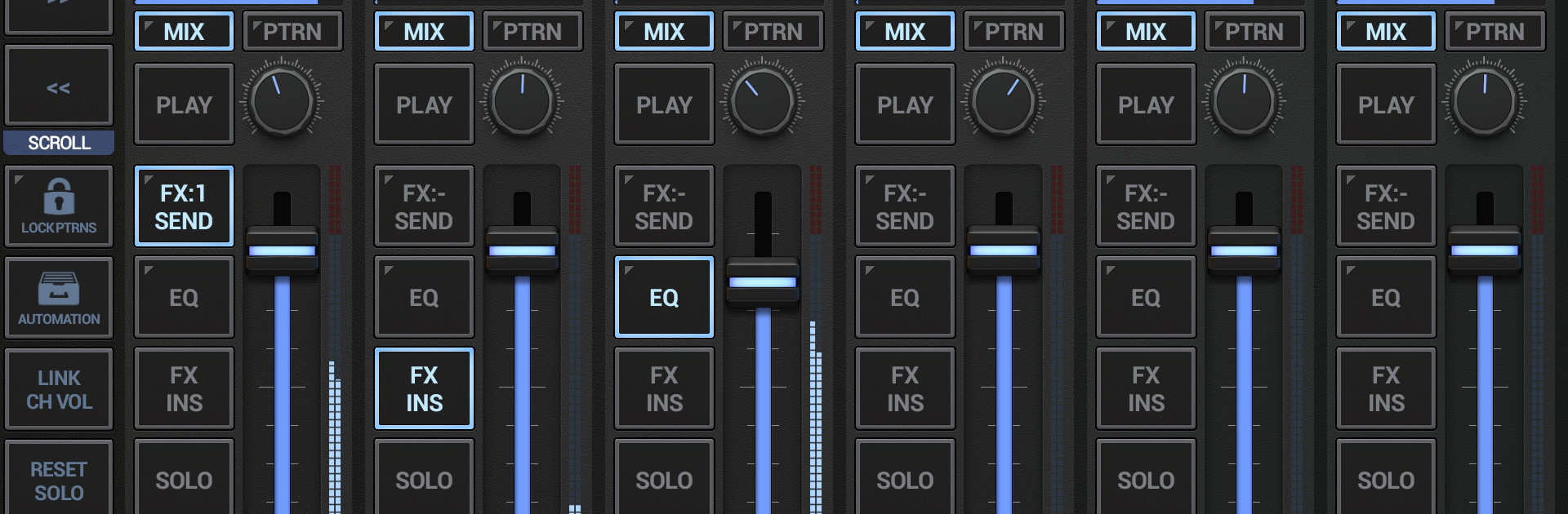
G‑Stomper Producer feels like a serious mini‑DAW that happens to run on a phone, but it really shines on a bigger screen. It mixes a punchy drum sampler with step sequencers, playable pads, a piano keyboard, and a beefy virtual analog synth that can go from smooth to noisy fast. What sticks out is how performance focused it is. Patterns with different lengths can run together without stopping, scenes can be switched on the fly, and everything keeps ticking so it encourages quick jamming that turns into a proper song later. The arranger is a clear timeline with multiple tracks, so dropping patterns into a structure is not a headache. The mixer is no toy either, with per‑channel EQ, insert slots, a separate effects rack, and master processing. Effects go deep, from compressors and filters to delays, reverbs, distortions, and even vocoders, with sidechain and tempo sync so grooves pump the way they should.

On PC with BlueStacks, the extra space makes the grids, pads, and synth pages easier to grab, and a mouse feels great for dialing tiny knobs without fat‑finger slips. MIDI support and Ableton Link mean it can sit in a larger setup, or just clock tight with other apps. It handles user samples in common formats, lets automation draw motion into almost anything, and includes a simple audio editor for trimming and recording bits right inside the project. Exporting is flexible too, from full mixes to track‑by‑track stems at high sample rates, so finishing in another DAW stays painless. It is a lot to learn on the first evening but the layout is logical, and once patterns start rolling, it invites experiments that sound like real tracks instead of sketches. Someone who enjoys step sequencing, live tweaks, and building songs from loops would feel right at home here.

Ready to experience G-Stomper Producer on a bigger screen, in all its glory? Download BlueStacks now.


How to Download and Run G-Stomper Producer on PC or Mac

  • Download and install BlueStacks on your PC or Mac

  • Complete Google sign-in to access the Play Store, or do it later

  • Look for G-Stomper Producer in the search bar at the top right corner

  • Click to install G-Stomper Producer from the search results

  • Complete Google sign-in (if you skipped step 2) to install G-Stomper Producer

  • Click the G-Stomper Producer icon on the home screen to start playing

video
Watch Video

Minimum System Requirements

With BlueStacks 5, you can get started on a PC that fulfills the following requirements.

  • Operating System

    Microsoft Windows 7 or above, macOS 11 (Big Sur) or above

  • Processor

    Intel, AMD or Apple Silicon Processor

  • RAM

    at least 4GB

  • HDD

    10GB Free Disk Space

Note:

* You must be an Administrator on your PC. Up to date graphics drivers from Microsoft or the chipset vendor.

G-Stomper Producer - FAQs

  • How to Run G-Stomper Producer on Windows PC & Mac?

    Run G-Stomper Producer on your PC or Mac by following these simple steps.

    • Click on ‘Download G-Stomper Producer on PC’ to download BlueStacks
    • Install it and log-in to Google Play Store
    • Launch and run the app.
  • Why is BlueStacks the fastest and safest platform to play games on PC?

    BlueStacks respects your privacy and is always safe and secure to use. It does not carry any malware, spyware, or any sort of additional software that could harm your PC.

    It is engineered to optimize speed and performance for a seamless gaming experience.

  • What are G-Stomper Producer PC requirements?

    Minimum requirement to run G-Stomper Producer on your PC

    • OS: Microsoft Windows 7 and above:
    • Processor: Intel or AMD Processor:
    • RAM: Your PC must have at least 2GB of RAM. (Note that having 2GB or more disk space is not a substitute for RAM):
    • HDD: 5GB Free Disk Space.
    • You must be an Administrator on your PC.



