
GuitarScales
GuitarScales

GuitarScales

Music & Audio

| WeSoftLab

Play on PC with BlueStacks or from our cloud

  • Overview
  • How to Download

Page Modified On: July 04, 2025

Run GuitarScales on PC or Mac

Get freedom from your phone’s obvious limitations. Use GuitarScales, made by WeSoftLab, a Music & Audio app on your PC or Mac with BlueStacks, and level up your experience.

About the App

Ever get stuck trying to remember which note goes where on your guitar? GuitarScales by WeSoftLab makes the fretboard way less confusing—no guessing, no endless scrolling through charts. Whether you’re a total beginner or already play with confidence, this Music & Audio app gives you a smoother way to figure out guitar scales, explore new sounds, and actually memorize those tricky positions. Pick up your guitar, open up GuitarScales (even better if you’re using a bigger screen with BlueStacks), and you’re ready to learn at your own pace.

App Features

  • Loads of Scale Choices
    You’re not just limited to pentatonic or major—GuitarScales covers a whole library, from classics like Ionian, Dorian, and Lydian to more exotic flavors like Hungarian Gypsy, Flamenco, and Byzantine. It’s a bit like having a world tour right on your fretboard.

  • Multiple Tunings
    Drop D? Drop C? Or maybe standard’s more your vibe. GuitarScales lets you choose from a range of popular tunings, so you’re not stuck transposing or scratching your head when you pick up another guitar.

  • Full Fretboard Visualization
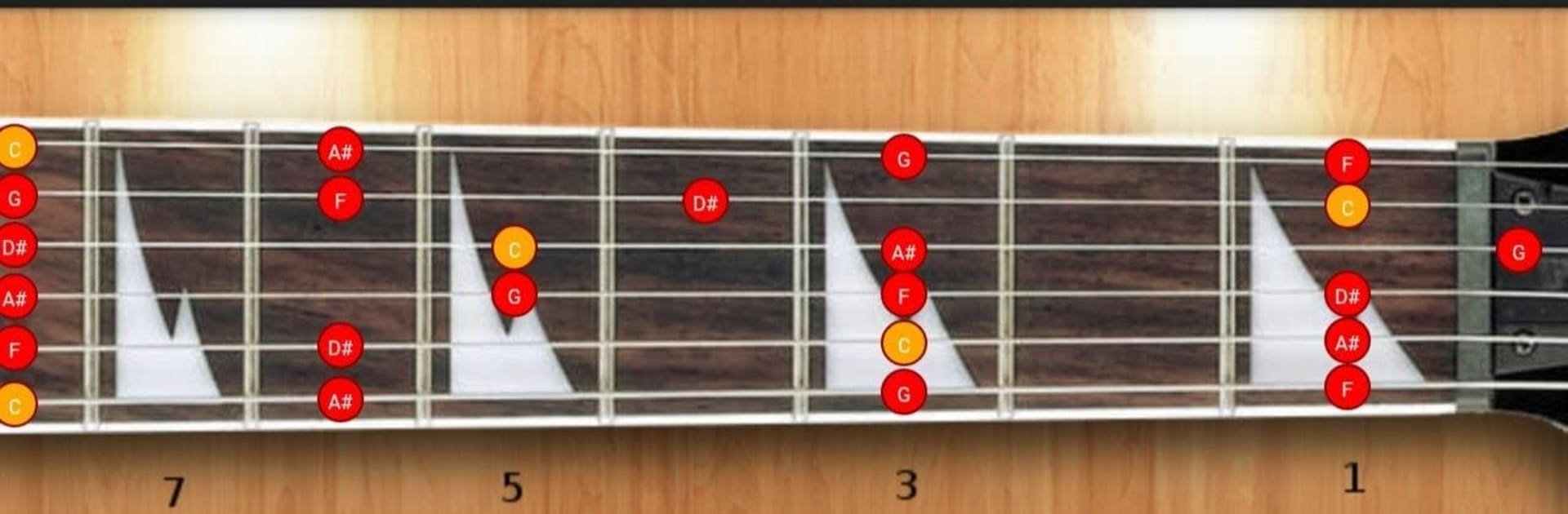
    See every note in your chosen scale mapped out across the entire fretboard. Want to zoom in on a specific position—like 5-position, 3-notes-per-string, or diagonal shapes? The app’s got you covered, no matter your learning style.

  • Hands-On Sound Examples
    Not sure what a Ukrainian Dorian actually sounds like? Tap to play the scale or individual notes, so your ears get as much of a workout as your fingers.

  • Beginner to Pro Friendly
    New players can build confidence, while advanced guitarists will find tools to get creative and break out of old habits. There’s even a left-handed mode, so no one’s left out.

  • Designed for All Devices
    Looks and works great on phones and tablets—and if you prefer, things get even clearer on a bigger screen with BlueStacks.

Eager to take your app experience to the next level? Start right away by downloading BlueStacks on your PC or Mac.


How to Download and Run GuitarScales on PC or Mac

  • Download and install BlueStacks on your PC or Mac

  • Complete Google sign-in to access the Play Store, or do it later

  • Look for GuitarScales in the search bar at the top right corner

  • Click to install GuitarScales from the search results

  • Complete Google sign-in (if you skipped step 2) to install GuitarScales

  • Click the GuitarScales icon on the home screen to start playing

video
Watch Video

Minimum System Requirements

With BlueStacks 5, you can get started on a PC that fulfills the following requirements.

  • Operating System

    Microsoft Windows 7 or above, macOS 11 (Big Sur) or above

  • Processor

    Intel, AMD or Apple Silicon Processor

  • RAM

    at least 4GB

  • HDD

    10GB Free Disk Space

Note:

* You must be an Administrator on your PC. Up to date graphics drivers from Microsoft or the chipset vendor.

GuitarScales - FAQs

  • How to Run GuitarScales on Windows PC & Mac?

    Run GuitarScales on your PC or Mac by following these simple steps.

    • Click on ‘Download GuitarScales on PC’ to download BlueStacks
    • Install it and log-in to Google Play Store
    • Launch and run the app.
  • Why is BlueStacks the fastest and safest platform to play games on PC?

    BlueStacks respects your privacy and is always safe and secure to use. It does not carry any malware, spyware, or any sort of additional software that could harm your PC.

    It is engineered to optimize speed and performance for a seamless gaming experience.

  • What are GuitarScales PC requirements?

    Minimum requirement to run GuitarScales on your PC

    • OS: Microsoft Windows 7 and above:
    • Processor: Intel or AMD Processor:
    • RAM: Your PC must have at least 2GB of RAM. (Note that having 2GB or more disk space is not a substitute for RAM):
    • HDD: 5GB Free Disk Space.
    • You must be an Administrator on your PC.



